
Quick Mockup Embeds For Product Prototyping (Without Photoshop Headaches)
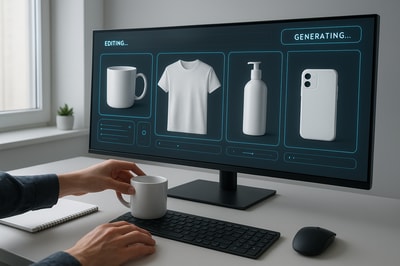
Quickly testing product ideas shouldn’t require a full design team or hours in Photoshop.
If you’re prototyping new products, packaging, or designs, fast mockup embeds can be the difference between launching in days vs. weeks. In this guide, you’ll learn how to use AI-powered mockups to validate ideas, pitch concepts, and update your Shopify store — without complex tools.
In this article, we’ll focus on using Supra AI Photo Studio to create quick, realistic mockup embeds directly inside Shopify.
What Are Mockup Embeds (And Why They Matter For Prototyping)?
A mockup embed is when you take your design (logo, label, artwork, packaging concept, etc.) and embed it onto a realistic product photo — like a t‑shirt, mug, cosmetic bottle, or shipping box.
Instead of sending flat PDFs or raw logos, you show:
- Your logo on a hoodie
- Your label on a serum bottle
- Your artwork on a canvas or poster
- Your branding on packaging and mailers
For product prototyping, this is powerful because you can:
- Test multiple directions before paying for samples
- Gather feedback from stakeholders or customers using realistic visuals
- Pre-sell or validate demand with mockups before full production
- Keep all visuals aligned with your brand while you experiment
Traditionally, this meant Photoshop files, perspective warping, and a lot of manual editing. With AI, you can do it in minutes.
Why Use AI For Quick Mockup Embeds?
Using an AI photo studio like Supra AI Photo Studio brings three key advantages:
- Speed – Upload a base product image, drop in your design, and let AI handle angles, lighting, and shadows.
- Scalability – Generate dozens of variations (colors, scenes, layouts) for the same product.
- Realism – AI can simulate fabric folds, reflections on glass, or curves on bottles so your design actually looks printed/attached.
That’s especially useful when you’re iterating on:
- New private-label products
- Print-on-demand designs
- Seasonal or limited drops
- Packaging redesigns
Meet Supra AI Photo Studio’s Mockup Embedding
Supra AI Photo Studio is a Shopify app that turns basic product shots into polished visuals. One of its most underrated superpowers is mockup embedding.
You can:
- Embed logos and designs onto apparel, mugs, posters, packaging, and more
- Use your own mockup objects or have the AI generate them
- Combine mockups with lifestyle backgrounds for realistic scenes
- Keep everything inside your Shopify admin, no extra tools
Here’s an overview of the editor where you’ll do most of this work:
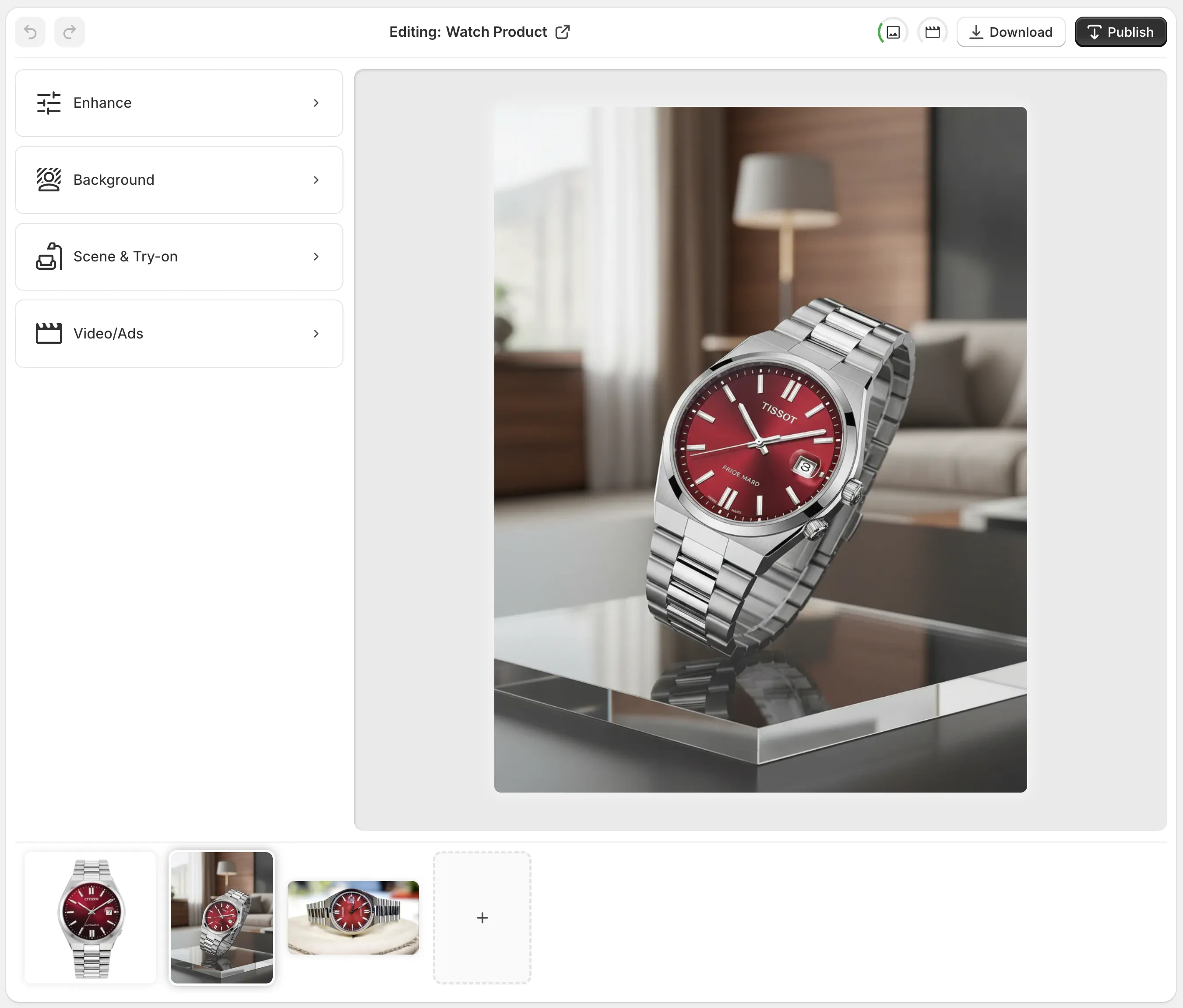
The interface is broken down into:
- Tools (left): AI-powered tools like object placement, background removal, and mockup embedding.
- Canvas (right): Where you see your live mockup.
- Image gallery (bottom): All images for the current product.
- Top bar: Undo/redo, download, and publish to your Shopify product.
Step‑By‑Step: Quick Mockup Embeds For Product Prototyping
1. Install Supra AI Photo Studio
- Go to the Shopify App Store listing: Supra AI Photo Studio.
- Click Add app and install it on your store.
- Open it from your Shopify admin.
You can start on the free plan, which already includes a few AI image generations — perfect to test your prototyping workflow.
2. Choose Your Base Product Image
For clean mockups, you need a solid base image of the object you want to embed your design onto.
You can:
- Pick an existing Shopify product from inside Supra AI Photo Studio, or
- Upload a blank mockup image (like an empty t‑shirt, bottle, box, etc.)
Tip: Aim for high‑resolution images with good lighting and minimal distractions. This gives the AI more detail to work with.
If your image already has a messy background, you can use the built‑in background remover first to isolate the product.
3. Isolate The Product (Optional But Recommended)
Before embedding your design, it often helps to remove the background so the AI clearly understands the product shape.
Inside the editor:
- Select your image.
- Use the “Isolate Product” / background removal tool.
- Let the AI automatically cut out your product.
This will improve:
- How your design wraps around the object
- How shadows and highlights behave
- Overall realism of the final mockup
4. Embed Your Design Onto The Product
Now for the fun part: adding your logo or artwork.
Using the mockup embedding capability in Supra AI Photo Studio:
- Upload your design file (PNG with transparency is best).
- Select where you want it placed (t‑shirt chest, box front, mug side, label area, etc.).
- Let the AI match perspective, curvature, and lighting.
For example, you can embed:
- A brand logo on a coffee mug
- A label design on a skincare bottle
- A graphic illustration on a hoodie
- A shipping label on a cardboard mailer
Because Supra AI Photo Studio understands 3D cues, it will simulate fabric folds, glass reflections, and curved surfaces, so your design won’t look like a flat sticker.
5. Place The Mockup In A Realistic Scene
Mockups are useful — but lifestyle mockups are even more powerful for prototyping and pre‑launch marketing.
With Supra AI Photo Studio’s Object Placement tool, you can drop your newly embedded product into different environments:
- A clean product studio setup
- A luxury boutique shelf
- A bathroom counter for skincare
- A desk setup for tech accessories
- An outdoor picnic for food & beverage items
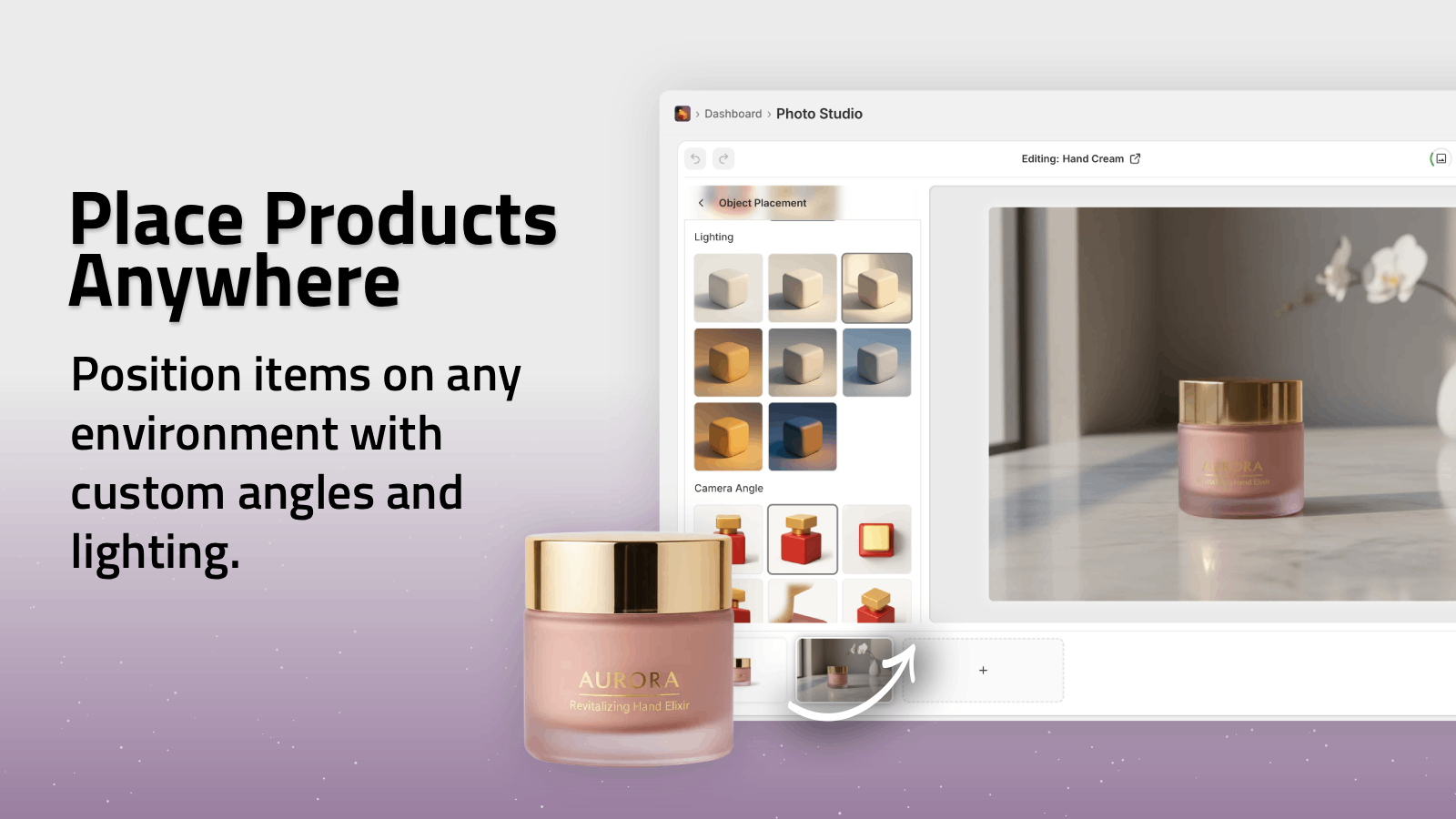
You can choose:
- Surface type (wood, marble, glass, fabric…)
- Camera angle (top‑down, side, 3/4 view)
- Lighting style (soft studio, natural daylight, moody)
This helps you see how your prototype will actually look in context, not just floating on white.
6. Iterate Fast: Variations, Colors, and Versions
Prototyping is all about iterations. With AI you can quickly explore:
- Different colorways of the same design
- Alternate label layouts on the same bottle
- Variations of packaging and unboxing concepts
- Multiple product sizes using the same brand system
You can duplicate an image, tweak your embedded design, and generate multiple variants — all saved in the product’s image gallery inside Supra AI Photo Studio.
Use these to:
- Share options with your manufacturer
- Present multiple directions to clients or stakeholders
- Test different concepts in pre‑launch ads and email campaigns
Using Quick Mockup Embeds To Validate New Products
Here are a few practical ways to use fast mockup embeds for real‑world product validation:
1. Pre‑Sell or Waitlist With Mockups
Create realistic mockups of your new product and:
- Add them as draft products in Shopify
- Connect them to waitlist or pre‑order campaigns
- Use them in landing pages, ads, and emails
You can do all of this while the physical product is still in development.
2. A/B Test Design Directions
Unsure whether Version A or Version B will convert better?
- Use Supra AI Photo Studio to create two mockup sets
- Run A/B tests on product pages or ads
- Keep the winner and move forward with that prototype
3. Pitch To Retailers or Partners
If you’re trying to land shelf space or a collaboration, realistic mockups are essential.
- Show on‑shelf renders using the Object Placement tool
- Demonstrate packaging lines (e.g., full skincare set)
- Present different display concepts quickly
4. Content‑First Launch Strategy
With mockups prepared, you can already start creating:
- UGC‑style videos using Supra AI’s UGC video generator
- B‑roll product videos with cinematic drops and movement
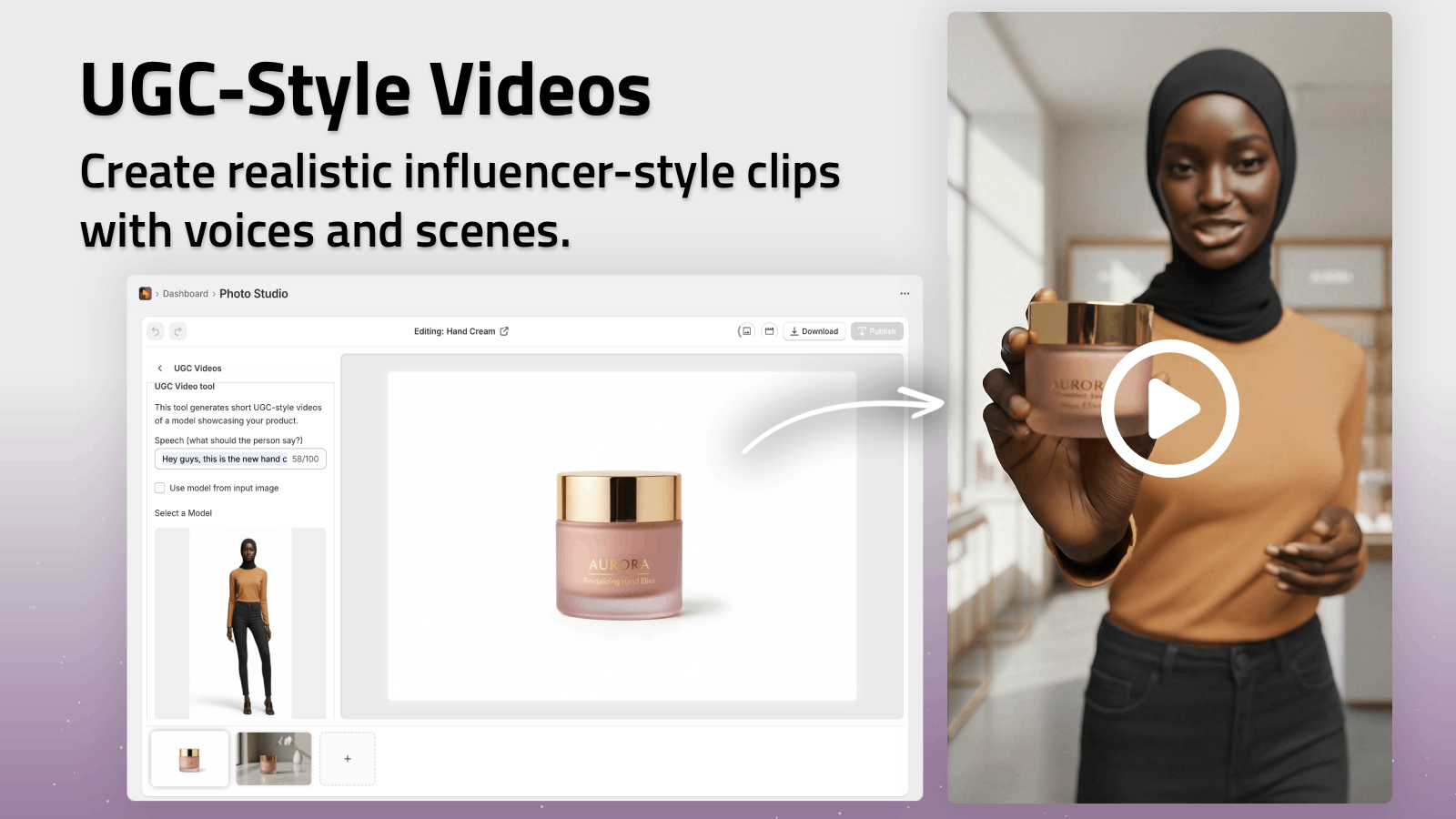
All from the same prototype visuals — before the finished goods arrive.
Best Practices For High‑Quality Mockup Embeds
To get the most out of Supra AI Photo Studio when prototyping:
-
Start with clean base images
Use isolated, high‑resolution shots or simple mockup objects. -
Use transparent PNGs for designs
This makes embedding cleaner and more flexible. -
Match the scene to your audience
Tech → minimalist desks. Beauty → bathroom vanities. Food → kitchen tables. -
Stay consistent across variations
Same lighting and perspective help stakeholders compare prototypes easily. -
Combine embeds with auto‑enhance
Use Supra AI’s auto enhancement to fix colors, contrast, and sharpness for a polished, presentation‑ready look.
Example: From Flat Logo To Launch‑Ready Mockups In 20 Minutes
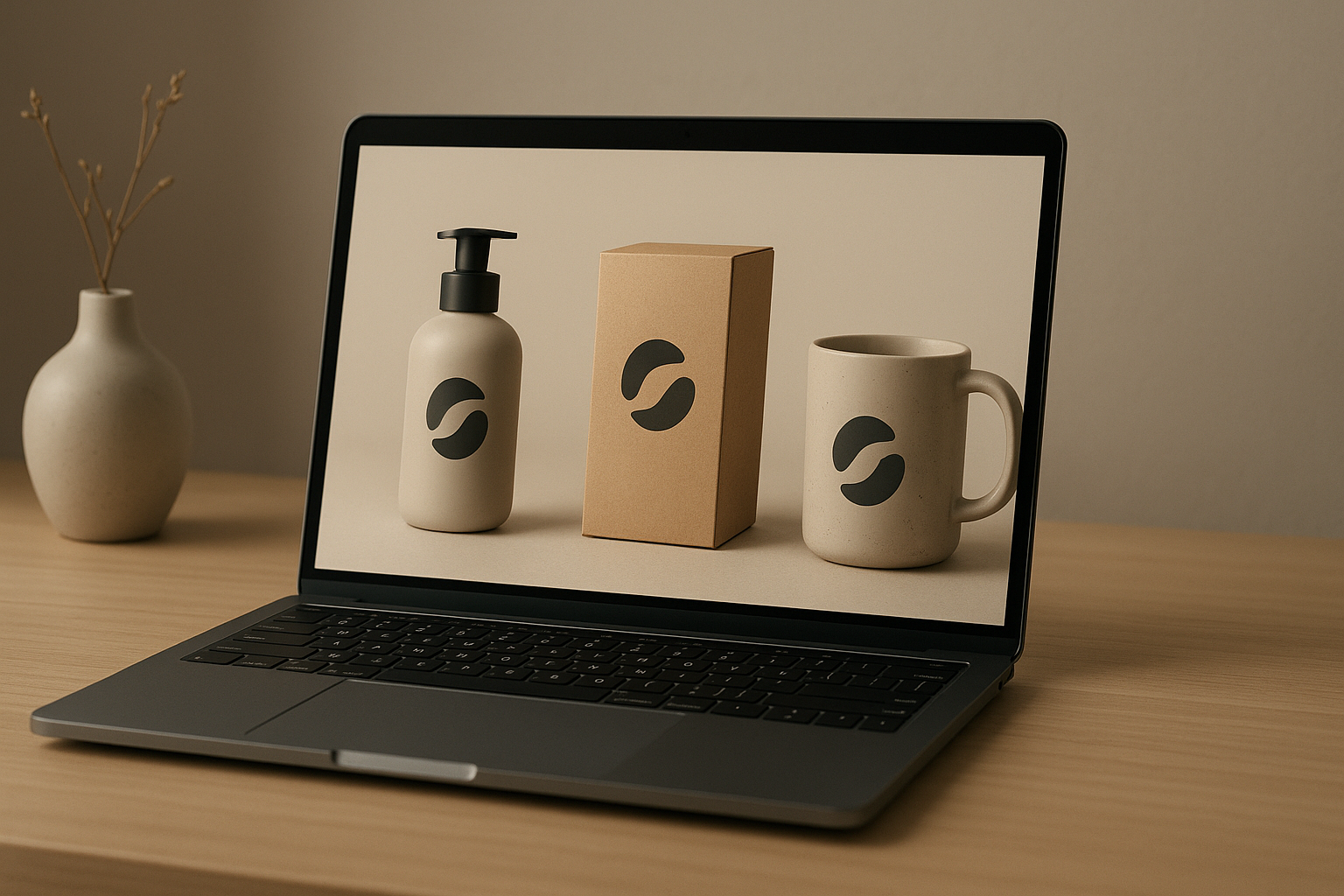
Imagine you’re launching a new coffee brand:
- You upload a blank coffee bag photo and your logo.
- Using Supra AI Photo Studio, you embed the logo and additional label text.
- You generate three colorways (dark roast, medium, light).
- Then, with Object Placement, you drop each bag into:
- A barista counter scene
- A cozy kitchen scene
- A café shelf scene
- Finally, you enhance them and publish straight to your Shopify product pages.
You now have:
- A visual identity for your prototype
- Mockups for investor decks and wholesale pitches
- Images for pre‑launch emails and ads
All without a single physical sample in hand.
Get Started: Build Better Prototypes With Quick Mockup Embeds
If you’re serious about faster product prototyping, mockup embeds powered by AI should be part of your toolkit.
With Supra AI Photo Studio you can:
- Turn flat designs into studio‑grade mockups in minutes
- Embed your brand on apparel, packaging, posters, mugs, and more
- Drop products into realistic lifestyle scenes for better validation
- Create AI videos and UGC content using the same assets
Install the app, start with the free plan, and build a repeatable workflow for prototyping your next product idea — without waiting on expensive photo shoots or physical samples.