
Create Consistent Product Images Across Your Catalog

Consistent product images aren’t just “nice to have” — they’re a major conversion lever.
If your Shopify catalog looks like a patchwork of different lighting, colors, and styles, customers subconsciously trust you less and bounce faster. The good news: you don’t need a full-time photographer or designer to fix it.
With the right workflow and AI tools, you can bring your entire catalog into alignment in a few hours and keep it that way as you add new products.
In this guide you’ll learn:
- Why image consistency matters so much for ecommerce
- The core rules of a consistent visual system
- A step-by-step workflow to standardize your catalog
- How to use Supra AI Photo Studio to automate 80% of the work
Why Consistency in Product Images Matters
Before you worry about fancy aesthetics, understand the business impact of consistent product photography:
-
Higher trust and perceived quality
When every product page looks like it belongs to the same brand, shoppers assume you’re more professional and established. That directly improves add-to-cart rates. -
Cleaner, more scannable collections
Matching backgrounds, angles, and crops make your collection pages feel clean and easy to scan, especially on mobile. -
Better ad and social performance
If your catalog images share a consistent style, repurposing them for ads, email banners, and social posts is much easier — and the brand recognition is stronger. -
Less manual design work
A clear standard + an AI-powered editor like Supra AI Photo Studio means scaling to hundreds or thousands of SKUs without drowning in editing.
The 5 Pillars of a Consistent Product Image System
Before you touch an editor, define your rules. Think of this as your Product Image Style Guide.
1. Background
Decide on a default background for your core catalog:
- Pure white (#FFFFFF) for a classic marketplace feel
- Light neutral (soft beige/gray) for a warmer brand
- Light gradient for a more modern aesthetic
Then define when you’ll use lifestyle backgrounds (kitchen, bedroom, street, desk, etc.) — usually for featured images, ads, or secondary shots.
With Supra AI Photo Studio, you can:
- Use Background Remover to isolate products in one click
- Replace busy or mismatched backdrops with your chosen neutral
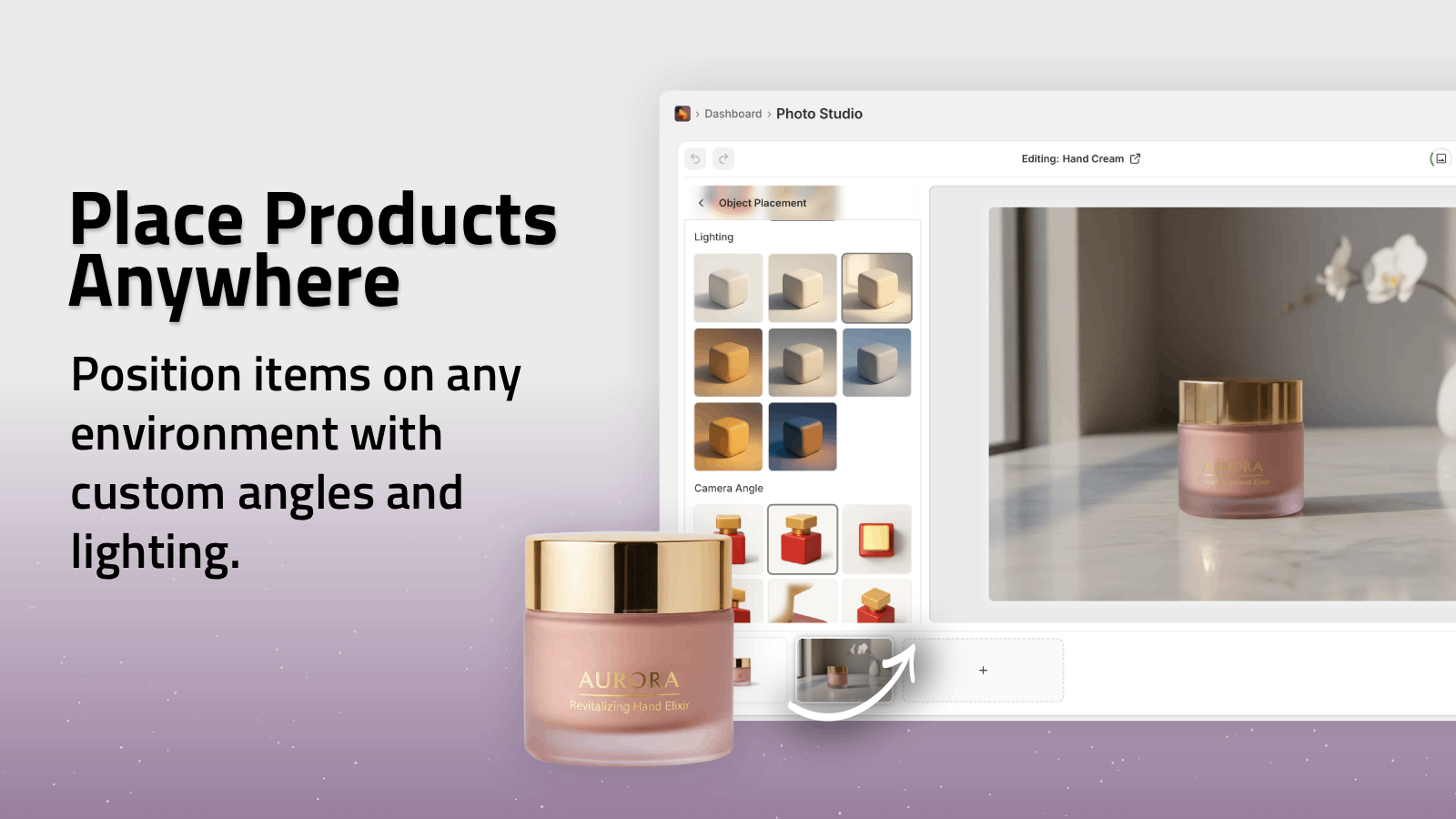
- Create lifestyle shots using Object Placement in a consistent set of environments

2. Lighting & Color
Inconsistent lighting is one of the easiest ways to make your catalog look amateur.
Set rules like:
- Soft, even lighting with minimal harsh shadows
- True-to-color representation (especially for apparel, cosmetics, and home decor)
- No heavy filters or color casts
In Supra AI Photo Studio, the Auto Enhance tool can:
- Correct exposure and contrast
- Balance white levels across your catalog
- Reduce noise and sharpen details
This lets you start from imperfect photos (phone pics, mixed studio shots) and normalize them.
3. Framing & Crop
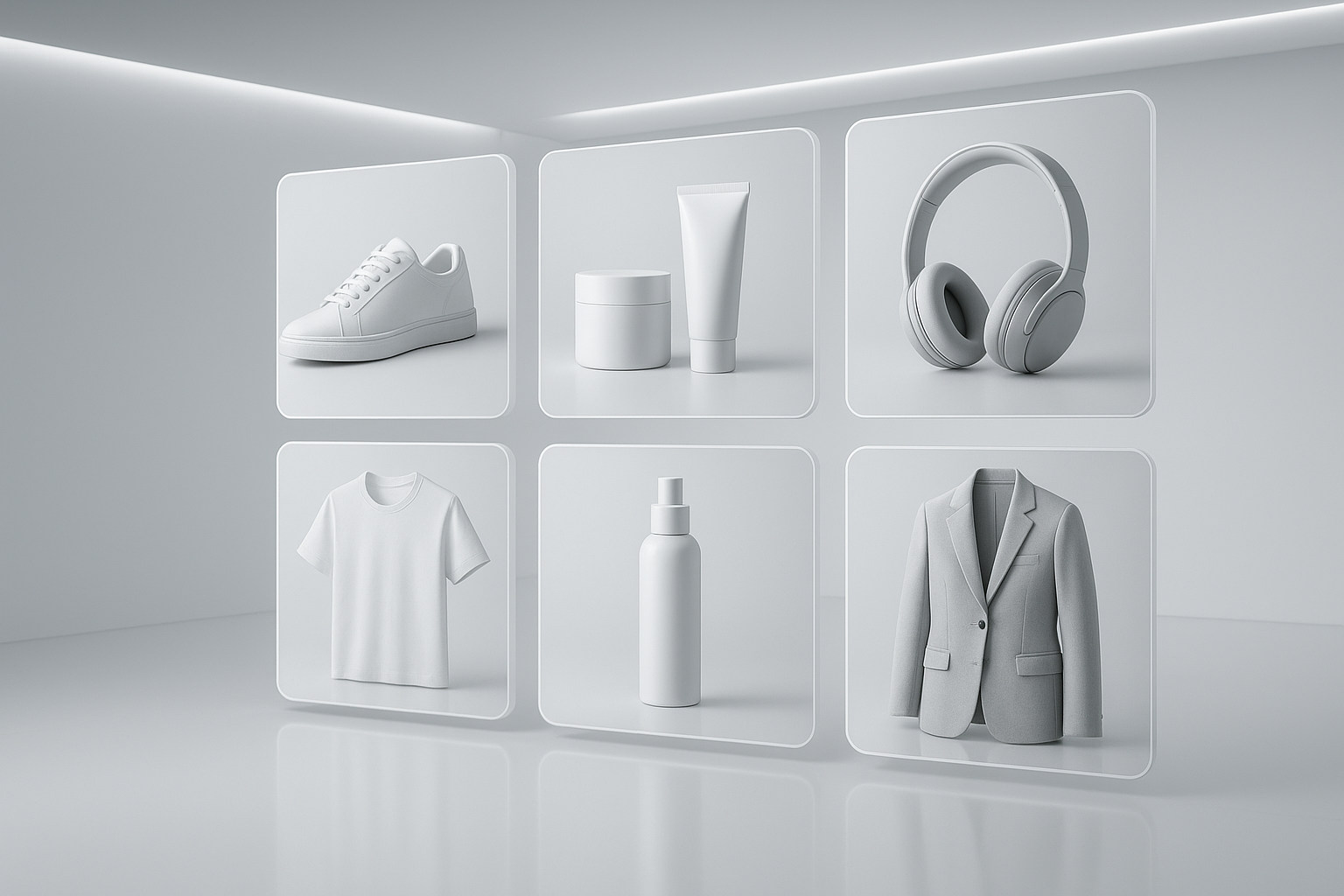
Your products should feel the same size and position on every page.
Decide:
- Aspect ratio (e.g., 1:1 square, 4:5, or 3:4)
- Product placement (centered? slightly lower third?)
- Padding around the product
Once you decide, apply that consistently through batch cropping and framing in your editor using the same presets.
4. Angles & Poses
For similar products, similar angles help shoppers compare options quickly.
Examples:
- Shoes: 45° angle hero shot + side profile + top view
- Apparel: front on-model + back + close-up of fabric
- Skincare: straight-on bottle shot + lifestyle in bathroom
With Supra AI Photo Studio:
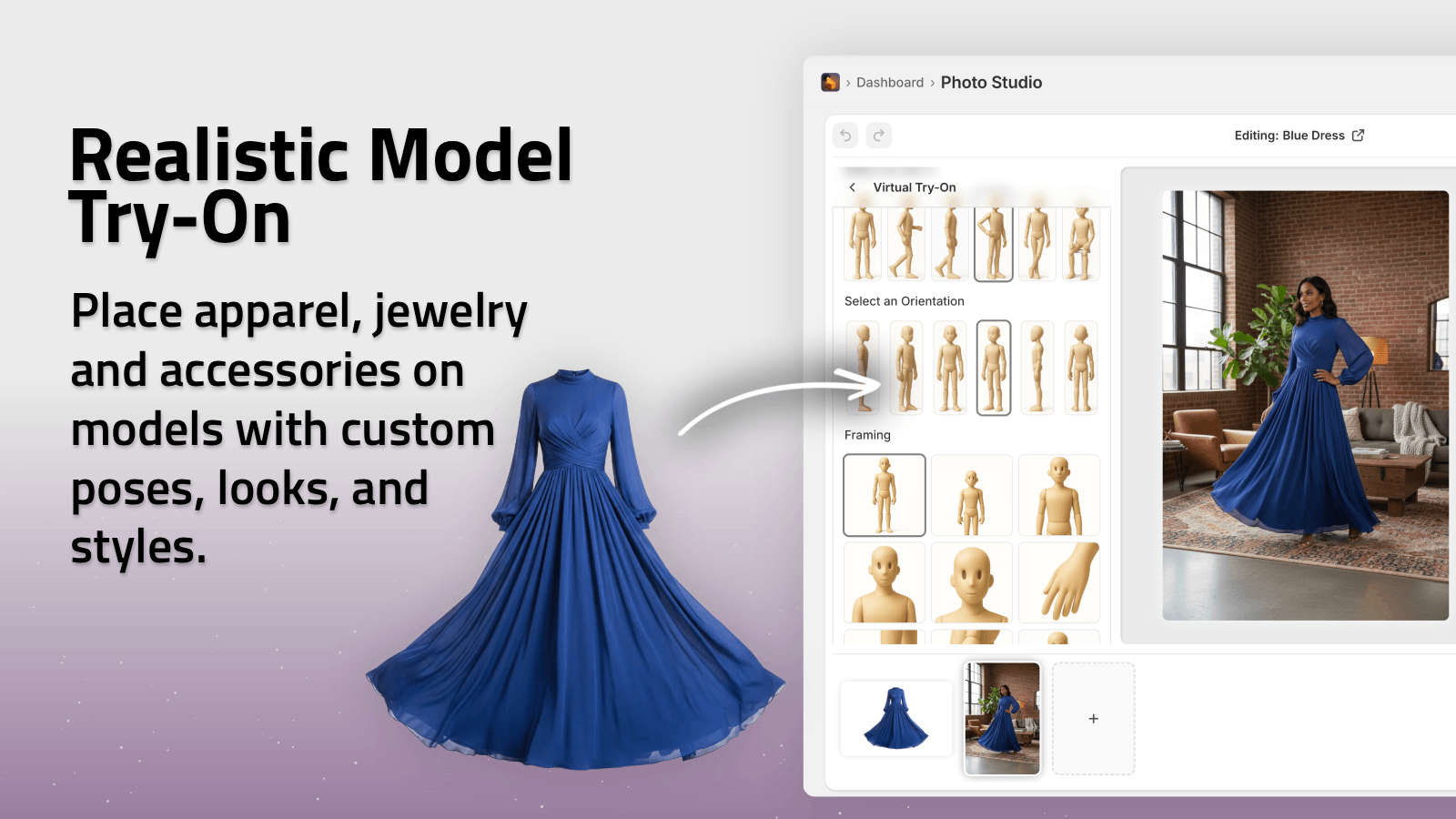
- Use AI Try-On to generate consistent on-model photos for all garments
- Use Object Placement to keep camera angle and perspective consistent across lifestyle scenes
5. Image Types Per Product
Define a repeatable set of images each product should have. For example:
- Hero: clean background, full product
- Detail: texture, stitching, buttons, ingredients, etc.
- Scale: product in a hand or next to a familiar object
- Lifestyle: product in its natural environment or on a model
- UGC-style: "shot on phone" vibe for social proof (for selected products)
Supra AI helps you fill gaps without new photos:
- Generate lifestyle context with Object Placement
- Create on-model images via AI Try-On
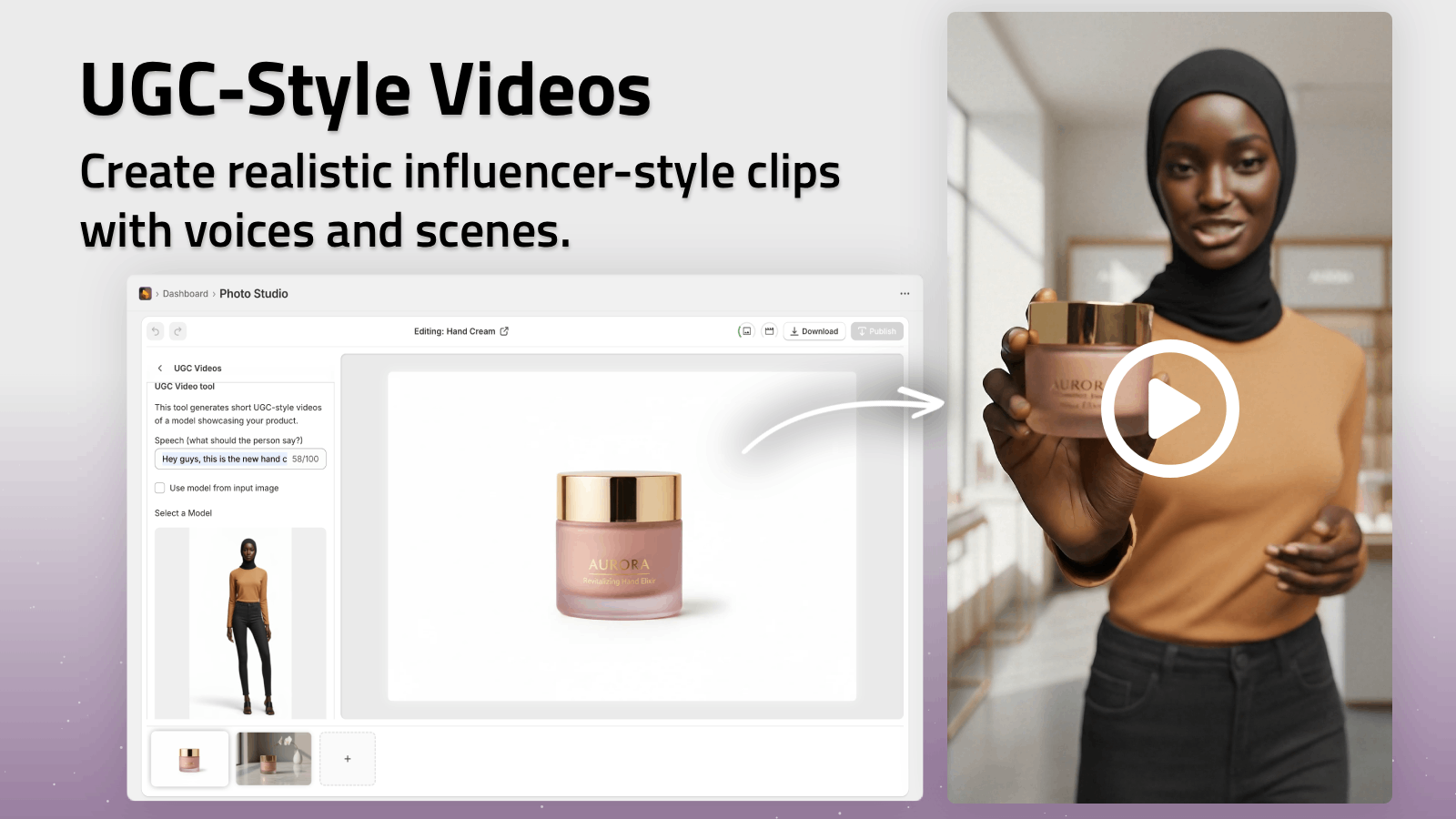
- Turn stills into UGC-style videos and b-roll for ads
Step-by-Step: How to Make Your Catalog Consistent
Step 1: Audit Your Current Images
Pick 10–20 representative products and ask:
- Are backgrounds consistent?
- Do similar products share angles?
- Are colors accurate across variants?
- Does anything look noticeably lower quality?
Note the common issues. These will shape your priority list.
Step 2: Define Your Standard
Write a simple one-page guideline. For example:
We use a 1:1 square crop, soft neutral (#F7F7F7) background, centered products with 10% padding, and soft, even lighting. Each product should have: hero, detail, lifestyle, and scale shots. Apparel must have one on-model image using AI Try-On.
Share this internally with anyone who uploads or edits images.
Step 3: Install an AI Photo Editor in Shopify
To keep your catalog consistent long-term, you want editing inside your Shopify admin, not scattered across tools.
Supra AI Photo Studio is built specifically for Shopify merchants and plugs into your existing products.
- Install it from the Shopify App Store:
👉 https://apps.shopify.com/supra-ai-photo-studio - Or explore the full feature demo:
👉 https://supra-ai-photo-studio.sktch.io/
Once installed, you can open any product and access the editor directly from your dashboard.
Step 4: Normalize Your Core Catalog
Focus first on your top traffic or best-selling products. That’s where improved visuals move the needle fastest.
In Supra AI Photo Studio:
-
Isolate the product
Use Isolate Product / Background Remover to remove busy, inconsistent backgrounds. -
Apply a unified background
Replace with your standard: plain white or branded neutral. -
Auto-enhance
Use Auto Enhance to correct lighting, sharpness, and color. -
Upscale low-res images
For older or small images, run Upscale to avoid pixelation on zoom. -
Standardize crop & framing
Crop to your chosen aspect ratio and align the product position.
Publish directly back to the product once you’re happy.
Step 5: Fill Gaps With Lifestyle & On-Model Imagery
Once your core images are consistent, add context to increase conversions.
Fashion & Apparel
Use AI Try-On inside Supra AI Photo Studio to:
- Put your clothing onto realistic AI models
- Choose different skin tones, body types, and poses
- Keep the garment’s true shape and color intact
This lets you:
- Standardize model style across categories
- Avoid expensive photoshoots for every new colorway
- Represent more diverse customers with ease
Lifestyle Context for Any Product
For cosmetics, home decor, accessories, and gadgets, use Object Placement to:
- Put products in bathrooms, kitchens, desks, bedrooms, boutiques, etc.
- Control surface (marble, wood, linen, concrete), angle, and lighting style
- Maintain realistic shadows and reflections
This turns plain packshots into compelling lifestyle images that still feel cohesive.
Step 6: Add UGC-Style and B-Roll for Marketing
Consistency shouldn’t stop at static images. Your ads and social content can follow the same visual system.
With Supra AI Photo Studio:
- UGC Video Generator converts a product image into influencer-style short clips with different voices and vibes
- B-Roll AI Videos create cinematic shots (spins, drops, splashes, slow-mo) that preserve product detail
Use these to:
- Keep your visual identity consistent from product page to ad
- A/B test creatives without adding design workload
- Quickly refresh tired campaigns while retaining brand coherence
Step 7: Make Consistency a Ongoing Process
The real win is not just fixing your current catalog, but keeping it consistent as you grow.
Here’s how:
- Bake your image style guide into your product creation checklist
- Require new uploads to pass through Supra AI Photo Studio for quick normalization
- Periodically audit bestsellers and high-traffic categories
Because Supra AI Photo Studio lives inside Shopify, anyone on your team can follow the same workflow with minimal training.
Why Use Supra AI Photo Studio for Catalog Consistency?
You can patch together manual workflows with Photoshop, freelancers, and ad hoc tools — but it’s slow and expensive.
Supra AI Photo Studio is optimized for Shopify merchants who want to:
- Turn plain shots into lifestyle images, mockups, ads, and videos
- Maintain a consistent brand look across hundreds of SKUs
- Work inside the Shopify admin instead of juggling files
- Get started for free and scale as needed
Key features at a glance:
- Background removal & replacement
- Image upscaling & auto enhancement
- AI model try-ons for apparel, jewelry, accessories
- Object placement in realistic environments
- UGC-style video generation and cinematic b-roll
- Mockup embedding for POD and branded merchandise
You can start with the free plan (4 image generations/month) and upgrade as your needs grow:
👉 https://apps.shopify.com/supra-ai-photo-studio
Final Thoughts
Consistent product images are one of the fastest ways to make your Shopify store look more premium, trustworthy, and conversion-focused.
By defining a simple visual standard and using an AI-powered Shopify app like Supra AI Photo Studio, you can:
- Clean up your existing catalog
- Add lifestyle and on-model context without photoshoots
- Keep every new product aligned with your brand — automatically
Start with your top 10 products, run them through this workflow, and compare your metrics. You’ll see the impact of visual consistency faster than you expect.