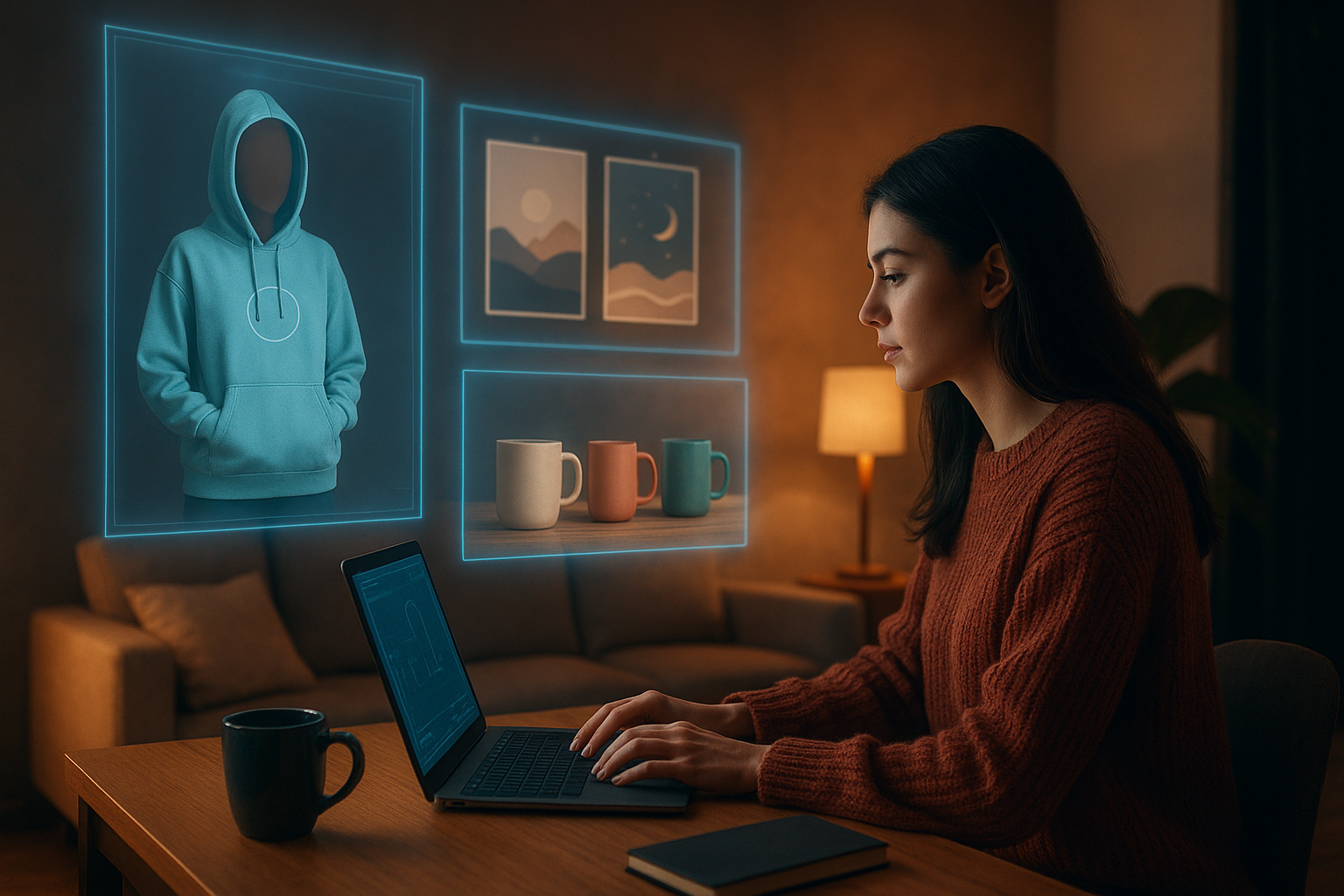
AI Mockups For Print On Demand Products: The Ultimate Guide For Shopify Sellers
Why AI Mockups Are a Game-Changer for Print-On-Demand
If you run a print-on-demand (POD) store, your product images are your storefront. Customers can’t touch your shirts or hold your mugs — they buy based on what they see.
That’s why AI mockups for print-on-demand products are exploding in popularity. Instead of relying on generic, overused mockup bundles, AI lets you:
- Instantly create unique, branded mockups for any product
- Test multiple styles, audiences, and niches without photoshoots
- Keep your catalog consistent and professional as you scale
With tools like Supra AI Photo Studio, you can do all of this directly inside Shopify, without design skills or expensive software.
What Are AI Mockups for Print-On-Demand?
AI mockups use artificial intelligence to place your designs or products into realistic scenes or on model shots automatically.
Instead of:
- Downloading PSD mockups
- Learning smart objects
- Hiring designers or photographers
…you simply upload your product image or design, choose a style (studio, lifestyle, model, flat lay, etc.), and let AI generate conversion-focused visuals in seconds.
For POD sellers, this means you can:
- Show your shirt on different body types
- Place your mug on a cozy breakfast table
- Display your poster in a styled living room
- Put your phone case in a modern tech setup
All without holding any inventory or printing samples.
Why High-Quality Mockups Matter for POD Conversion
Your POD business lives and dies on three things: click-through rate, add-to-cart rate, and conversion rate. Mockups affect all three.
Here’s how AI-powered mockups help you win:
-
Increase trust
Realistic, consistent images signal professionalism. Shoppers are more likely to trust that what they see is what they’ll get. -
Communicate value & use-case
Lifestyle mockups show where and how your product fits into a customer’s life — on a couch, at a desk, at the gym. -
Stand out in crowded niches
If everyone uses the same generic t-shirt mockup, your design gets lost. Unique AI mockups help your product stop the scroll. -
Improve paid ad performance
Better visuals = more thumb-stopping creatives for TikTok, Reels, and Meta ads.
With Supra AI Photo Studio, you can pair top-tier mockups with AI-enhanced quality (sharper resolution, better lighting) to maximize conversion potential. Explore it here: Supra AI Photo Studio on the Shopify App Store.
Best Use Cases: AI Mockups for Popular POD Products
1. Apparel (T-Shirts, Hoodies, Sweatshirts)
For apparel, customers care about fit, drape, and vibe. AI helps you show all three.
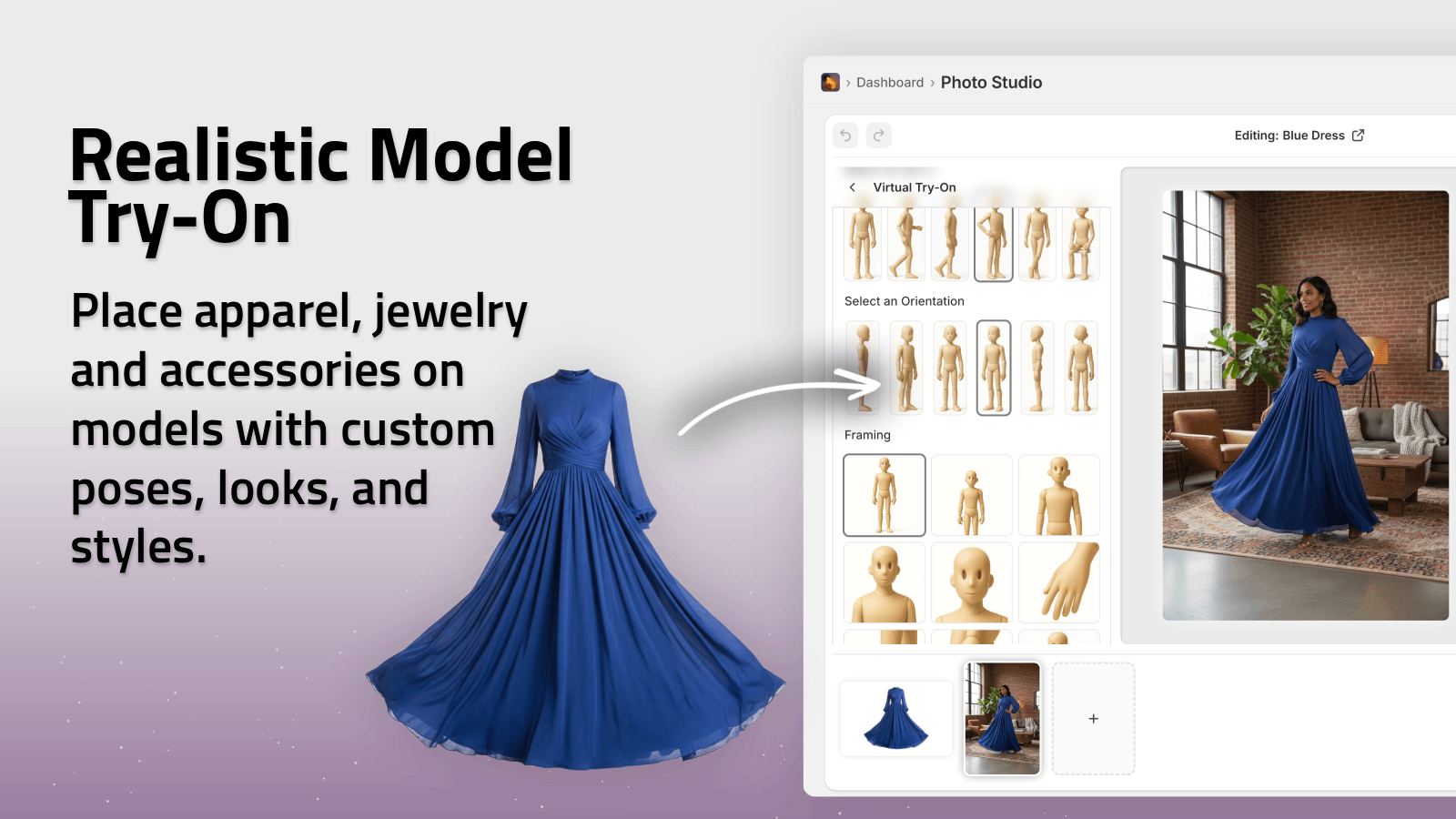
With AI Try-On in Supra AI Photo Studio, you can:
- Put your designs onto realistic AI models
- Choose different poses, skin tones, and body types
- Keep the design shape and colors accurate
This is perfect for:
- Streetwear brands targeting specific aesthetics
- Niche statement tees needing lifestyle context
- Collections where you want cohesive on-model imagery
Tip: Create multiple AI models that match your brand identity (edgy, minimalist, vintage, cute, etc.) so your entire catalog looks intentional.
2. Mugs, Tumblers & Drinkware
Mugs sell on emotion and context — morning rituals, cozy evenings, office humor.
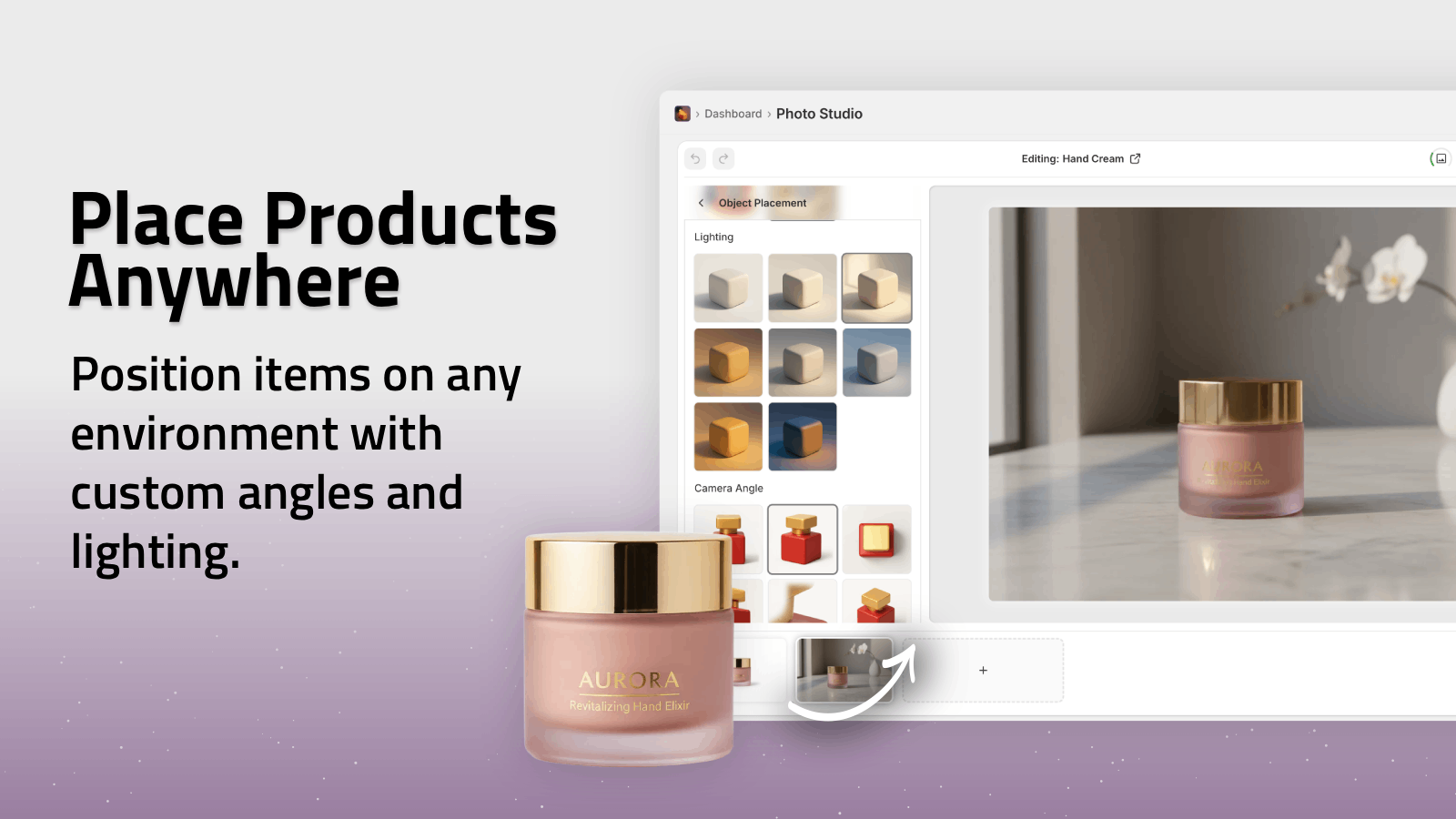
Use Object Placement in Supra AI Photo Studio to:
- Place a mug on a breakfast table with warm daylight
- Show a tumbler at a gym or outdoor hike
- Style a wine glass in a romantic dinner setting
Instead of plain white backgrounds only, mix in a couple of lifestyle shots in your gallery — this can dramatically improve engagement and time on page.
3. Posters, Canvas & Wall Art
Wall art is hard to sell with flat PNGs. People want to see it in a room.
With AI mockups you can:
- Insert your artwork into living room, bedroom, office, or gallery walls
- Adjust lighting and wall color to match your audience
- Show size context (above a couch, desk, or bed)
Supra AI Photo Studio’s mockup embedding lets you upload a blank frame or wall photo, then drop your artwork in with realistic perspective and lighting, ideal for art, typography, and photography prints.
4. Phone Cases, Laptop Sleeves & Tech Accessories
Here, the goal is to show fit and lifestyle:
- Phone case in someone’s hand
- Laptop sleeve on a desk setup
- AirPods case clipped to a bag
Use object placement to position your products on wood, marble, concrete, or fabric surfaces, and pair them with props like notebooks, plants, or keyboards.
5. Print-On-Demand Home Decor (Pillows, Blankets, Rugs)
Home decor sells best when shown in real rooms:
- Throw pillows on a couch with complementary colors
- Blankets draped on a bed in a cozy bedroom
- Rugs in modern or boho living rooms
AI mockups let you test completely different styles (Scandinavian, boho, industrial, minimalist) until you find what clicks with your ideal buyer.
How to Create AI Mockups for POD in Shopify (Step-by-Step)
Here’s a simple workflow using Supra AI Photo Studio inside your Shopify admin.
Step 1: Install Supra AI Photo Studio
- Go to the app listing: Supra AI Photo Studio on Shopify
- Click Add app and install it in your store.
- Access it from your Shopify admin.
You can start on the free plan to explore the core features.
Step 2: Choose a Product or Upload a Base Image
From the app dashboard you can:
- Select an existing product from your Shopify catalog, or
- Upload a standalone image (e.g., a flat design or print file).
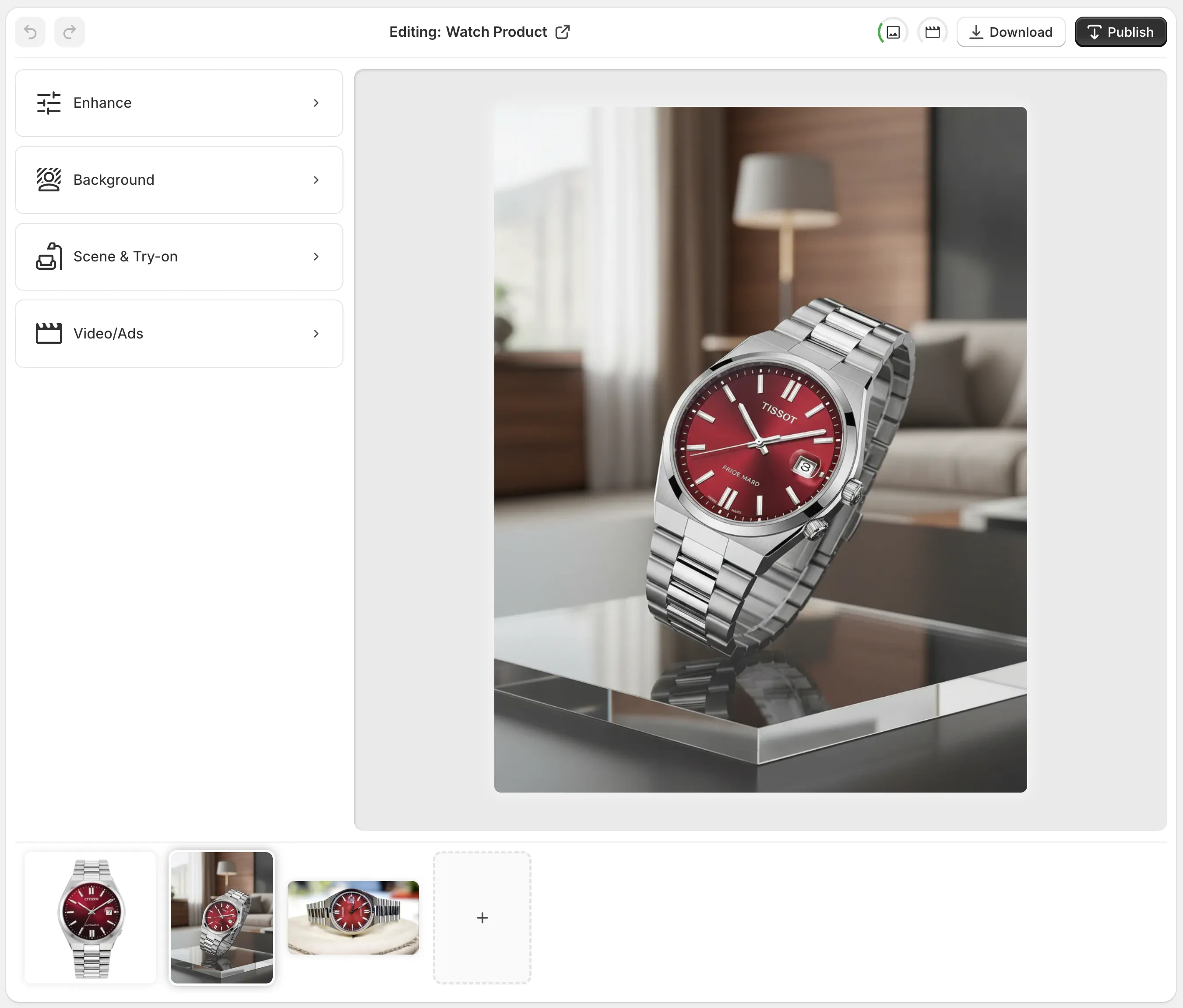
Supra’s editor shows:
- Top bar – Undo/redo, download, publish to product
- Tools (left) – Background removal, Try-On, Object Placement, Upscale, etc.
- Canvas (right) – Where you see live edits
- Image gallery (bottom) – All images for that product
Step 3: Isolate the Product (Optional but Recommended)
For POD items like shirts, mugs, or posters, use Isolate Product (background remover) first. This helps the AI:
- Understand the product shape
- Avoid weird blending with old backgrounds
- Create cleaner, more realistic scenes
Step 4: Pick Your Mockup Style
Depending on the product, choose the right tool:
- AI Try-On – For apparel and accessories on models
- Object Placement – For placing products in lifestyle scenes (kitchen, office, bedroom…)
- Mockup Embedding – For adding designs to blank items (shirts, frames, mugs, packaging)
Customize with:
- Environment (studio, boutique, outdoors, home, office)
- Surface type (wood, marble, concrete, fabric)
- Camera angle (top-down, eye level, close-up)
- Lighting (soft daylight, moody, high-contrast)
Step 5: Generate Variations & Pick Winners
Don’t stop at one mockup.
Generate several variations:
- Different models or rooms for the same design
- Alternate angles: front, 3/4, close-up detail
- Seasonal themes: summer, holiday, back-to-school
Then:
- Use the cleanest, most on-brand image as your main product image
- Add 3–6 supporting images showing context, details, and alternative looks
Step 6: Enhance Quality & Publish
Before publishing, use Supra’s Auto Enhance and Upscale tools to:
- Boost resolution and sharpness
- Fix lighting and colors
- Remove noise or blur
Then click Publish to sync the new images directly to your Shopify product pages.
You now have studio-grade, AI-powered mockups live in your store — without leaving Shopify.
Beyond Images: AI B-Roll & UGC-Style Videos for POD
Static mockups are powerful, but video now dominates social feeds. Supra AI Photo Studio goes a step further with AI-generated videos.
AI B-Roll Product Videos
Use B-roll AI videos to create:
- Cinematic product drops
- Slow-motion rotations
- Liquid, dust, or smoke splashes around your product
These are ideal for:
- TikTok and Reels ads
- Short product highlights on your homepage
- Retargeting creatives that feel fresh and premium
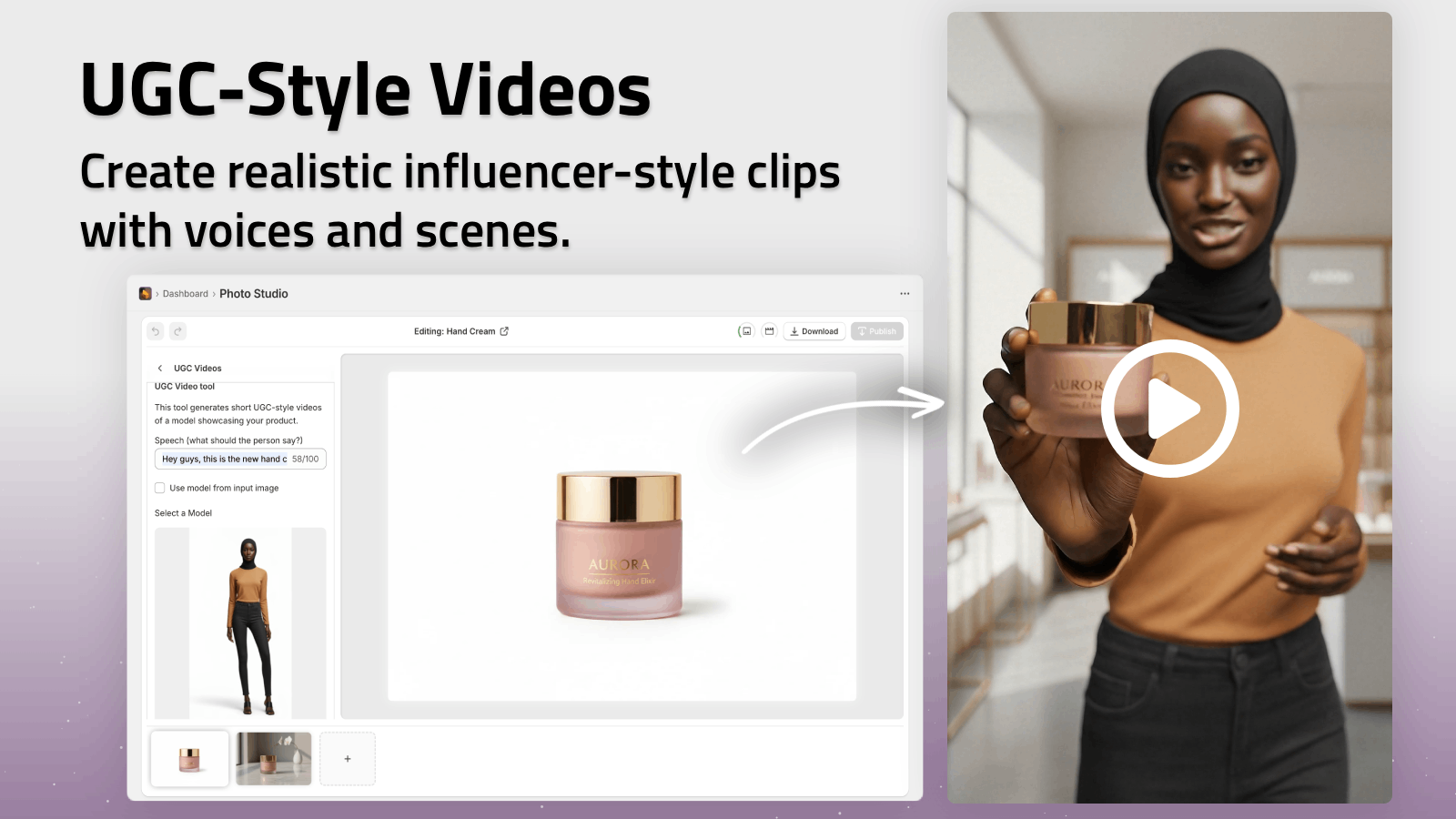
AI UGC-Style Videos
You can also generate UGC-style videos from a product image:
- Choose a voice and vibe (friendly, enthusiastic, informative)
- Let AI generate influencer-like content
This is perfect for POD brands that don’t yet have a creator budget but still want that UGC look.
Watch a quick demo of what’s possible here:
Supra AI Photo Studio Demo Trailer
Tips for High-Converting AI Mockups in POD
Use these best practices to get the most from AI mockups:
-
Stay consistent with your brand
Stick to a small set of environments, angles, and lighting styles so your store looks cohesive. -
Balance studio and lifestyle shots
- Studio images for clarity on product detail
- Lifestyle images for emotional appeal
-
Show scale and context
Include hands, furniture, or other objects so customers can understand size. -
Localize when needed
Targeting specific regions or cultures? Generate scenes and models that reflect that audience. -
Test multiple variants in ads
Use different mockups in your ad creatives to see which environment or model style converts best. -
Start from high-quality inputs
Even with strong AI, sharp base images produce the best results. Use Supra’s Auto Enhance if your original is slightly dull or noisy.
Turn Your POD Catalog Into a Visual Brand
AI mockups for print-on-demand products let you move from “basic merch store” to recognizable brand:
- Professional, conversion-optimized images
- Realistic model try-ons and lifestyle scenes
- On-brand visuals for both product pages and ads
If you’re on Shopify and want to upgrade your POD visuals without hiring designers or learning complex software, install Supra AI Photo Studio and start transforming your images today.
You can explore the full feature set and pricing here:
https://supra-ai-photo-studio.sktch.io/