
Shopify Guide To Creating Product Videos For Ads
Why Product Videos Are Essential For Shopify Ads
If you run a Shopify store and you’re not using product videos in your ads yet, you’re leaving money on the table.
Short video ads are now the default format on platforms like TikTok, Instagram Reels, YouTube Shorts, and Facebook. Shoppers want to see how your product looks, moves, fits, and solves a problem — static images alone rarely do that.
Well-structured product videos can:
- Increase click‑through rates on your ads
- Boost conversion rates on your product pages
- Lower customer doubts (and returns) by showing real usage
- Make your brand feel more premium and trustworthy
The best part: you don’t need a studio, actors, or pro editors to create them. With AI-powered tools like Supra AI Photo Studio, you can generate scroll-stopping video ads directly from your existing product photos.
Step 1: Decide The Goal Of Your Product Video
Before you open any app or shoot any footage, decide what this specific ad should achieve.
Common goals for Shopify product video ads:
- Awareness – Introduce your brand or hero product to cold audiences.
- Consideration – Explain how the product works, its benefits, or key features.
- Conversion – Push people who already know you to finally buy.
Each goal affects how you structure the video:
- Awareness videos: fast-paced, visually striking, big hook in the first 2 seconds.
- Consideration videos: explainers, demos, before/after, try-ons.
- Conversion videos: social proof, urgency, offer-based (discounts, bundles, free shipping).
Tip: Map one clear objective to each campaign. Don’t try to do everything in a single 20-second clip.
Step 2: Choose The Right Video Format For Your Ads
Different platforms and placements favor different video formats. For most Shopify merchants, you’ll mainly use:
-
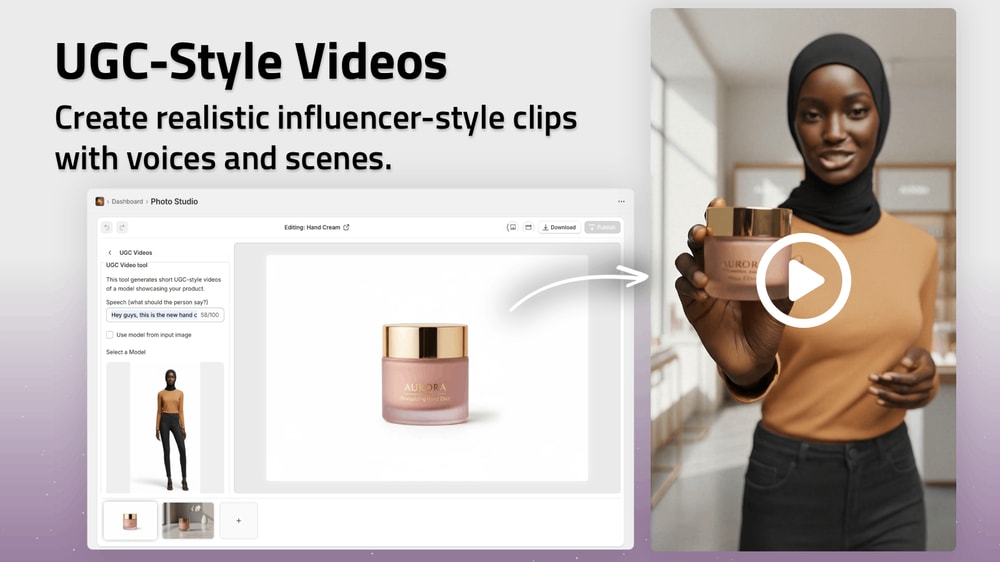
UGC‑style videos (user-generated content)
- Look like they were shot on a phone by a real customer or influencer.
- Perfect for TikTok, Instagram Reels, and Meta Ads.
- Focus on authenticity over polish.
-
B‑roll / product showcase videos
- Close‑ups, slow motion, product rotations, detail shots.
- Great for retargeting ads and hero creatives.
-
On‑model / try‑on videos (for fashion & accessories)
- Show fit, movement, proportions, and styling.
- Ideal for apparel, jewelry, eyewear, and similar categories.
With Supra AI Photo Studio you can generate all three directly from your images:
- UGC Video Generator – Turn a product image into influencer-style clips.
- B‑roll AI Videos – Cinematic product drops, splashes, slow motion.
- AI Try‑On – Create on‑model visuals you can cut into short videos.
Step 3: Script A Simple But Effective Structure
You don’t need a Hollywood script. You need a clear, conversion-focused structure. Here’s a battle-tested framework for product video ads under 30 seconds:
-
Hook (0–3 seconds)
Grab attention with a bold statement, problem, or visual.- “Tired of flimsy phone chargers that die in 3 months?”
- “This backpack fits a week’s worth of clothes.”
-
Problem (3–7 seconds)
Briefly show or state the pain point your customer feels. -
Solution & Demo (7–18 seconds)
Show your product solving that problem. Use close‑ups, try‑ons, and lifestyle scenes. -
Proof (optional, 15–22 seconds)
Flash a review, rating, or quick testimonial line. -
Call to Action (20–30 seconds)
Tell viewers exactly what to do next.- “Shop now on our Shopify store.”
- “Tap to get 20% off today.”
Keep text overlays short and readable on mobile. Avoid tiny fonts or cluttered screens.
Step 4: Start With Great Product Visuals
High-converting videos start with strong images. If your source visuals are dull, inconsistent, or low-res, your ads will underperform.
Focus on:
- Clean, distraction-free backgrounds for product close-ups
- Consistent lighting across your catalog
- High resolution so details stay sharp in video crops
If you don’t have a pro studio, you can still upgrade your visuals:
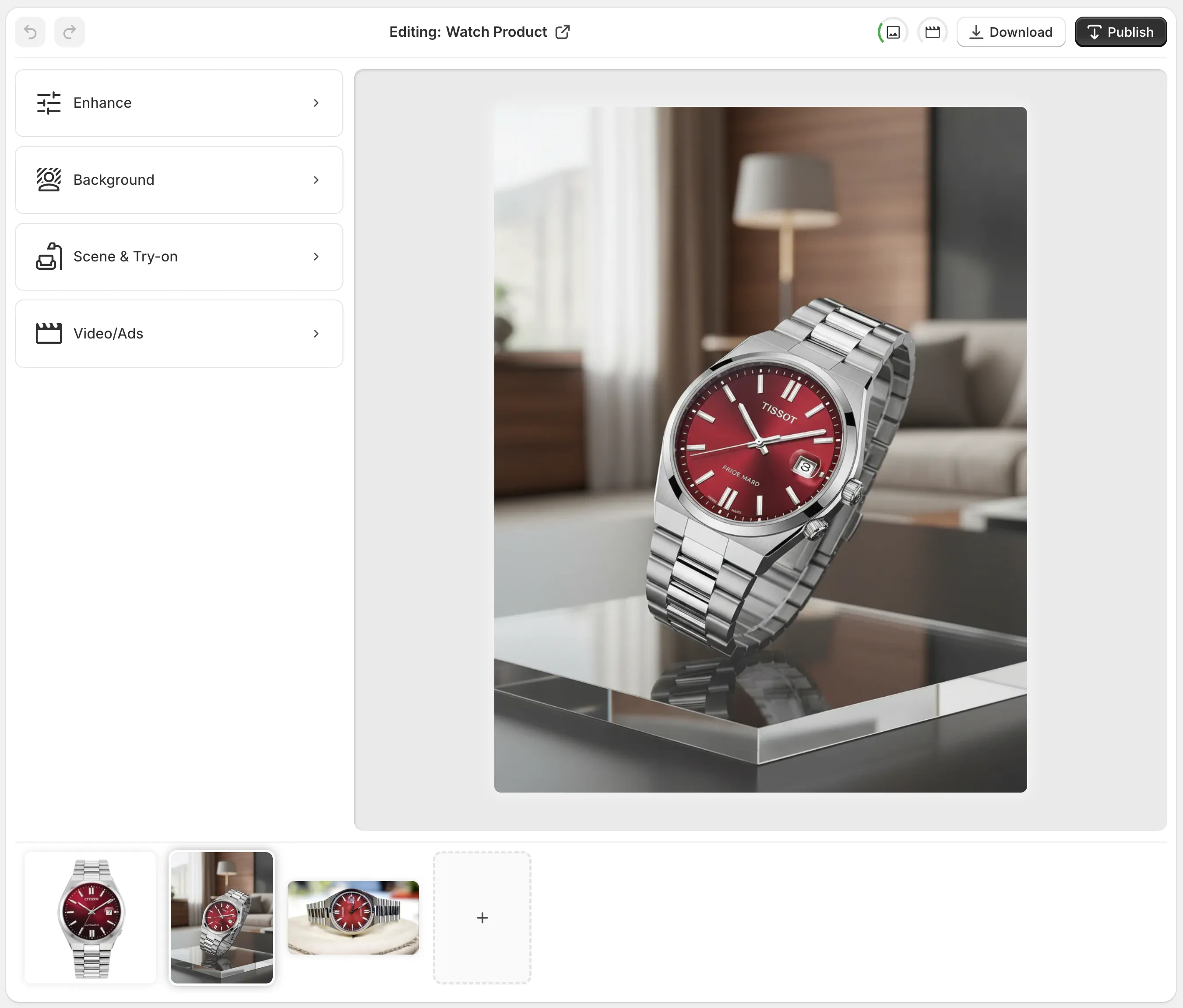
- Use background remover and auto-enhance to clean up user photos.
- Upscale low-res images before turning them into clips.
- Replace messy backgrounds with on-brand lifestyle scenes.
You can do all of this directly in Shopify using Supra AI Photo Studio:
- Background remover: isolate your product in seconds.
- Auto-enhance & upscaling: sharpen, denoise, fix lighting.
- Object placement: drop your product into kitchens, studios, boutiques, outdoors, and more.
Step 5: Generate Product Videos From Your Shopify Images
If you’re short on time, budget, or video skills, manually shooting footage for every product is unrealistic.
This is where AI video generation becomes a game changer.
With Supra AI Photo Studio you can:
1. Create Cinematic B‑Roll For Hero Ads
Use the B‑roll AI Video feature to turn a single product image into:
- Slow-motion product spins
- Dramatic drops onto a surface
- Liquid, dust, or smoke splash effects
- Top‑down or side‑angle hero shots
These clips are perfect as:
- Main visual hooks for your campaigns
- Background loops for text‑heavy ads
- Cutaways in longer tutorials or reviews
2. Generate UGC-Style Ads From A Single Image
The UGC Video Generator turns one photo into influencer-style content:
- Choose the voice, tone, and vibe (e.g., "casual TikTok review", "excited unboxing", "calm aesthetic".)
- Get short, vertical videos ready for TikTok, Reels, and Shorts.
Use them as:
- Top-of-funnel scroll-stoppers
- Social proof for retargeting ads
- Creative variations for A/B testing
3. Build Try‑On Clips For Fashion Stores
If you sell apparel, jewelry, or accessories, combine AI Try‑On with video:
- Use AI Try-On to place your products on realistic AI models.
- Export multiple angles, poses, or outfits.
- Turn them into short video sequences or add them into AI‑generated clips.
This lets you show:
- Fit and drape of clothing
- Size and scale of jewelry
- Different skin tones and body types
You can see these features in action in the demo video:
Supra AI Photo Studio Demo Trailer
Step 6: Optimize For Each Ad Platform
The same video shouldn’t be copied blindly to every channel. Adjust for:
Aspect Ratios & Lengths
- TikTok & Reels: 9:16 vertical, 10–25 seconds are ideal.
- Facebook / Instagram Feed: 1:1 or 4:5, up to 30 seconds.
- YouTube Shorts: 9:16 vertical, 15–30 seconds.
Export your AI-generated clips in vertical format when possible. If you start from product photos in Supra AI Photo Studio, plan your crop with mobile viewing in mind.
First-Frame Hook
On most platforms, users decide in less than a second whether to keep watching.
- Make sure the very first frame shows the product clearly.
- Avoid long intros, logos, or abstract shots at the start.
Captions & Text Overlays
- Add captions for sound-off viewers.
- Use large, high-contrast fonts.
- Highlight the key benefit, not just the feature.
Example:
Instead of “Wireless Earbuds V3” use:
“Never untangle a cable again.”
Step 7: Test, Iterate, And Scale Winners
The first product video you create probably won’t be your best — and that’s fine. The key is to test systematically.
What To A/B Test In Your Shopify Video Ads
- Hooks – Different opening lines or visuals.
- Angles – Problem-focused vs. benefit-focused vs. aesthetic-focused.
- Formats – UGC-style vs. polished b‑roll vs. hybrid.
- CTAs – “Shop now” vs. “Get 15% off today” vs. “Limited stock.”
Because Supra AI Photo Studio makes it easy to generate multiple video variations from the same product images, you can:
- Quickly create 5–10 hooks for one product.
- Launch them as separate ad creatives.
- Keep the top performers and pause the rest.
This is how you steadily drive down your cost per acquisition (CPA) and increase return on ad spend (ROAS).
Step 8: Reuse Your Product Videos Across Your Funnel
Once you’ve created strong product videos for your ads, don’t just leave them inside your ad manager.
Repurpose them to boost conversions across your Shopify funnel:
- Product pages – Add short demo loops or try-on clips.
- Collection pages – Use b-roll banners to make them feel premium.
- Email campaigns – Embed GIF loops or link to video reviews.
- Social media – Post them natively to TikTok, Instagram, and YouTube.
Video consistency across all touchpoints helps build trust and reduces purchase friction.
How To Get Started Today (In Under 30 Minutes)
You don’t need to hire an agency or learn complex editing software to start creating effective product videos for your Shopify ads.
Here’s a quick launch plan:
- Install Supra AI Photo Studio from the Shopify App Store:
👉 https://apps.shopify.com/supra-ai-photo-studio - Pick one hero product with decent photos.
- Use the app to:
- Remove or clean up the background.
- Auto-enhance and upscale the image.
- Generate 2–3 b-roll clips and 2–3 UGC-style videos.
- Upload these creatives into your Meta, TikTok, or Google campaigns.
- Let them run for a few days and observe which hooks and formats perform best.
Because Supra AI Photo Studio includes a free plan, you can test the core features without risk and scale up only when you see results.
Final Thoughts
Product videos are no longer optional for Shopify merchants — they’re the fastest way to stop the scroll, explain your offer, and earn trust.
By combining a clear ad strategy with AI tools like Supra AI Photo Studio, you can:
- Turn basic product photos into high-converting video ads
- Create UGC-style, try-on, and b-roll videos in minutes
- Continuously test new hooks and creative angles without a studio budget
Start with one product, one goal, and a handful of video variations. Once you see the lift in clicks and conversions, scaling the process across your catalog becomes the easiest growth lever you have.