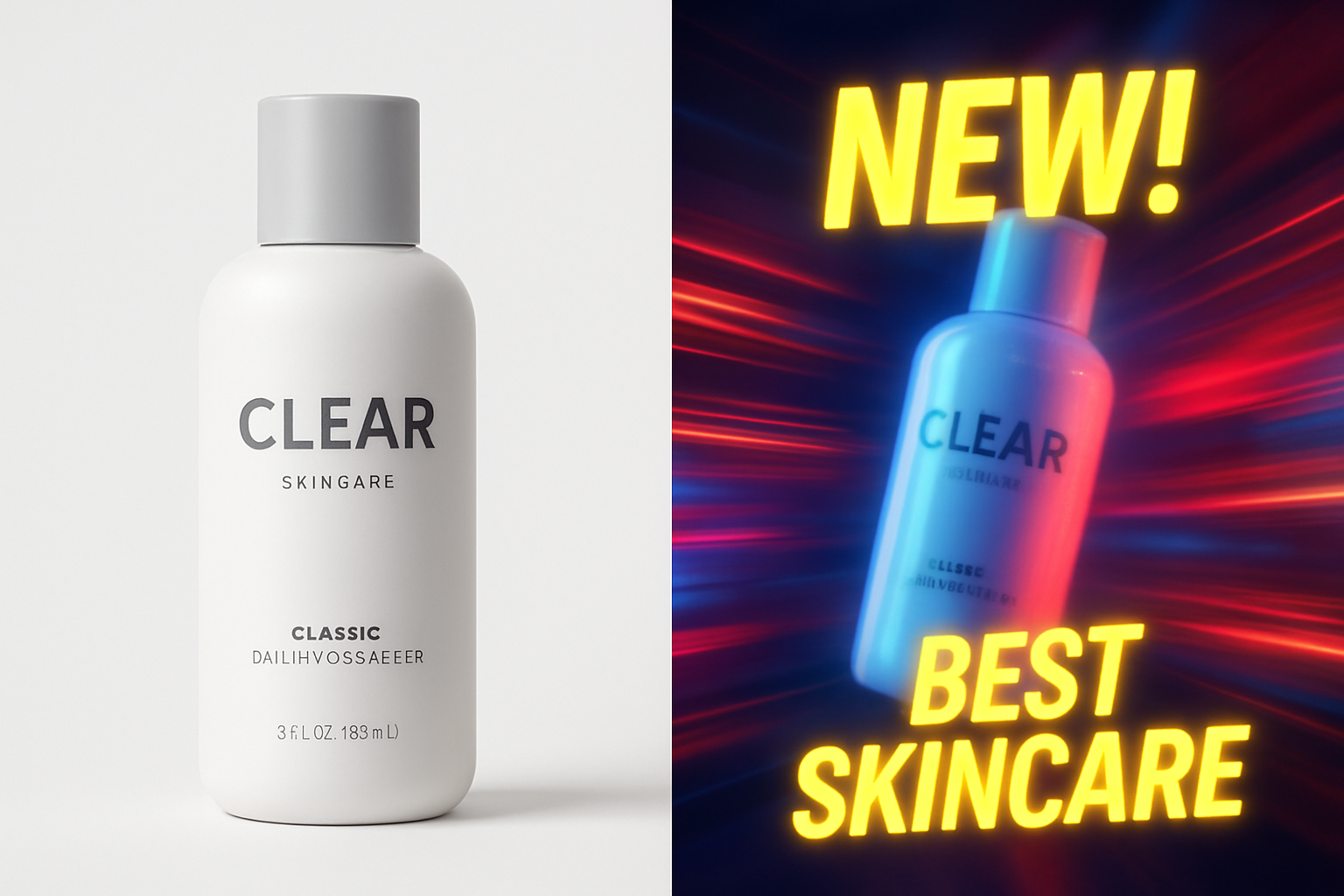
How to Turn Product Photos Into Short Ads (In Minutes, Not Weeks)
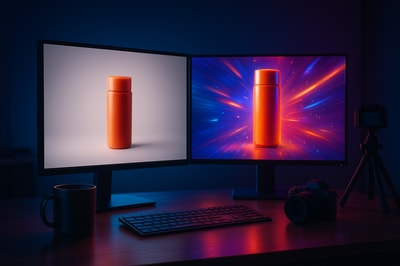
Short video ads are now the backbone of ecommerce marketing. TikTok, Reels, Shorts, and Stories all reward brands that can turn static product photos into scroll-stopping short ads.
The good news: you don’t need a studio, a camera crew, or editing skills anymore. You can turn your existing product images into high-converting video ads in minutes using AI.
In this guide, you’ll learn a practical, step-by-step workflow to transform product photos into short ads, and how tools like Supra AI Photo Studio make the process incredibly fast for Shopify merchants.
Why Turn Product Photos Into Short Ads?
Most Shopify stores already have a library of product images. That’s an asset you can reuse and repurpose instead of constantly planning new shoots.
Short video ads made from photos can:
- Increase CTR on ads – Motion and story beat static images in crowded feeds.
- Boost conversion rate – Show products in context, in use, or on models.
- Lower content costs – No need for actors, videographers, or studios.
- Speed up testing – Launch and iterate new creatives the same day.
With AI, a single product photo can become:
- A vertical TikTok-style UGC clip
- A slow-motion b-roll product drop for paid ads
- A carousel of lifestyle scenes animated with parallax and text
Supra AI Photo Studio was built specifically to help Shopify merchants do exactly this from inside their admin.
Step 1: Start With a Strong Product Photo
Even though you’re making video, your starting image still matters.
Aim for:
- High resolution: At least 1000×1000px. Blurry in = blurry out.
- Clear subject: Product fully visible, not cropped awkwardly.
- Minimal clutter: Easier to isolate and animate.
If your current images are inconsistent or low quality, clean them up first.
With Supra AI Photo Studio you can:
- Remove or replace backgrounds
- Upscale and sharpen images
- Fix lighting and colors with auto-enhance
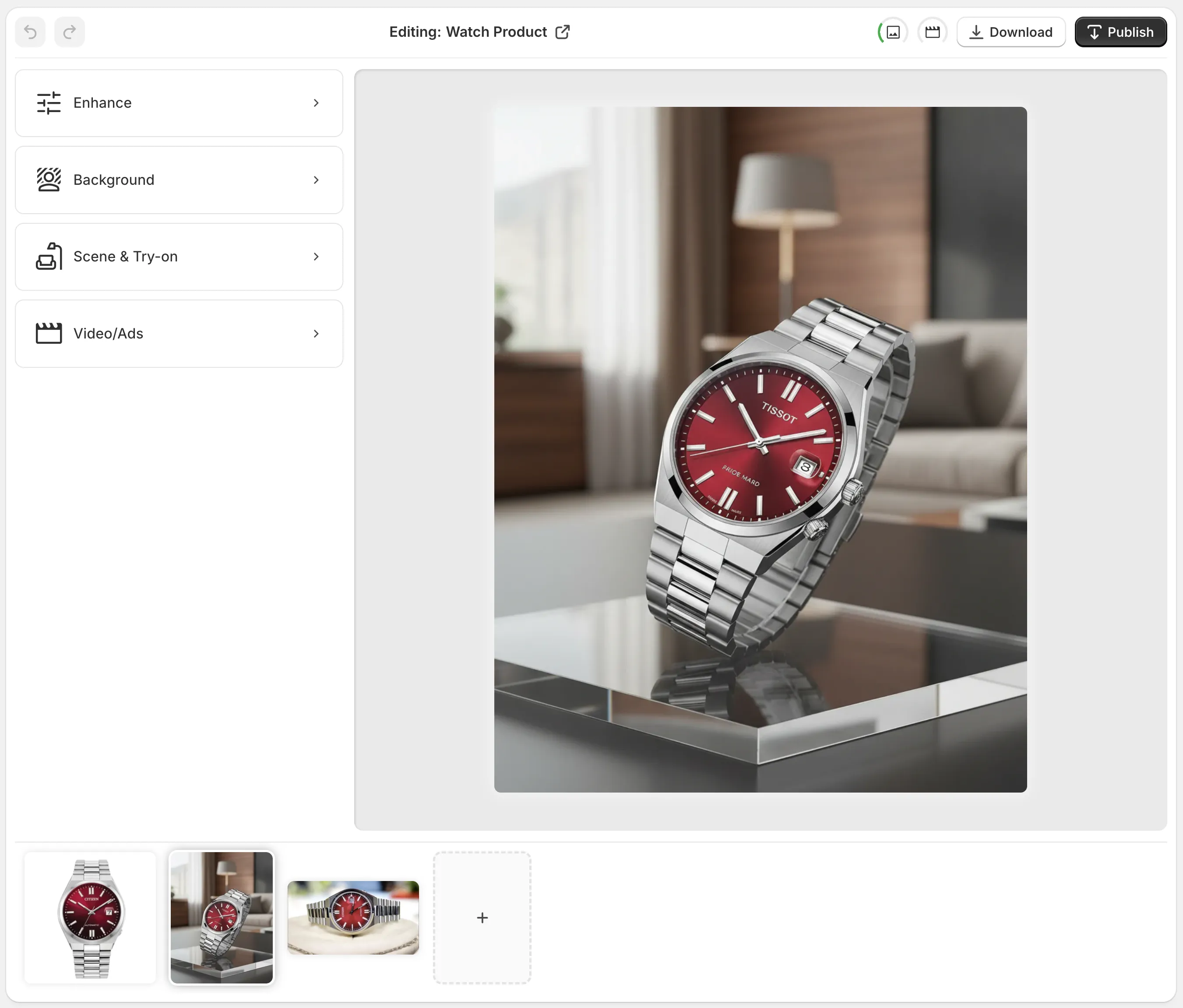
You can install the app directly from the Shopify App Store here: Supra AI Photo Studio on Shopify.
Step 2: Choose the Type of Short Ad You Want
Before you click any buttons, clarify what kind of video you’re making and where it will run.
1. UGC-Style Testimonial Ad
Best for: TikTok, Reels, Shorts, Stories
Characteristics:
- Feels like a real person talking about the product
- Casual framing and language
- Often uses text overlays, subtitles, and voiceover
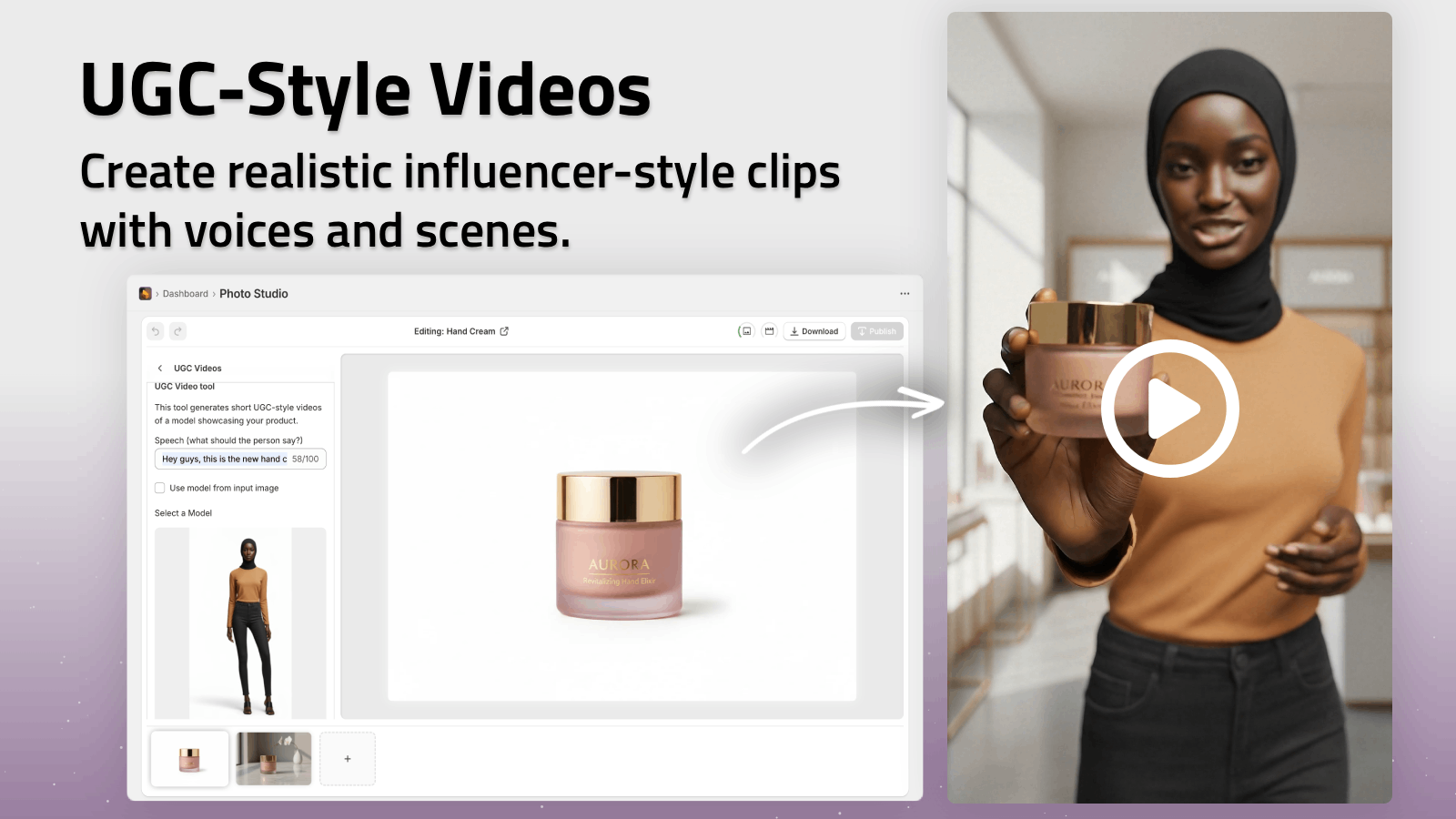
With Supra AI Photo Studio’s UGC Video Generator, you can turn a product photo into influencer-style clips by choosing a voice, vibe, and setting, then letting the AI build the script and visuals.
2. Cinematic B-Roll Product Ad
Best for: Paid ads on Meta, YouTube Shorts, website hero sections
Characteristics:
- Focus on product beauty
- Slow motion, smooth camera moves
- Dramatic lighting, splashes, particle effects
Supra AI’s B-Roll AI Videos can create:
- Product drops with dust, liquid, or smoke effects
- Top-down or side angles
- High-contrast, studio-style looks
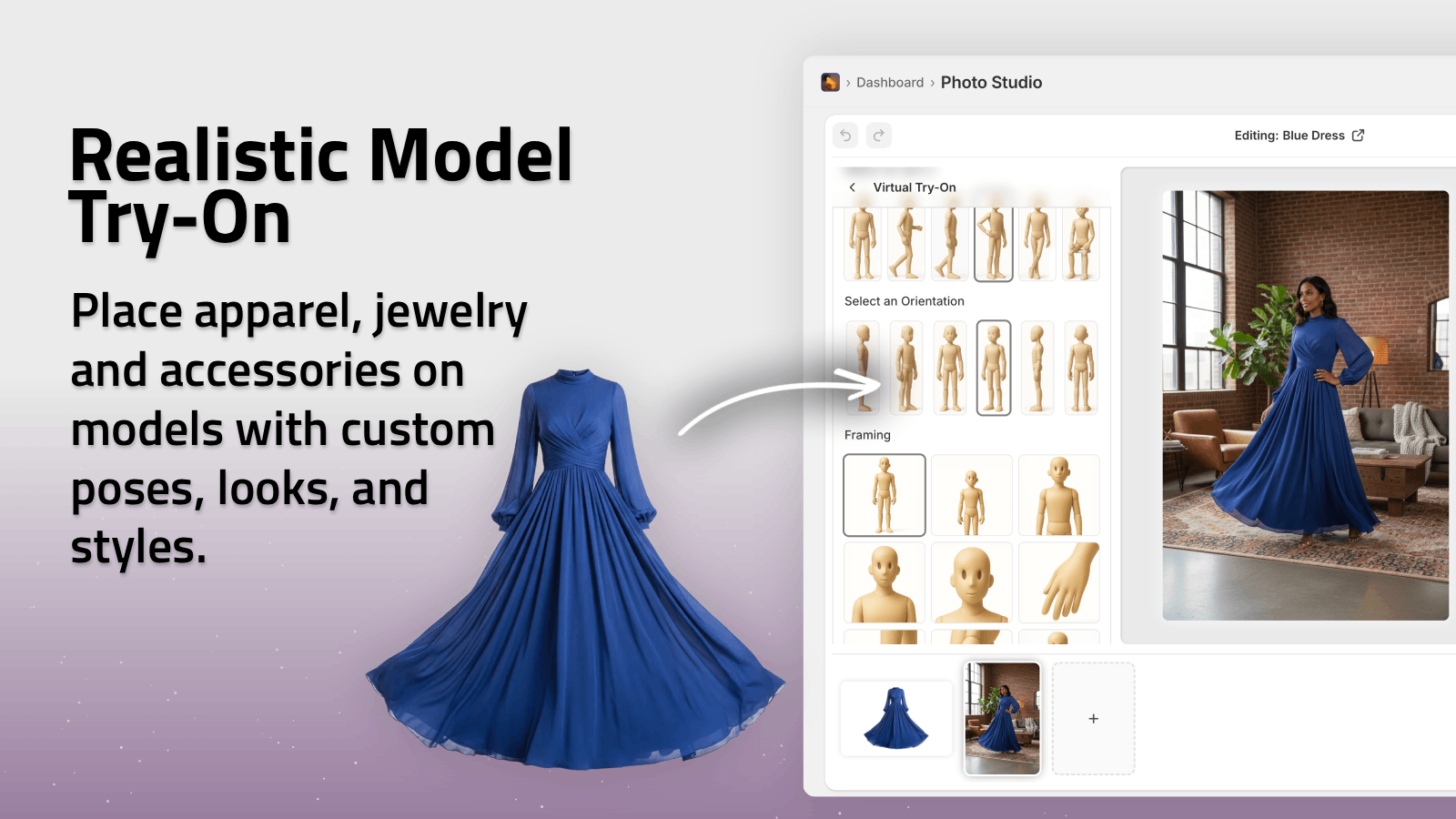
3. On-Model or Try-On Ad
Best for: Fashion, jewelry, accessories
Characteristics:
- Product shown on different body types or skin tones
- Quick cuts between outfits/angles
- Lifestyle emphasis
Use the AI Try-On feature to put your product on realistic AI models, then stitch those generated images into a short video.
Step 3: Turn One Product Photo Into Multiple Scenes
The secret to good short ads is variety within 6–15 seconds. AI makes it easy to generate that variety from a single image.
With Supra AI Photo Studio, you can:
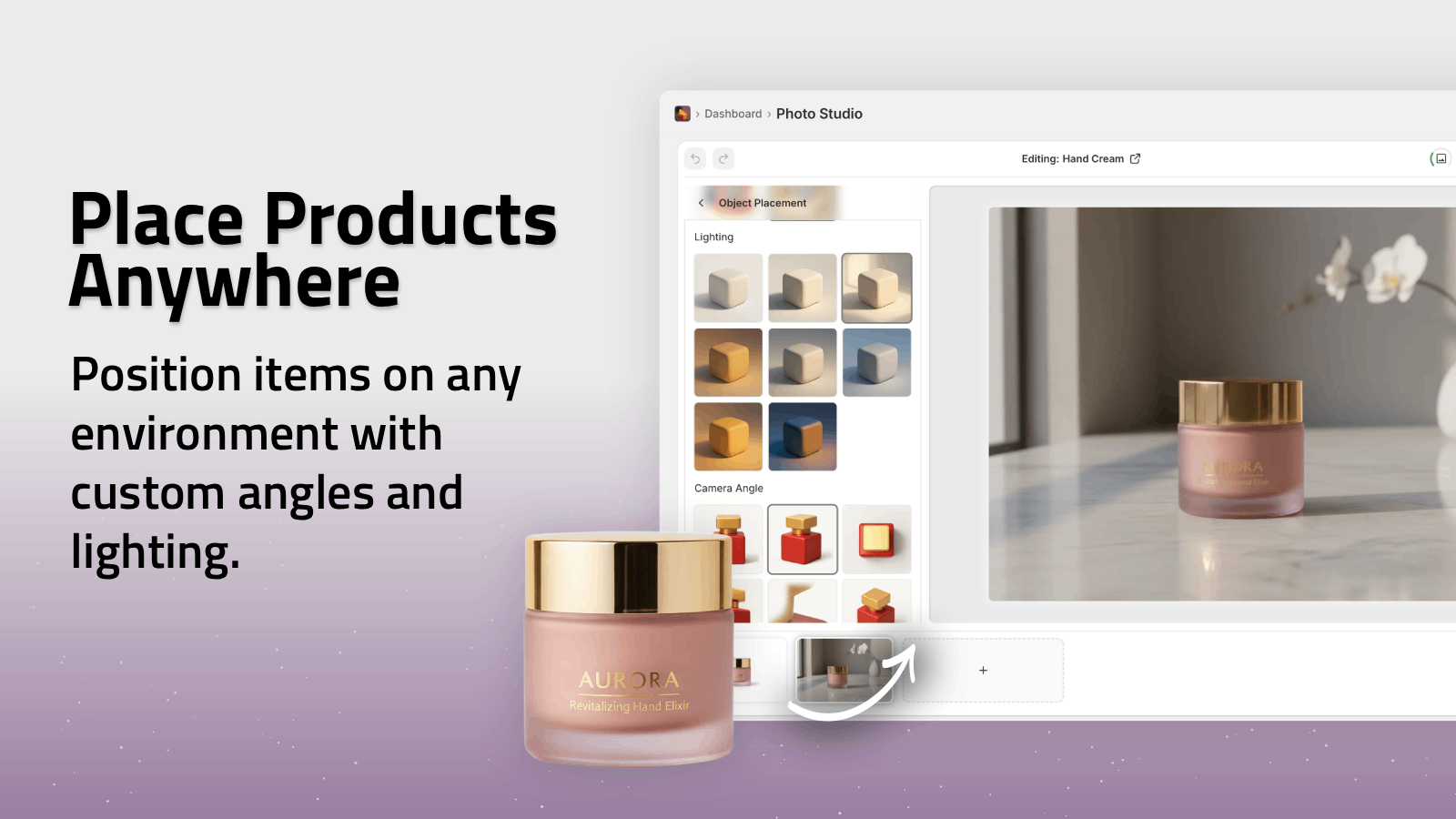
- Place the product in different environments (kitchen, desk, outdoors)
- Change camera angles and lighting styles
- Create mockups on packaging, apparel, or screens
A simple workflow:
- Start with a clean, isolated product image.
- Use Object Placement to generate 3–5 lifestyle scenes.
- If you sell apparel/accessories, generate 2–3 try-on images as well.
- Save all those images — they become the frames for your short ad.
Now you’ve turned one plain packshot into a mini library of scenes.
Step 4: Animate Your Scenes Into a Short Ad
There are two main approaches here: fully automated AI video generation or a semi-manual edit using AI assets.
Option A: Fully AI-Generated Videos (Fastest)
Using Supra AI Photo Studio’s integrated video tools:
- Open your chosen product image in the app.
- Select UGC Video or B-roll Video.
- Choose:
- Video orientation (vertical is best for social)
- Vibe/style (casual, cinematic, luxury, bold, etc.)
- Duration (6–15s for most platforms)
- Add basic instructions like:
- “Show close ups then a wide shot with text ‘Summer Sale 20% Off’.”
- “Focus on material texture with dramatic lighting and dust particles.”
- Generate the video.
The AI will:
- Animate camera motion
- Sequence scenes
- Add transitions and timing
You can generate several variants in minutes and A/B test them as ads.
Option B: Build a Simple Ad From AI Images
If you prefer more control, you can export the generated images and assemble them in a basic editor (like CapCut, Canva, or your usual tool):
- Import your AI-generated lifestyle and try-on shots.
- Arrange them into a 6–12 second sequence.
- Add punchy text overlays like:
- “From Desk to Outdoors”
- “Wear All Day Comfort”
- “Ready in 10 Seconds”
- Add a simple call to action: “Shop Now” / “Get Yours Today”.
- Export in vertical 9:16 format.
This hybrid method still saves hours because AI did all the heavy lifting on visuals.
Step 5: Add Copy That Sells in Seconds
Short ads live or die by the first 2–3 seconds. Your on-screen text and hooks matter as much as the visuals.
Here’s a simple structure:
- Hook (0–2s) – Call out a problem or desire
- “Tired of bulky wallets?”
- “Your new go-to everyday bag.”
- Benefit (2–7s) – Show and tell the main value
- “Waterproof, lightweight, and fits anywhere.”
- Social Proof or Specifics (5–10s)
- “Trusted by 20,000+ customers.”
- “100% organic cotton, zero compromise.”
- CTA (Last 2s) – Clear instruction
- “Shop now on our store.”
- “Tap to get yours.”
You can bake these lines into your AI prompts for UGC videos in Supra AI Photo Studio so the script and overlays match your messaging.
Step 6: Match Your Ad to the Channel
The same base assets can be repurposed differently for each platform:
-
TikTok / Reels / Shorts
- 6–12 seconds, fast-paced
- UGC or casual style
- Native aspect ratio (9:16)
-
Meta / Instagram Feed Ads
- 10–15 seconds
- Slightly more polished b-roll
- Clear brand and logo moments
-
On-Site Videos (Product Pages)
- 15–30 seconds
- Slower, more detail-oriented
- Emphasize features and materials
With Supra AI Photo Studio, you can generate multiple video variants from the same source photo and assign them to different placements, all from your Shopify admin.
Step 7: Test, Learn, and Scale
Because AI makes production cheap and fast, you can finally do what big brands do: always be testing creatives.
Ideas to test:
- Different background environments (minimal studio vs. lifestyle)
- Try-on vs product-only visuals
- Bold text vs subtle overlays
- UGC tone vs cinematic tone
Run 3–5 variations as ads, keep an eye on:
- Click-through rate (CTR)
- Cost per add to cart / purchase
- View-through conversions
Pause the underperformers and generate fresh variants in Supra AI Photo Studio. The more you iterate, the more you’ll learn what your audience responds to.
Why Use Supra AI Photo Studio for Photo-to-Ad Workflows?
While there are many generic AI tools, Supra AI Photo Studio is built specifically for Shopify merchants and product photography workflows.
Key advantages:
- Directly integrated into Shopify – No juggling exports and imports.
- All-in-one visual toolset – Background removal, upscaling, lifestyle scenes, try-on, UGC videos, and b-roll in a single app.
- Product-focused AI – Preserves your product details and colors accurately, crucial for trust and returns.
- Clear pricing – Free plan to start and scalable tiers as you grow.
You can explore it here:
- Shopify App Listing: https://apps.shopify.com/supra-ai-photo-studio
- Product Site & Help Docs: https://supra-ai-photo-studio.sktch.io/
- Quick Demo Video: Watch on YouTube
From Static Photos to a Full Ad Library
If you already have product photos, you’re sitting on a content goldmine.
With a workflow like this:
- Enhance and clean your product image.
- Generate multiple lifestyle scenes and try-on images.
- Turn them into UGC or b-roll short videos.
- Add conversion-focused copy.
- Test across TikTok, Reels, Shorts, and Meta.
You can go from a plain white packshot to a high-performing short ad in under an hour — and repeat that process across your entire catalog.
To start turning your product photos into short ads today, install Supra AI Photo Studio for Shopify, play with a few products, and launch your first AI-powered creatives this week.