
Shopify Guide To Reducing Product Photo Editing Costs

Why Product Photo Editing Gets So Expensive
If you run a Shopify store, you already know: product photos are not optional. They’re the backbone of your conversion rate, your brand perception, and your ad performance.
But they’re also one of the biggest hidden costs.
Between photographers, retouchers, freelancers, and endless DIY edits, photo editing can quietly eat a huge chunk of your margins—especially as your catalog grows.
In this guide, you’ll learn practical, Shopify-specific ways to cut product photo editing costs without sacrificing quality. We’ll cover workflows, tools, and automation strategies you can implement this week.
Want to skip ahead and see a ready-made solution? Check out Supra AI Photo Studio on the Shopify App Store – an AI-powered editor that lives directly in your Shopify admin.
Step 1: Understand Where Your Editing Budget Is Really Going
Before you reduce costs, you need to see where they come from. For most Shopify merchants, photo editing costs break down into:
-
Photography & Studio Costs
- Studio rentals, props, lighting
- Photographer fees for reshoots when a product changes
-
Manual Retouching Costs
- Background removal / replacements
- Color correction, exposure, sharpness
- Cropping and resizing for web, social, ads
-
Lifestyle & On‑Model Content
- Hiring models, makeup, stylists
- Booking locations (apartments, studios, outdoors)
- Extra editing to make everything look consistent
-
Video & UGC Content
- Short-form videos for TikTok, Reels, and ads
- B‑roll clips for product pages and landing pages
- Influencer/UGC-style videos
If you rely heavily on freelancers or agencies, you’re paying for time. Every background change, rescale, or new creative concept is a new line item.
A smarter way to cut costs is to reduce the number of tasks that require human hands at all.
Step 2: Standardize Your Product Photo Requirements
One of the easiest ways to save money is to tell your tools and team exactly what “good” looks like.
Create a simple photo specification sheet for your Shopify store:
- Background: Pure white (#FFFFFF) or light neutral?
- Crop ratio: 1:1 square or 4:5 portrait?
- Framing: Product centered, how much padding?
- Lighting style: Soft/bright, no harsh shadows, consistent highlights
- File format & size: JPEG, 1500–2500px on the longest side for web
- Lifestyle images: 2–3 per product, showing use in real context
Once defined, you can automate to that standard using tools like Supra AI Photo Studio. Every generated image follows a similar style, which means:
- Fewer reshoots
- Less back-and-forth with editors
- Lower ongoing editing costs per product
Step 3: Replace Repetitive Manual Edits With AI
Most of what you pay editors for is repetitive:
- Removing messy backgrounds
- Cleaning noise and blur
- Fixing brightness and color casts
- Resizing for different channels
These tasks are perfect candidates for AI automation.
Use AI for Core Image Cleanup
With Supra AI Photo Studio, you can do the following directly in your Shopify admin:
- Background remover – Strip busy backgrounds in one click.
- Background replacement – Swap in clean studio backdrops or on‑brand colors.
- Upscaling – Improve resolution without reshooting.
- Auto enhance – Denoise, deblur, and correct lighting and colors automatically.
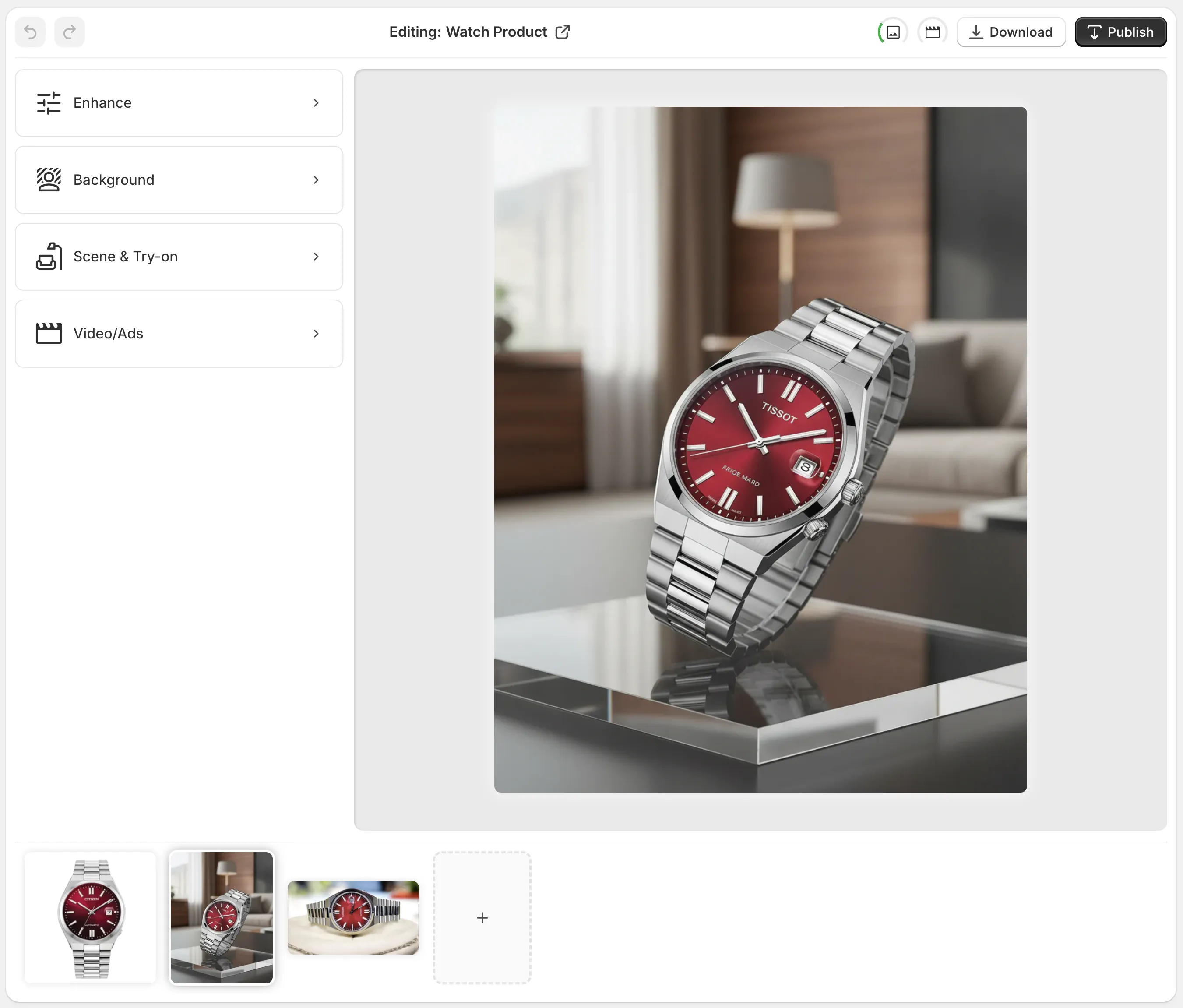
Instead of paying $1–$3 per image to a freelancer for background removal and touch‑ups, you can process entire products in minutes.
Step 4: Cut Model & Studio Costs With AI Try-On
If you sell apparel, jewelry, accessories, or cosmetics, on‑model photos are normally your most expensive content. Models, photographers, stylists, and location fees add up quickly.
AI try‑on completely changes this.
With Supra AI Photo Studio, you can:
- Put your products on realistic AI models
- Choose different body types, poses, and skin tones
- Maintain true product details and fit
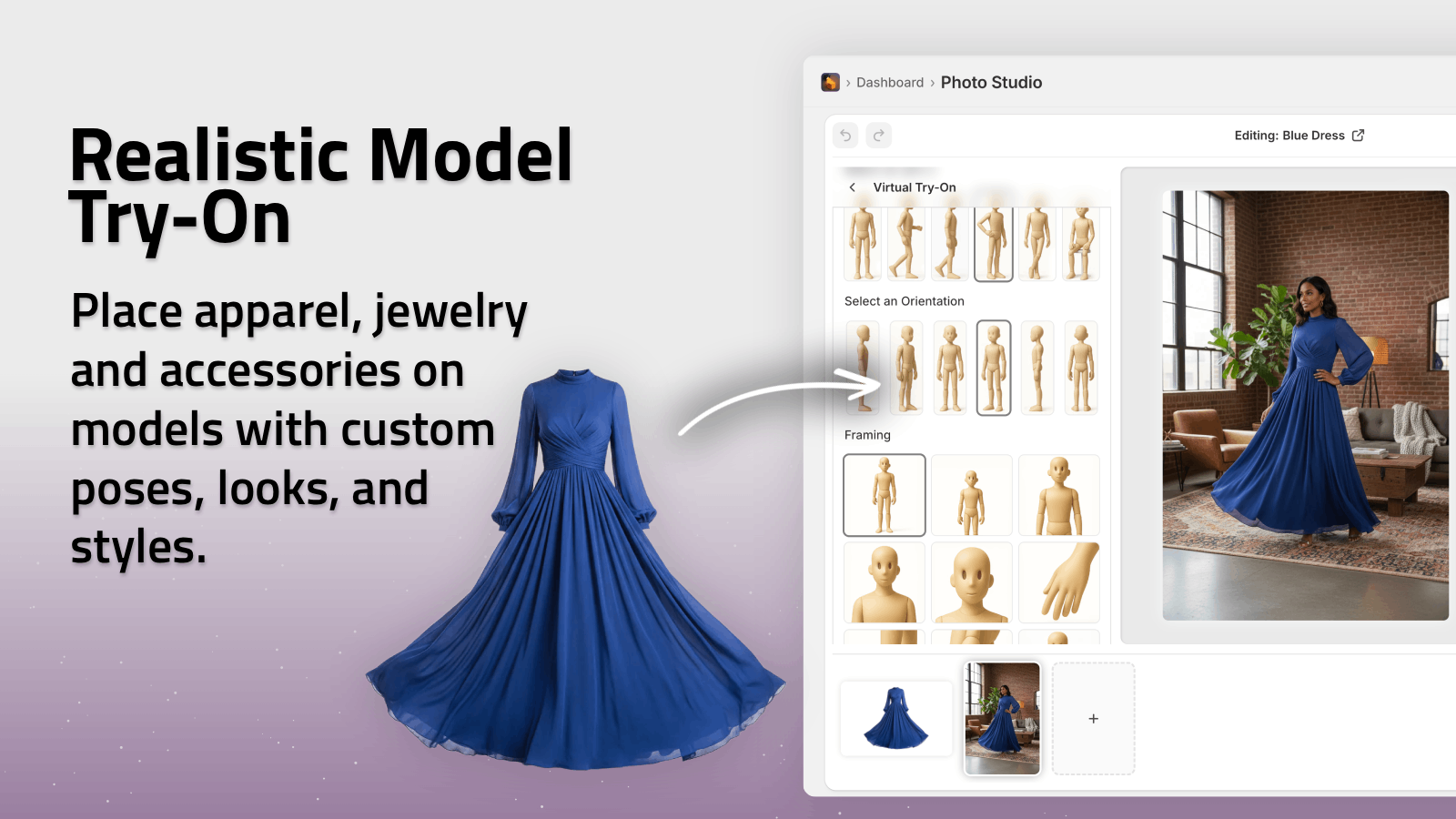
You upload your product photo once, then generate multiple on‑model shots without:
- Booking a studio
- Paying a photographer
- Hiring a model (or several) for each collection
For growing Shopify stores, this can remove thousands of dollars per year in production costs, while letting you test more styles and angles.
Step 5: Generate Lifestyle Scenes Instead of Shooting on Location
Lifestyle photos sell the experience, not just the object—but shooting on location is expensive and logistically hard.
AI object placement lets you create high-conversion lifestyle scenes directly from a flat product shot.
With Supra AI Photo Studio’s Object Placement tool, you can:
- Drop your product into kitchens, offices, luxury boutiques, outdoor scenes, and more.
- Choose surface (wood, marble, concrete), camera angle, and lighting style.
- Maintain accurate product proportions and details.
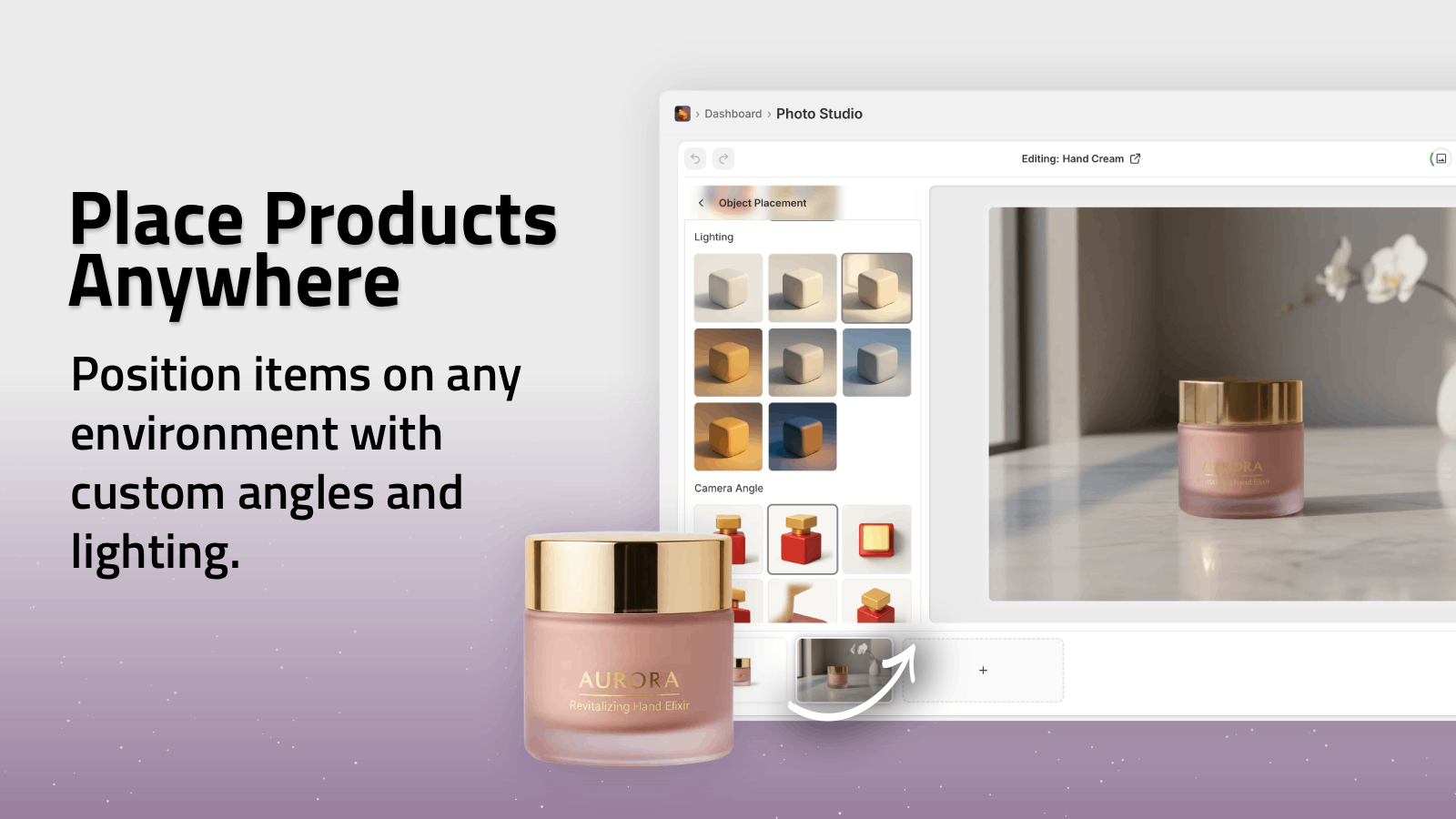
Instead of paying for:
- Location scouting
- Studio sets and props
- Multiple reshoots when packaging changes
…you simply regenerate the scenes in a few clicks. Your Shopify store gets a full set of lifestyle visuals for the cost of a single product photo.
Step 6: Lower Ad & Content Costs With AI Video
Short videos are now mandatory for:
- Facebook & Instagram ads
- TikTok and Reels
- PDP videos and landing pages
But commissioning custom video content is costly (and slow).
Supra AI Photo Studio includes AI video tools that turn your existing product images into:
- Cinematic b‑roll videos (slow motion product drops, spins, impact shots)
- UGC-style videos with voiceover and natural, influencer-like framing
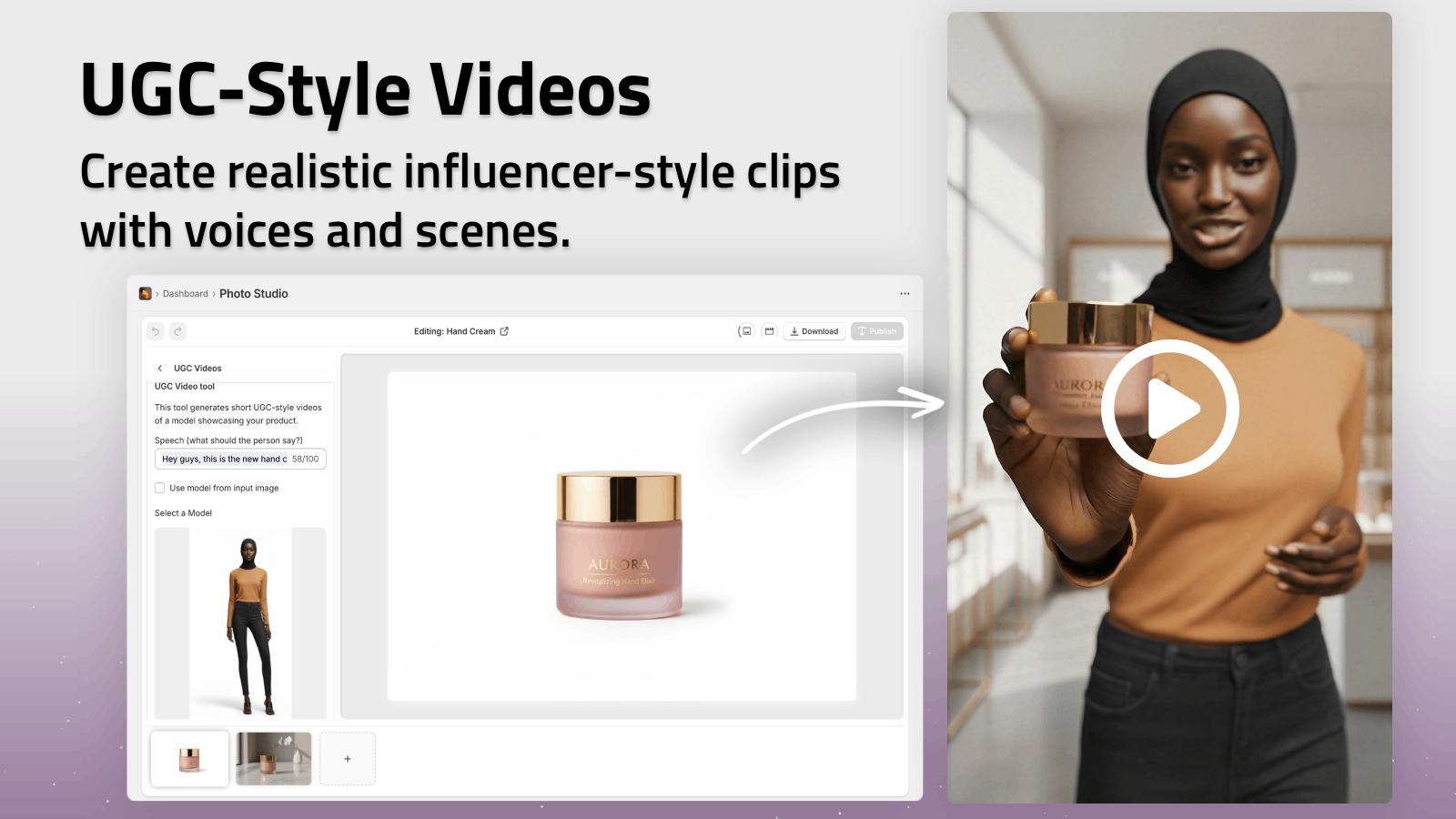
This means you can:
- Test multiple ad creatives from a single product image
- Refresh your creatives weekly without expensive video shoots
- Keep content engines (TikTok, Reels, ads) running at a fraction of the typical cost
Step 7: Integrate Editing Directly Into Your Shopify Workflow
A hidden cost of photo editing is context switching:
- Download images from Shopify
- Send to an editor or upload to a tool
- Wait for edits
- Re‑download and re‑upload back to the product page
That’s not just time; it’s salary or opportunity cost.
Because Supra AI Photo Studio is a native Shopify app, you can:
- Open a product directly from your Shopify admin
- See all product images in the built‑in gallery
- Apply AI tools (background removal, try‑on, object placement, video) right there
- Publish the new images back to your product with one click
This collapses multiple tools and steps into a single screen, dramatically reducing:
- Human hours spent per product
- Errors and version confusion
- Delays between getting a new product and publishing it live
Try it yourself: install the app from the Shopify App Store listing and follow the built‑in editor walkthrough.
Step 8: Use Plans That Match Your Store Size
Another lever for reducing editing costs is choosing pricing that scales with you.
Supra AI Photo Studio offers:
- Free plan – 4 image generations/month + video tests to explore the workflow.
- Standard – For small shops (60 images/month), ideal if you’re just replacing freelancers.
- Professional – For growing stores (300 images/month + 5 videos/month).
- Agency – For large catalogs or agencies (1000 images/month + 20 videos/month).
You can start on the free plan, measure how many generations you use to replace existing editing spend, and upgrade only when it’s profitable to do so.
Compare this with traditional editing where costs grow linearly with every new product or reshoot—you’re trading variable freelance costs for predictable, flat SaaS pricing.
Practical Workflow: From Raw Photo to Shopify-Ready in Minutes
Here’s a lean, cost‑optimized workflow you can adopt using Supra AI Photo Studio:
-
Capture a Simple Base Shot
Take a clear, well‑lit photo of the product on a neutral background. -
Isolate the Product
Use the Isolate Product / Background Remover tool so the AI can focus on your product. -
Auto Enhance
Apply Auto Enhance for noise reduction, sharpening, and color/lighting corrections. -
Create Studio & Lifestyle Variants
- Generate studio‑style images on white or brand-colored backgrounds.
- Use Object Placement to create 1–3 lifestyle scenes per product.
-
Generate On‑Model (For Fashion/Accessories)
Use Try‑On to place the product on AI models with different body types and poses. -
Generate Video Assets
Create at least one b‑roll or UGC-style video for ads or PDPs. -
Publish Directly to Shopify
Save and publish the new visuals to the product page without leaving your admin.
This workflow replaces multiple contractors and tools with a single integrated process—and drastically reduces both your hard costs and time to publish.
Visual Inspiration: AI‑Driven Product Storytelling
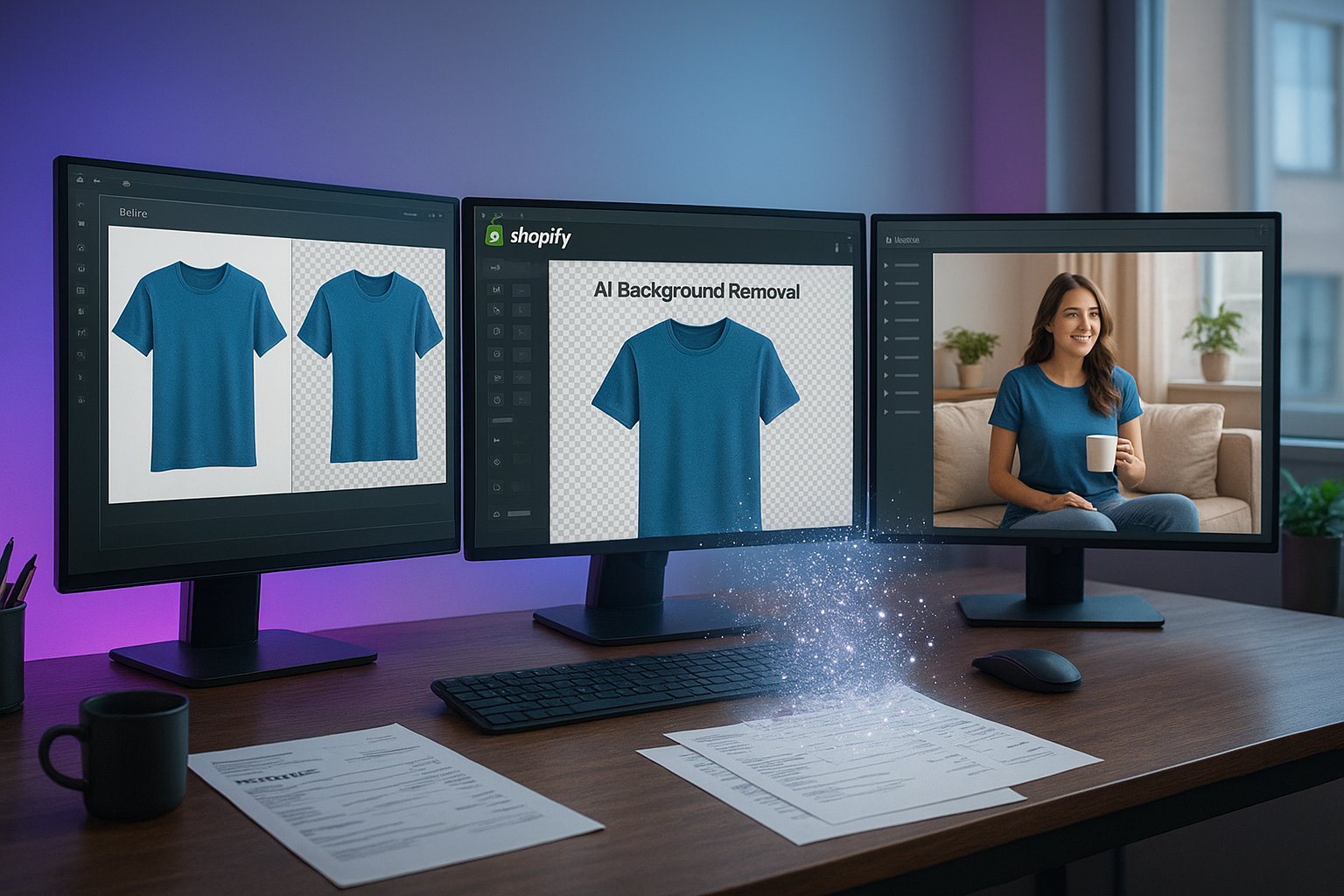
Use visuals like these (clean before/after shots, lifestyle scenes, and short dynamic clips) across your product pages, collection banners, and ads to get the maximum ROI out of every base photo you shoot.
Final Thoughts: Spend Less on Editing, More on Growth
You don’t win ecommerce by having the biggest photo budget—you win by having the most effective visuals for the lowest realistic cost.
By standardizing your image requirements, automating repetitive edits, replacing costly shoots with AI try‑on and lifestyle scenes, and integrating everything inside Shopify, you can:
- Cut product photo editing costs dramatically
- Launch products and campaigns faster
- Keep your brand visuals consistent and professional
If you’re ready to put this into practice, install Supra AI Photo Studio for Shopify and start transforming your product photos—and your editing budget—today.