
Product Photographer in Toronto: The Complete Guide for Brands & Shopify Stores
Finding the right product photographer in Toronto can make the difference between a store that looks amateur and a brand that feels premium from the first click. Whether you sell on Shopify, Amazon, or your own website, your product photos are often your first impression—and in a city as competitive as Toronto, that impression has to be flawless.
In this guide, you’ll learn how to choose a Toronto product photographer, what they actually do behind the scenes, how much you should expect to pay, and how to combine professional photography with AI tools like Supra AI Photo Studio to stretch your budget and create high-converting visuals.
Why Product Photography Matters So Much in Toronto
Toronto is a major ecommerce and DTC hub. Your potential customers are used to seeing polished visuals from big brands—so if your images look flat, inconsistent, or low-res, they’ll assume your product isn’t worth the price.
High-quality Toronto product photography helps you:
- Increase conversions on Shopify and marketplaces
- Build trust quickly with new visitors
- Reduce returns by showing realistic, accurate product details
- Charge premium prices because your brand looks premium
- Run better ads on Facebook, Instagram, TikTok, and Google Shopping
Pairing a good photographer with a powerful AI editing app like Supra AI Photo Studio lets you go even further—turning a single studio shot into dozens of lifestyle scenes, try-ons, and ads.
Types of Product Photographers in Toronto
Before you start searching, know which type of photographer fits your needs. In Toronto, most product photographers fall into these categories:
1. Studio Product Photographers
These photographers work in a controlled studio environment with professional lighting, backdrops, and specialized lenses. They’re ideal for:
- Catalog images on white or neutral backgrounds
- Amazon or marketplace listings
- Detailed close-ups (jewelry, cosmetics, electronics)
You can later use Supra AI Photo Studio to remove/replace backgrounds or create lifestyle versions of these shots without rebooking a studio.
2. Lifestyle & On-Location Product Photographers
These photographers shoot your products in real environments:
- Cafés, parks, condos, gyms, beaches, Airbnbs
- Urban Toronto locations with city vibes
Perfect if you want:
- Branded lifestyle feeds on Instagram
- Hero images for your homepage
- Social ads that look like real user content
3. Fashion & Apparel Product Photographers
If you sell clothing, accessories, or jewelry, look for photographers who specialize in:
- On-model shoots (studio or outdoor)
- Lookbooks and campaigns
- Ecommerce flat lays and ghost mannequin shots
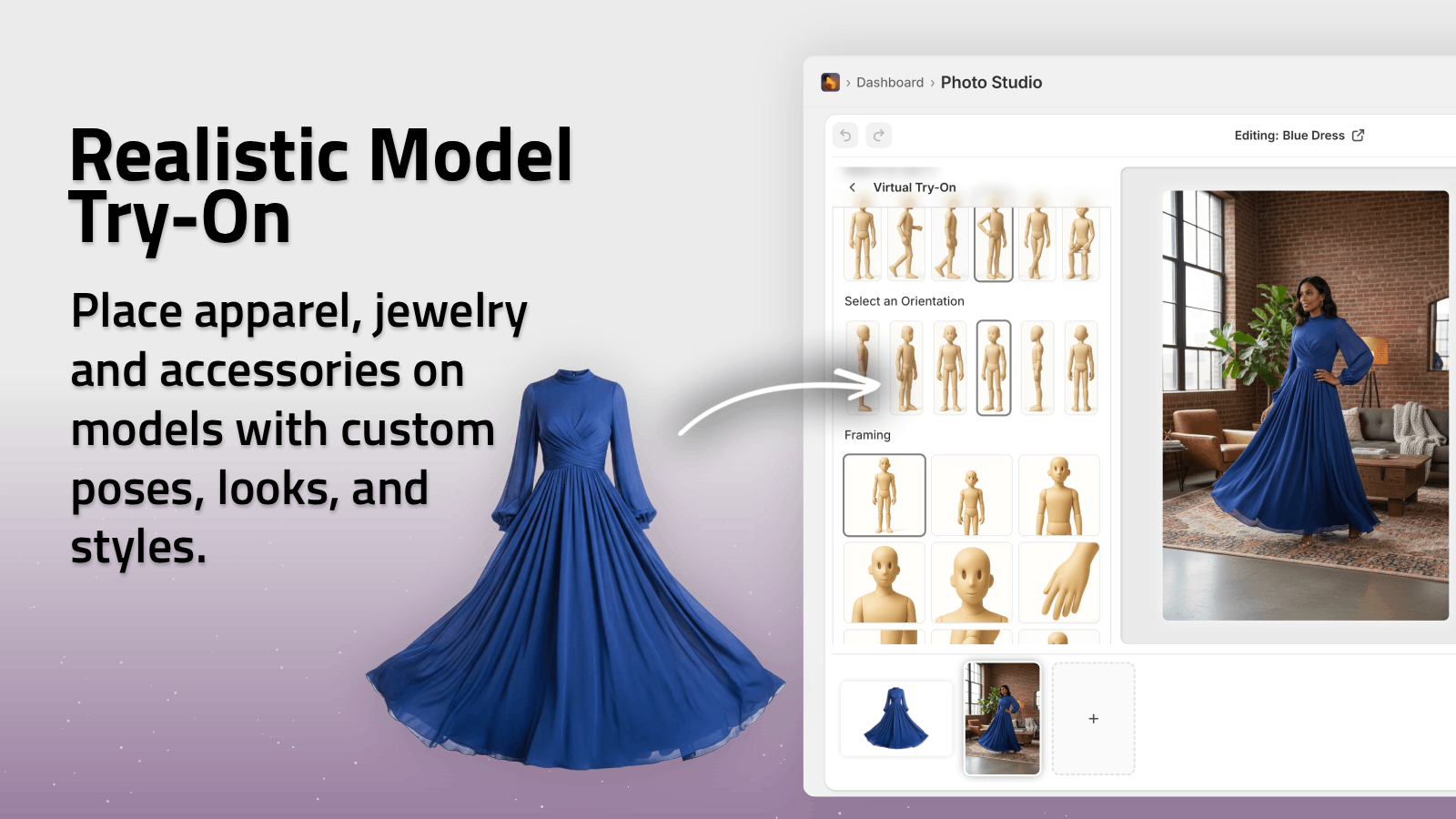
Pro tip: Today you can mix real photography with AI virtual try-on to cut model and studio costs. Tools like Supra AI Photo Studio let you put your apparel on realistic AI models directly from your Shopify admin.
What Does a Product Photographer Actually Do?
A good product photographer in Toronto offers more than just pressing the shutter button. Their process usually includes:
-
Pre-production & Planning
- Understanding your brand, target audience, and platforms (Shopify, social, print)
- Planning shot lists and angles
- Choosing backgrounds, props, and locations
-
Lighting & Setup
They use soft-boxes, reflectors, diffusers, and light control to:- Eliminate harsh shadows
- Highlight product textures (fabric, metal, glass)
- Keep colors accurate (crucial for clothing & cosmetics)
-
Shooting Multiple Variations
- Different angles (front, side, back, detail, scale)
- Variations for web, mobile, and ads
- Lifestyle vs. clean studio shots where needed
-
Retouching & Editing
- Color correction and exposure balancing
- Dust, scratch, or reflection removal
- Background clean-up
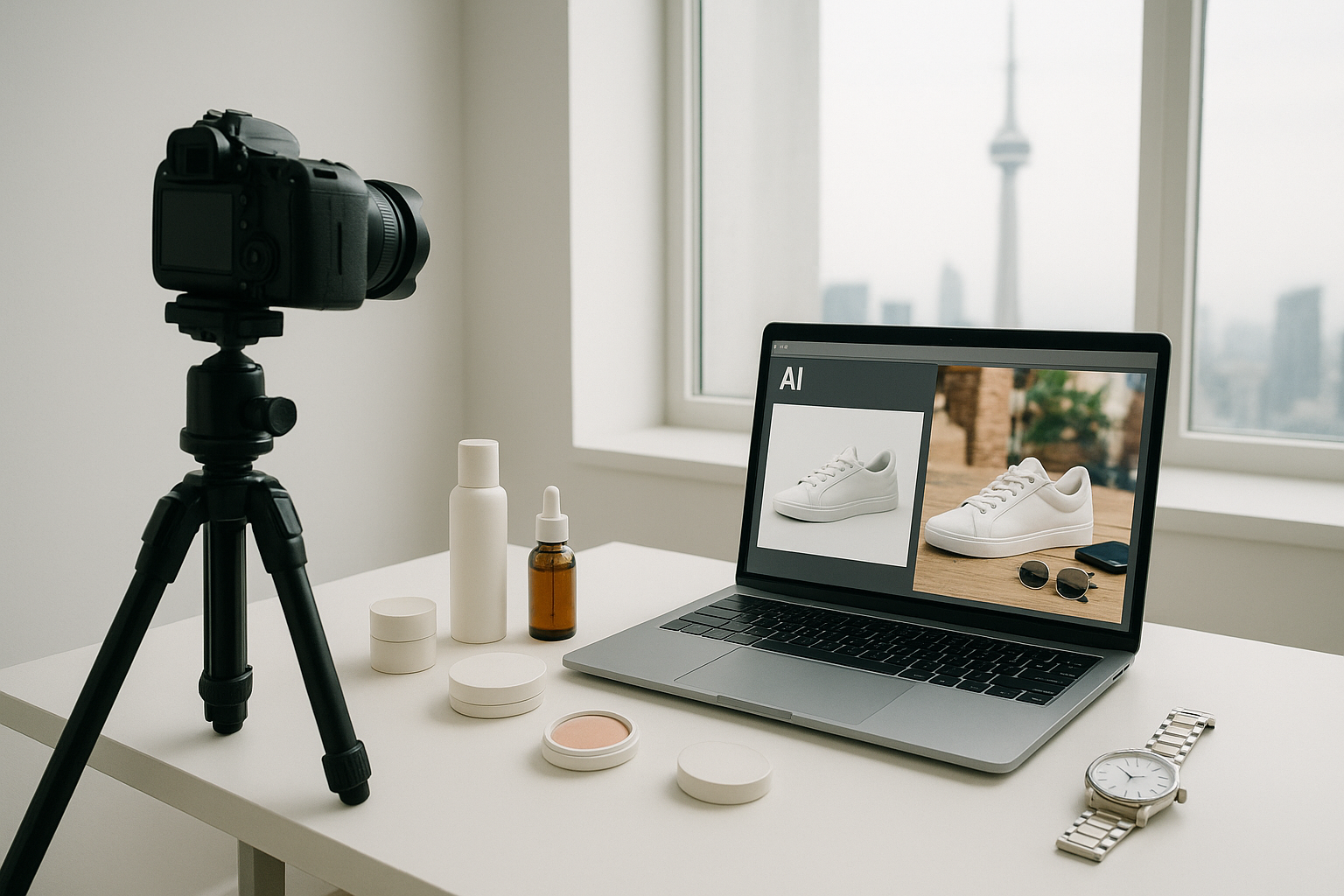
Today, many brands handle part of the editing workflow themselves using AI tools like Supra AI Photo Studio to:
- Remove or replace backgrounds with one click
- Upscale low-res photos
- Auto-fix lighting and sharpness
- Create lifestyle scenes and mockups from a single base shot
How Much Does a Product Photographer Cost in Toronto?
Pricing varies widely, but you’ll typically see:
-
Per-image pricing (common for ecommerce):
~ $25–$100+ per image, depending on complexity, retouching, and usage rights. -
Hourly or day rates (for lifestyle & fashion):
~ $100–$250/hour or $800–$2,000+ per day, depending on experience, studio, and team size. -
Add-ons:
- Models, hair & makeup, stylists
- Studio rental
- Location fees and permits
- Advanced retouching
If your budget is tight, you can:
- Book a photographer for core hero shots only
- Then use Supra AI Photo Studio to:
- Generate alternate backgrounds (different rooms, seasons, moods)
- Create mockups (packaging, apparel, posters, mugs)
- Turn a single image into multiple ad creatives and UGC-style videos
This hybrid approach keeps your brand looking premium while making your budget go much further.
How to Choose the Right Product Photographer in Toronto
Use this checklist when shortlisting:
1. Review Their Portfolio for Your Category
Look for specific experience with your type of product:
- Apparel & accessories
- Jewelry & watches
- Beauty & skincare
- Tech & gadgets
- Home decor & furniture
Ask yourself:
- Are the images sharp and consistent?
- Do colors feel accurate and natural?
- Do the photos feel like something your ideal customer would respond to?
2. Clarify Deliverables & Usage Rights
Before you book, ask:
- How many final images are included?
- What file formats & sizes (for web, print, ads)?
- Are you allowed to use the photos across all your channels (website, social, ads, marketplaces)?
- How long will delivery take?
3. Ask About Their Workflow with AI & Editing
Modern photographers often work hand-in-hand with AI tools. Ask if they’re open to you:
- Doing some of your own background replacement or lifestyle generation using Supra AI Photo Studio
- Re-using their shots to create AI-generated videos and b-roll for ads
This lets you keep getting value from the shoot long after it’s done.
4. Communication & Brand Fit
Good product photographers will:
- Ask about your brand, audience, and competitors
- Suggest creative ideas and angles
- Share moodboards or reference images
You’re not just hiring a camera—you’re hiring a visual partner for your brand.
The Hybrid Strategy: Product Photographer + Supra AI Photo Studio
The most efficient brands in Toronto don’t choose between a photographer and AI—they use both.
Here’s a simple workflow:
-
Hire a Toronto product photographer for:
- High-quality base images with accurate colors and sharp details
- A mix of white-background and simple lifestyle shots
-
Import those images into Supra AI Photo Studio to:
-
Enhance & Clean Up
- Remove backgrounds and distractions
- Upscale and sharpen older or smaller images
- Auto-fix lighting, contrast, and color balance
-
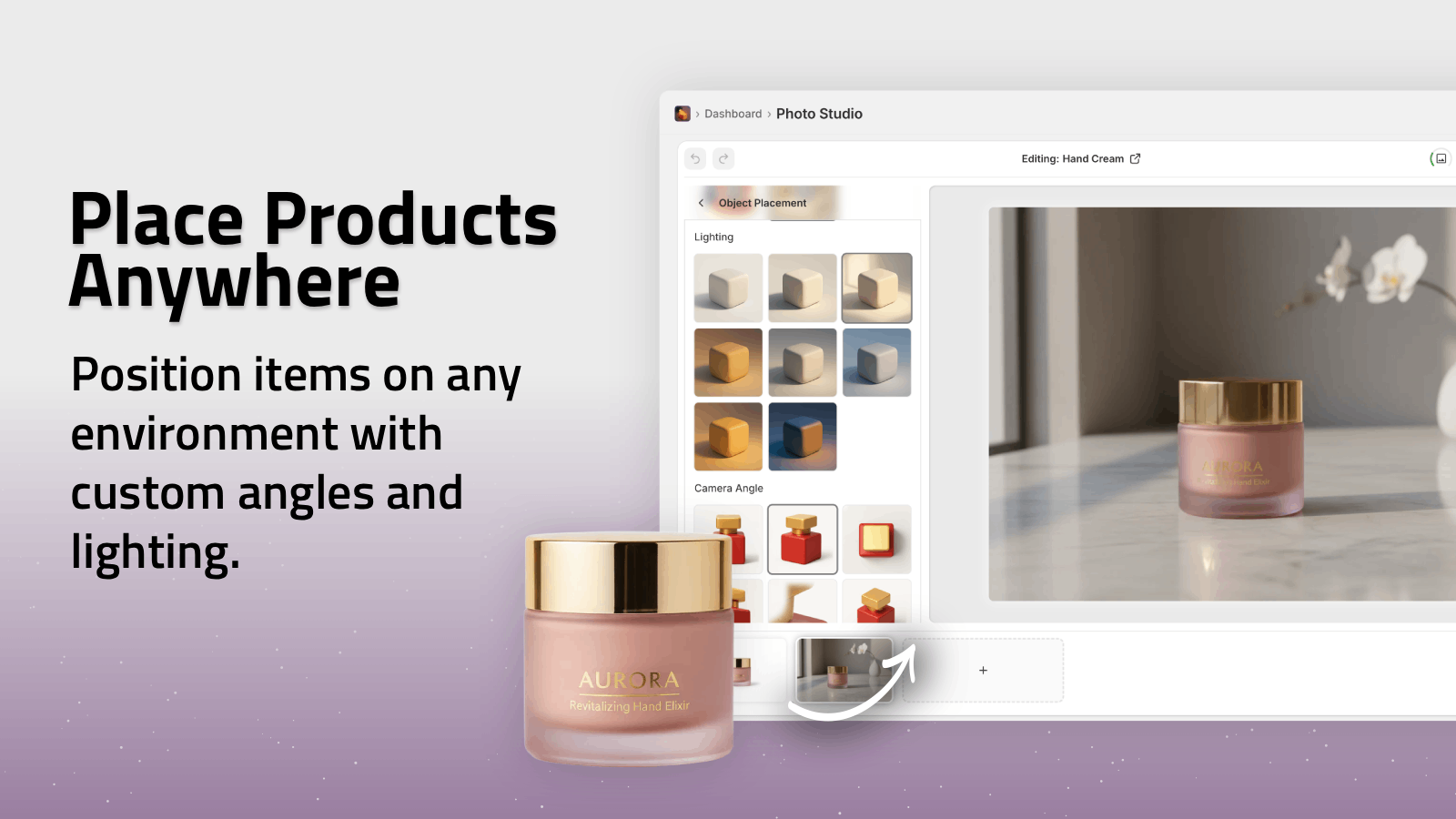
Create Lifestyle Scenes in Minutes
Use the Object Placement tool to drop your products into:- Modern Toronto condos
- Minimalist kitchens
- Outdoor patios or parks
- Office desks or creative studio setups
-
Generate On-Model Images with AI Try-On
If you sell fashion, jewelry, or accessories:- Put your items on realistic AI models
- Adjust poses, body type, skin tone
- Keep fabric, color, and details accurate
-
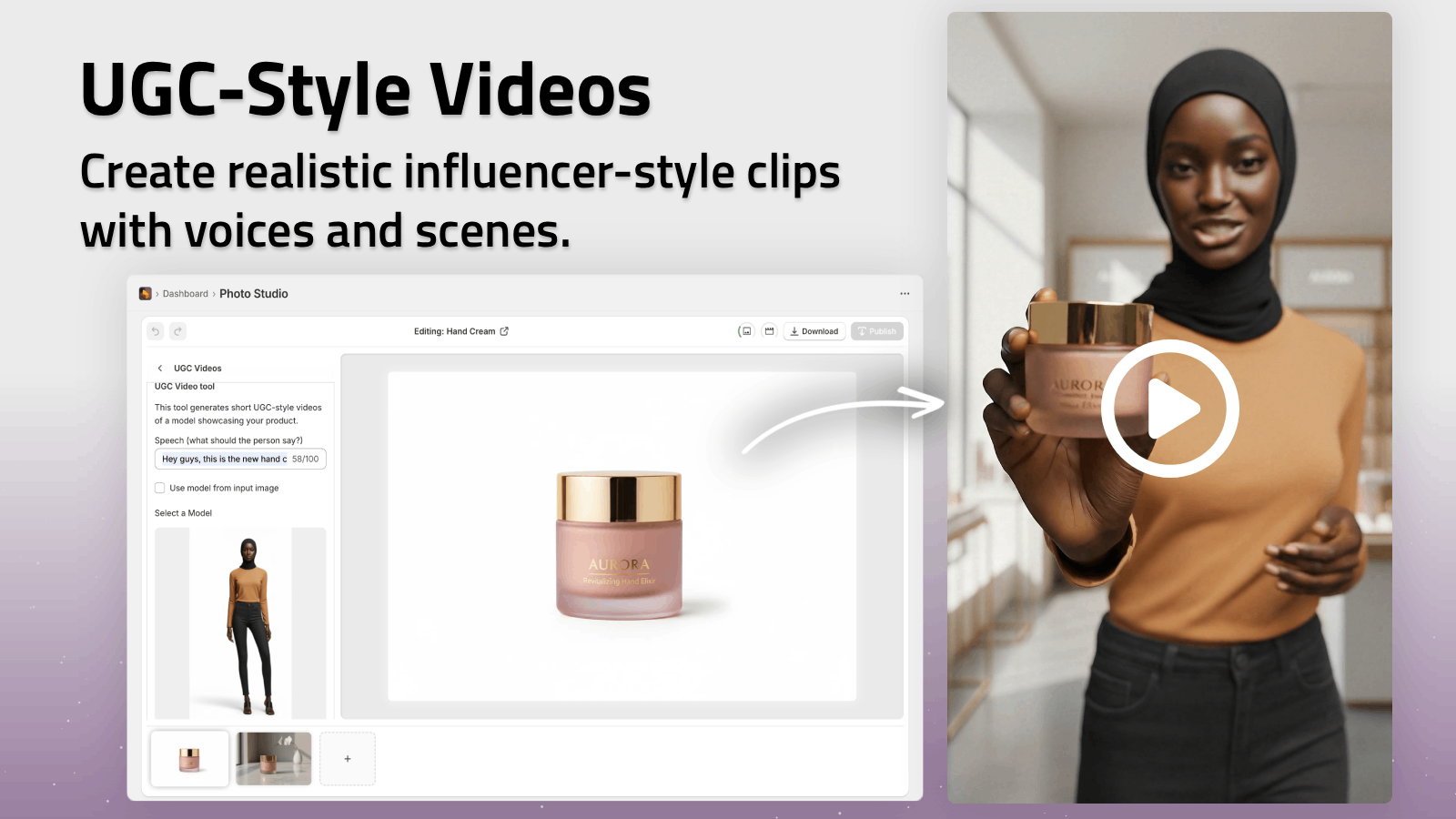
Turn Photos into High-Performing Videos
With the AI video tools, quickly create:- Short b-roll clips for product pages and ads
- UGC-style videos that look like influencer content
-
This approach lets you build a large, consistent visual library from a relatively small number of professionally shot images.
You can try it directly in your Shopify admin here:
➡️ Install Supra AI Photo Studio on Shopify
DIY vs Hiring a Product Photographer in Toronto
If you’re just getting started, you might be wondering whether you can DIY your product photography.
When DIY + AI Is Enough
You can often start with:
- A recent smartphone with a good camera
- Natural light near a window
- Simple background (white paper, foam board, or a lightbox)
Then use Supra AI Photo Studio to:
- Remove the background cleanly
- Fix exposure, sharpness, and color
- Place your product in professional lifestyle scenes
This is a great option for:
- New Shopify stores on a budget
- Testing early product-market fit
- Quickly updating old images without a new shoot
When You Should Hire a Pro
Consider hiring a Toronto product photographer when:
- Your product is ready for a full launch
- You want to invest in a premium brand look
- You need complex setups (glass, reflective metal, intricate details)
- You’re planning large ad campaigns and press features
Combine their work with AI editing and you’ll have studio-level visuals while keeping content production fast and affordable.
How to Get Started Today
-
Shortlist 3–5 Toronto product photographers
- Search Google, Instagram, Behance, and local directories
- Filter by your product category
-
Define your must-have shots
- Hero images for home & collection pages
- Clean white-background shots for listings
- A few lifestyle setups you can later expand with AI
-
Plan to repurpose with AI
- After your shoot, upload images to Supra AI Photo Studio
- Generate extra variations, try-on shots, and videos without rebooking a photographer
-
Optimize and test
- A/B test different backgrounds and scenes
- Try different product angles and lifestyle contexts
- Use AI-generated UGC videos for TikTok, Reels, and paid ads
Turn Toronto Product Photos into a Scalable Visual System
Working with a great product photographer in Toronto is one of the best investments you can make for your brand. But the real magic happens when you treat those photos as the starting point—not the final product.
By pairing professional photography with Supra AI Photo Studio, you can:
- Keep your brand visuals consistent and on-brand
- Create endless lifestyle variations and ad creatives
- Launch faster, test more, and scale your Shopify store with confidence
Ready to turn your Toronto product photos into high-conversion visuals?
👉 Install Supra AI Photo Studio on Shopify and start transforming your images directly inside your Shopify admin.