
Seasonal Promo Image Ideas For Shopify Stores
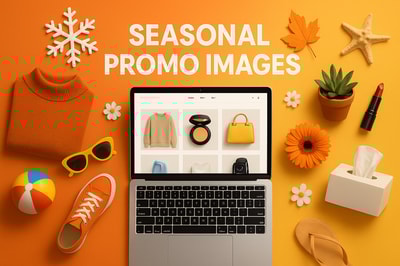
Seasonal campaigns can make or break your sales calendar.
Yet most Shopify stores reuse the same tired banners: generic stock photos, bland typography, and product shots on a white background. That’s not enough to stop scrolls on social, let alone convince someone to buy.
In this guide, you'll find practical, high-converting seasonal promo image ideas you can implement quickly—especially if you’re using AI tools like Supra AI Photo Studio.
Why Seasonal Promo Images Matter For Shopify Stores
Seasonal images do three critical jobs:
- Grab attention fast – Seasonal cues (snowflakes, pumpkins, cherry blossoms, fireworks) instantly signal relevance.
- Create urgency – When your visuals clearly say "limited time", customers feel the need to act now.
- Align with buying intent – People shop differently in Q4 vs summer. Your visuals should match those moods.
Well-designed seasonal promo images can:
- Lift CTR on ads and emails
- Boost conversion rates on product pages and landing pages
- Improve AOV when paired with seasonal bundles and upsells
If you don’t have a designer, or you’re tired of juggling Canva templates and freelancers, an AI-powered tool like Supra AI Photo Studio can help you build on-brand seasonal visuals in minutes.
Core Types of Seasonal Promo Images You Should Always Have
Before we dive into season-specific ideas, make sure you have a basic visual toolkit ready for any campaign:
-
Homepage Hero Banner
Big, bold, and seasonal. Example: “Spring Refresh Sale – Up to 30% Off” with your best-selling products in a lifestyle scene. -
Collection Thumbnails
Seasonal overlays or backgrounds for collections like “Holiday Gifts”, “Back to School”, “Summer Essentials”. -
Product Page Lifestyle Shots
Simple white background photos are not enough. Add at least 1–2 seasonal lifestyle images per key product. -
Social & Ad Creatives
Vertical (9:16) versions for Reels, TikTok, and Stories, plus square images for feed and paid campaigns. -
Email Banners
Seasonal headers for launches, drops, and last-chance campaigns.
With Supra AI Photo Studio, you can generate all of these directly from your existing product photos:
- Remove or replace backgrounds
- Place products into seasonal environments
- Generate b-roll and UGC-style seasonal videos for ads
Explore the app: Supra AI Photo Studio on Shopify
Spring Promo Image Ideas
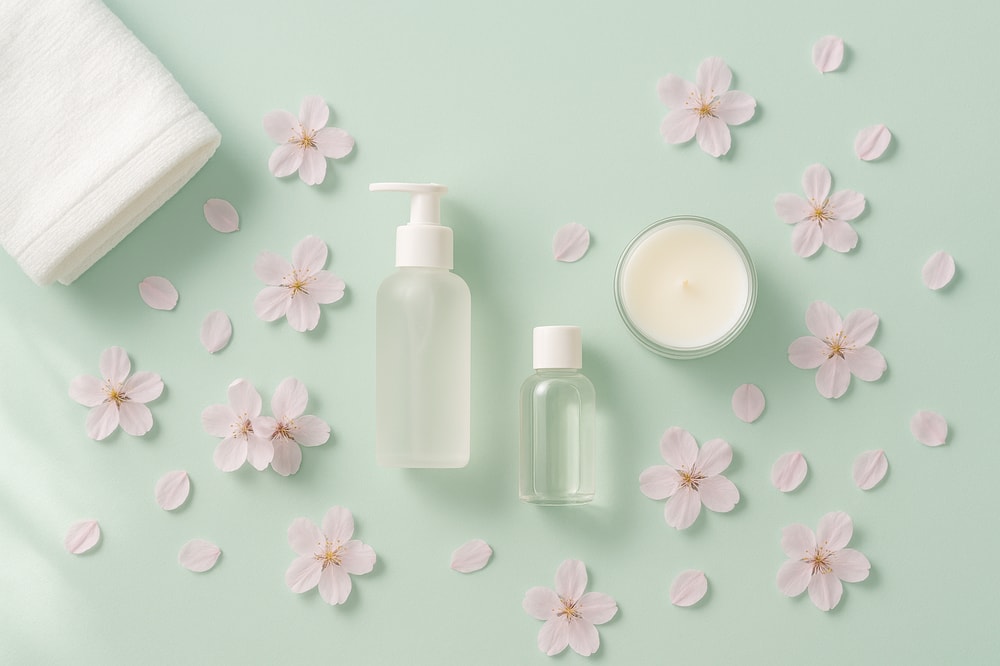
Spring is about freshness, renewal, and color. Great for launches, new collections, and “refresh” campaigns.
1. Fresh Start Flat-Lays
Create flat-lay scenes of your products on:
- Pastel backgrounds (mint, blush, lavender)
- Light wood or stone textures
- Surrounded by fresh props: flowers, leaves, stationery, skincare, or tech accessories depending on your niche
Using object placement in Supra AI Photo Studio, you can drop your products onto pre-styled spring surfaces without a physical photoshoot.
2. "Before & After" Refresh Visuals
Perfect for beauty, home, and lifestyle brands.
- Show a dull, wintery scene on the left
- A bright spring makeover on the right featuring your product
Use background removal + replacement to build both versions inside the app, then export them as a single promo image for your homepage or email.
Summer Promo Image Ideas
Summer is all about warmth, travel, outdoor fun, and bold color. Great for "essentials" campaigns and bundles.
3. Beach & Poolside Lifestyle Shots
For fashion, accessories, swimwear, and travel products:
- Place products on sand, lounge chairs, towels, or beside a pool
- Add sunglasses, sunscreen, seashells, or iced drinks as context
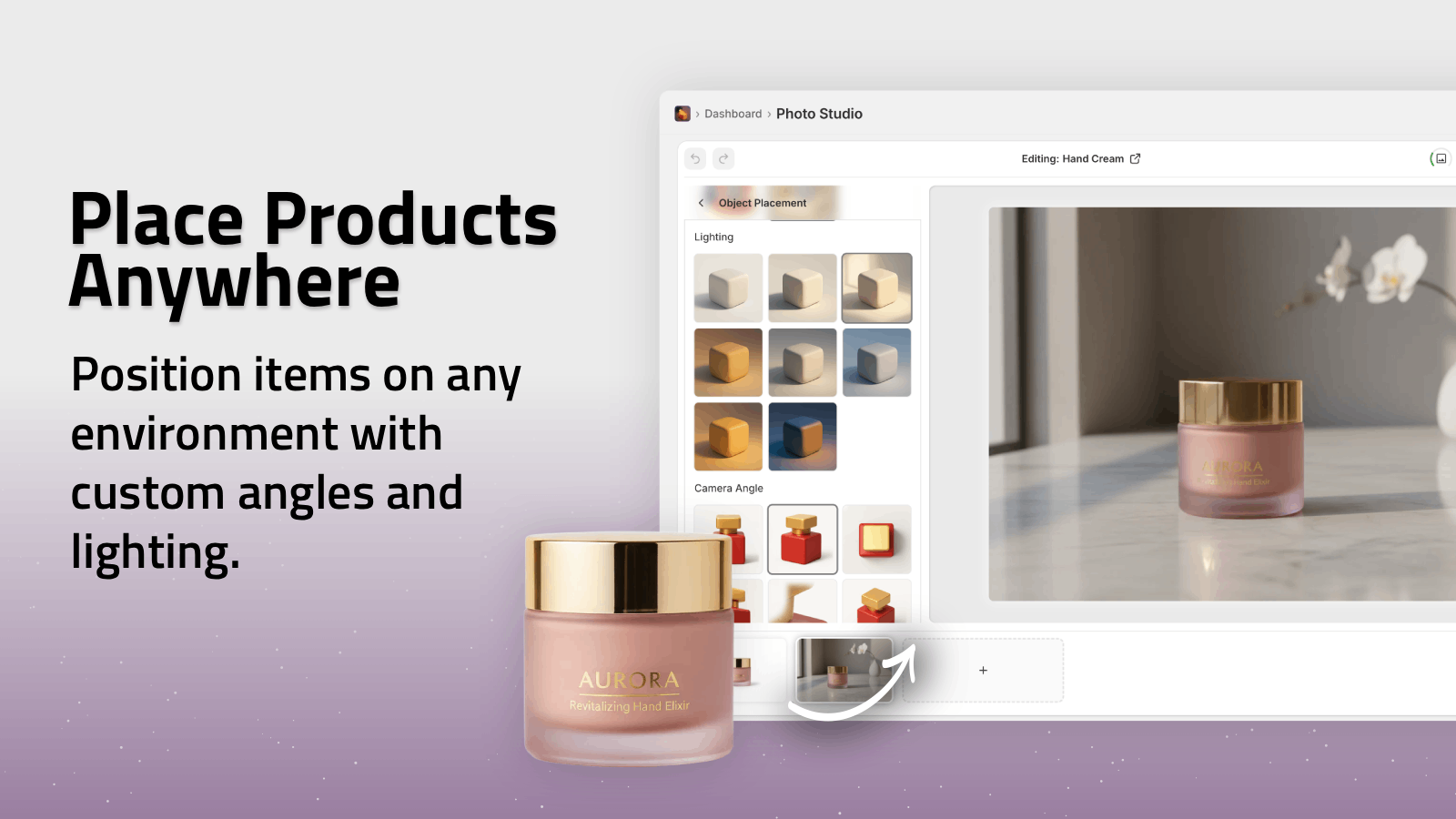
Use Object Placement in Supra AI Photo Studio to drop your product into:
- A sunny beach scene
- A resort-style pool deck
- A rooftop brunch table
👉 Try it: Supra AI Photo Studio – Object Placement
4. Summer UGC-Style Images & Videos
User-generated content looks native on TikTok and Instagram.
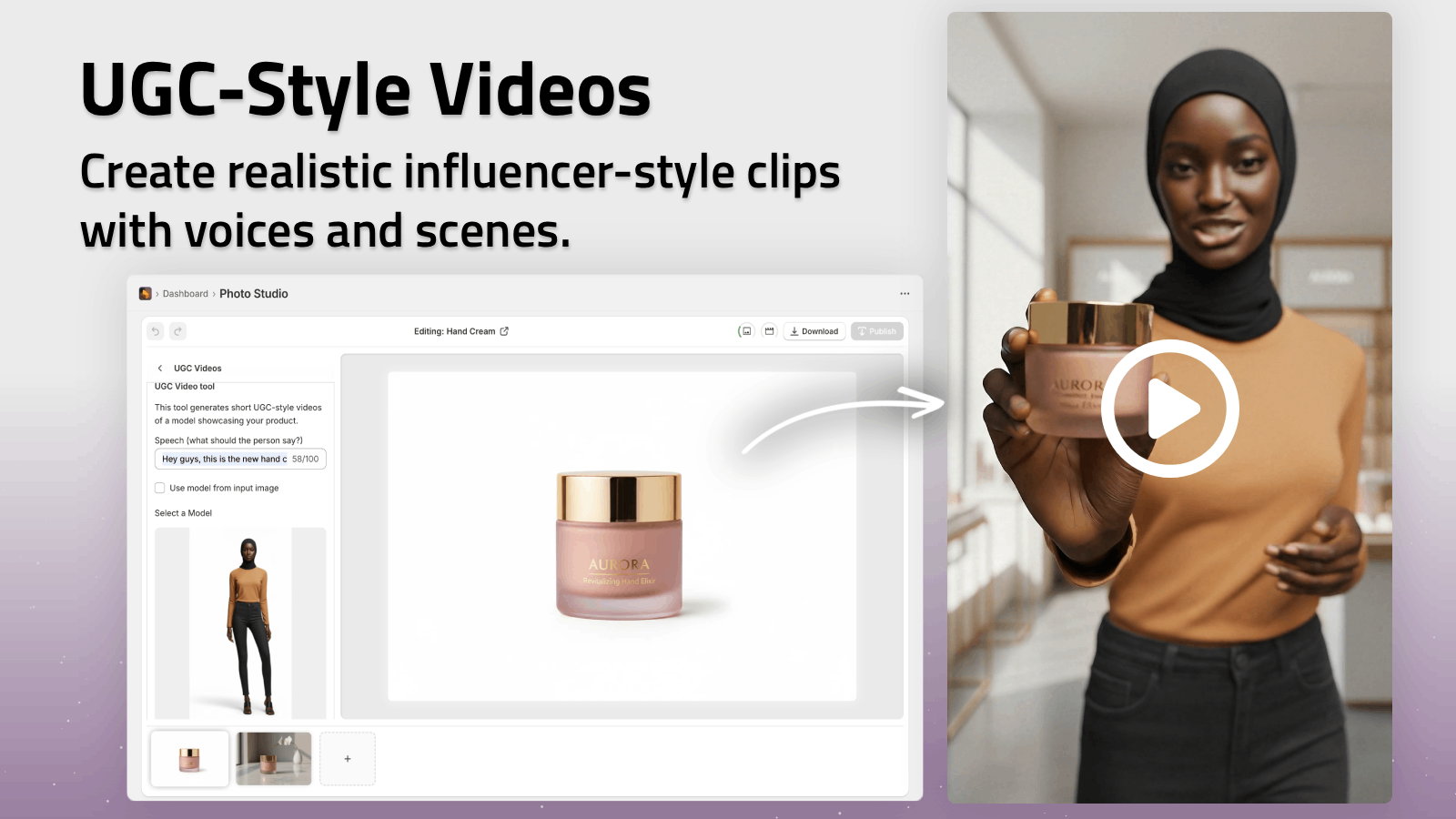
With UGC Video Generator in Supra AI Photo Studio, you can:
- Turn a simple product image into a vertical video where a virtual creator “talks” about your summer sale
- Choose a casual voice and vibe (relaxed, beachy, energetic)
- Use it for Story ads, Reels, and TikTok
You can also generate still images showing casual, handheld perspectives: a drink can held against the sky, sandals in the sand, a phone held by the pool.
Fall Promo Image Ideas
Autumn is the season of coziness, warmth, and back-to-routine energy.
5. Cozy At-Home Scenes
Great for apparel, home decor, candles, coffee, and tech.
- Warm lighting, blankets, and soft textiles
- Warm-toned backgrounds: ochre, brown, burnt orange
- Props like books, coffee mugs, laptops, and fall leaves
Use Object Placement to put your products on:
- Coffee tables with candles and books
- Wooden desks with laptops and planners
- Sofas with blankets and cushions
6. Back-to-School / Back-to-Work Grids
If you sell stationery, backpacks, gadgets, clothing, or accessories, create:
- Clean, grid-style promo images with multiple products
- A headline like “Back To School Essentials” or “Upgrade Your Work Setup”
Inside Supra AI, you can generate consistent lighting across all items using Auto Enhance, then place them into a cohesive grid layout for your homepage banner or collection header.
Winter & Holiday Promo Image Ideas
Winter and holidays are your highest-conversion visual moments. This is where great promo images can drastically move the needle.
7. Gift-Ready Product Photos
Turn basic product shots into giftable visuals:
- Add ribbons, wrapping paper, and gift tags around your products
- Place them under a holiday tree, on a festive dinner table, or on a snowy windowsill
With Supra AI Photo Studio, you can:
- Remove the existing background
- Place the product in a cozy winter interior or snowy exterior
- Add subtle bokeh lights or ornaments in the background
8. Limited-Time Offer & Countdown Visuals
Create conversion-focused visuals for:
- “12 Days of Deals”
- “Last Shipping Day Before Christmas”
- “End of Year Clearance”
Combine:
- A bold, clear discount text overlay
- A lifestyle image of your hero product in a wintery scene
Use B-Roll AI Videos from Supra to animate:
- Product drops onto a snowy surface
- Sparkling particles around jewelry
- Slow-motion reveals for premium items
These can become highly effective video ads or animated homepage banners.
Fashion & Apparel: Seasonal Try-On Ideas
If you run a fashion Shopify store, on-model, seasonally appropriate images are essential.
With AI Try-On in Supra AI Photo Studio, you can:
- Put your clothing on realistic AI models
- Change skin tone, body type, and poses
- Maintain accurate color, fit, and print details
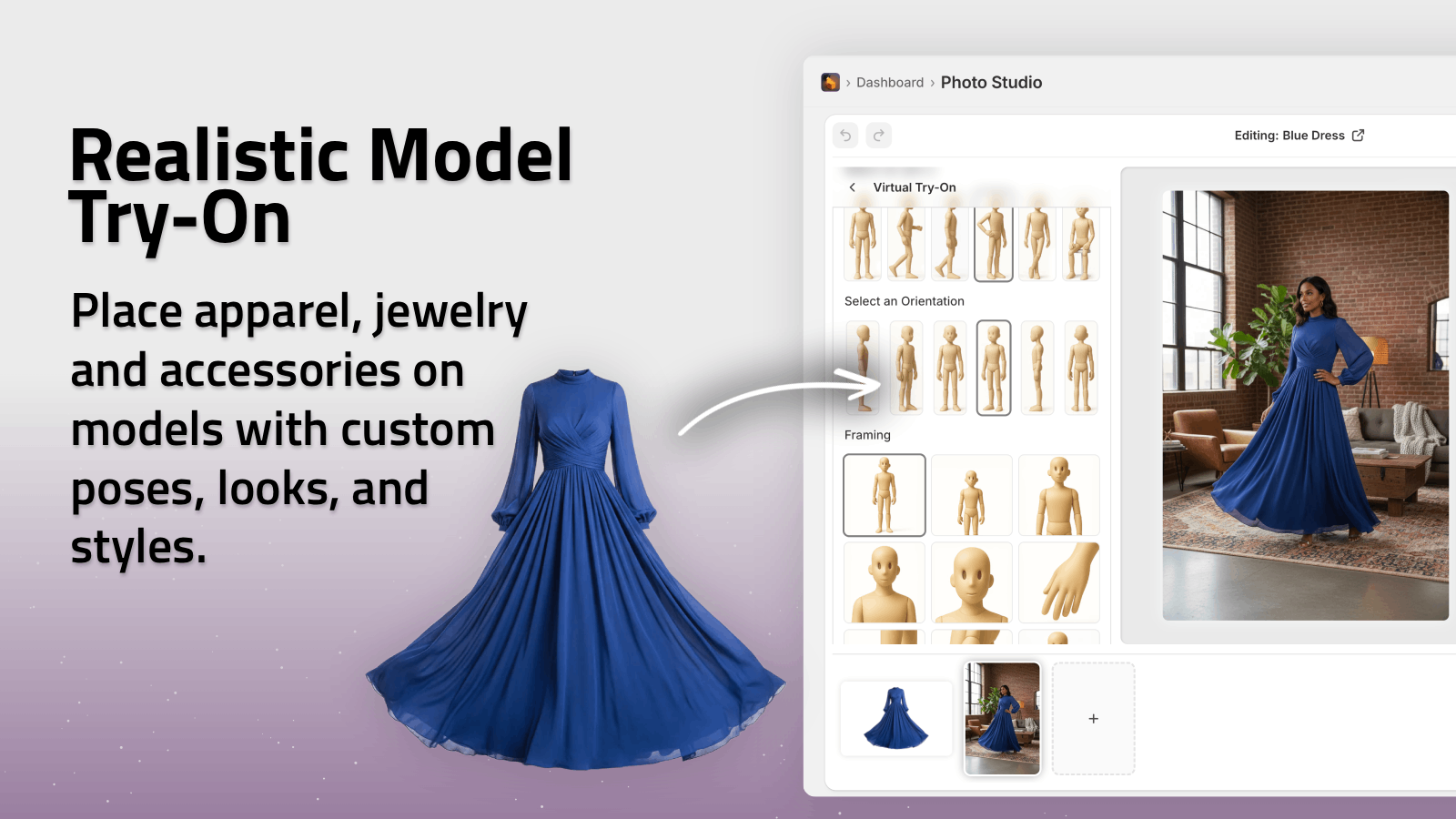
Seasonal Try-On Concepts
- Spring: Light jackets, florals, denim in outdoor city parks or cafes
- Summer: Swimwear, dresses, shorts on beaches, promenades, festivals
- Fall: Layered looks in cozy interiors or leafy streets
- Winter: Coats, scarves, boots in snowy, urban, or chalet-like scenes
You can generate multiple model variations per product to appeal to different customers—all without booking a single photoshoot.
How To Produce Seasonal Promo Images Fast (Without a Full Design Team)
Most merchants struggle not with ideas, but with production speed. That’s where an AI-native workflow makes a big difference.
Here’s a simple process using Supra AI Photo Studio:
-
Pick Your Seasonal Focus
Decide your angle: clearance, new drop, gift guide, essentials, etc. -
Select Core Products
Focus on best-sellers and high-margin items first. -
Isolate Your Products
Use the Isolate Product or background remover tool to give the AI a clean base to work from. -
Generate Seasonal Variations
- Use Object Placement for lifestyle scenes
- Use AI Try-On for apparel
- Use B-Roll Videos and UGC videos for ads
-
Optimize for Each Channel
Export different aspect ratios for:- Homepage & banners
- Product pages
- Email headers
- Social & ad creatives
-
Test & Iterate
A/B test different backgrounds, props, and messages. Because you’re generating images with AI, it’s cheap and fast to test multiple concepts.
You can see how the editor works here:
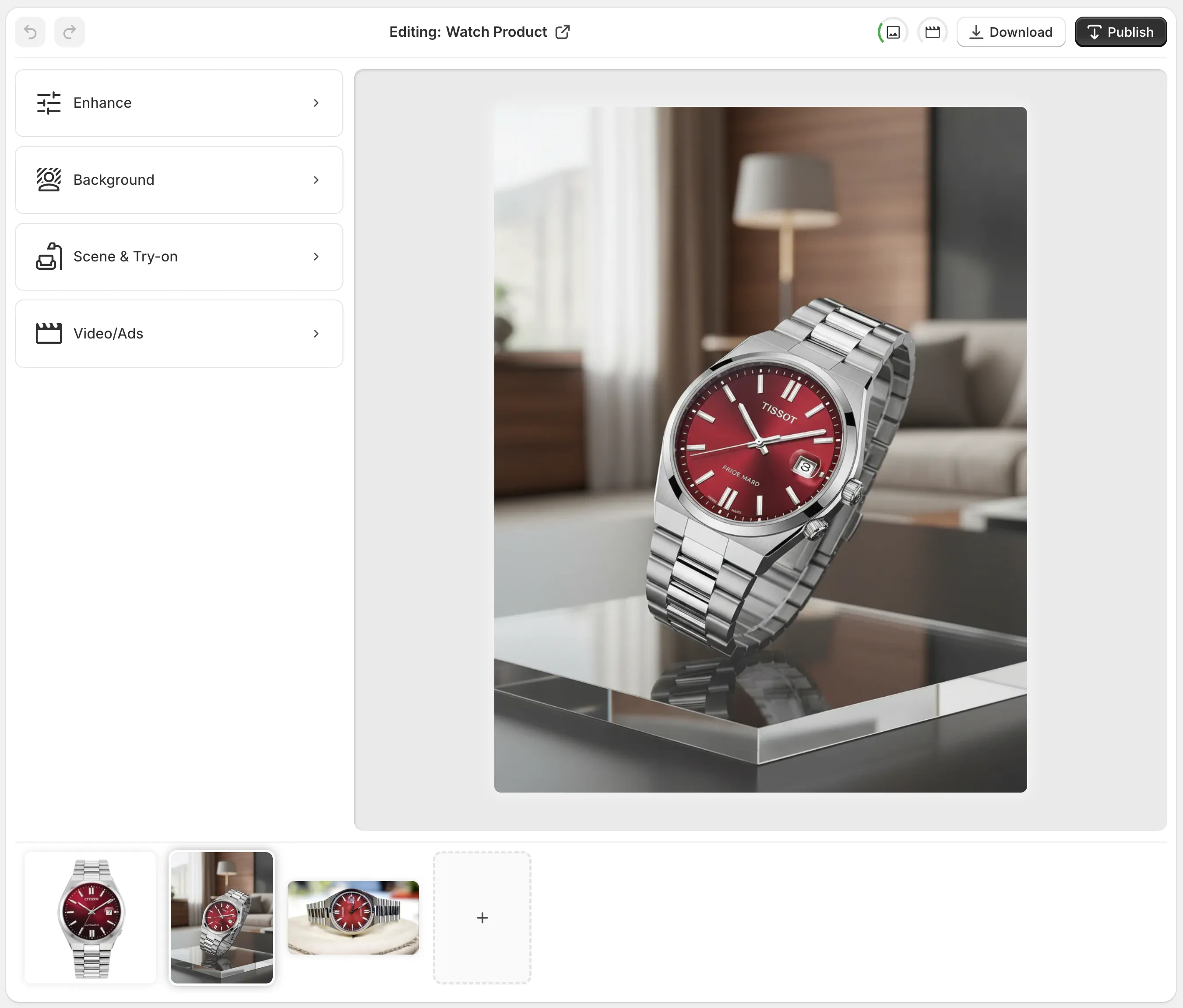
Seasonal Promo Image Checklist For Shopify Stores
Use this checklist when planning any seasonal campaign:
- Homepage hero image updated with seasonal theme & clear CTA
- Seasonal collection banner image (e.g., Gifts, Essentials, New In)
- At least 1 seasonal lifestyle image per hero product
- Matching social & ad creatives in vertical and square formats
- Email header banner for launch + last-chance reminders
- UGC-style video or b-roll for paid social
- On-model images (for fashion) reflecting the season
- Visual consistency (colors, lighting, fonts) across all assets
Turn Plain Product Photos Into Seasonal Campaigns In Minutes
You don’t need a big budget, a studio, or an in-house designer to create powerful seasonal promo images.
With Supra AI Photo Studio you can:
- Remove and replace backgrounds with seasonal scenes
- Put apparel and accessories on realistic AI models
- Place products into any environment—beach, cabin, office, city, you name it
- Auto-enhance lighting and sharpness for a consistent, premium look
- Generate UGC-style videos and cinematic b-roll for your ads
Install the app on your Shopify store and start transforming your seasonal campaigns today:
👉 Get Supra AI Photo Studio on Shopify: https://apps.shopify.com/supra-ai-photo-studio
👉 Learn more & see examples: https://supra-ai-photo-studio.sktch.io/