
Shopify Guide To Product Image SEO And Speed

Why Image SEO And Speed Matter So Much On Shopify
If your Shopify store feels slow or your product pages aren’t ranking, your images are almost always a big part of the problem.
Poorly optimized images can:
- Slow your store to a crawl (hurting conversions and SEO)
- Lower your Google rankings
- Waste ad spend by sending traffic to pages that load too slowly
- Make your products look low-quality or inconsistent
The good news: with the right workflow, you can have stunning, conversion-focused images that are also lightweight and SEO-friendly.
In this guide, you’ll learn a complete, practical approach to Shopify product image SEO and speed — plus how to automate most of the grunt work using Supra AI Photo Studio.
1. Start With The Right Image Dimensions
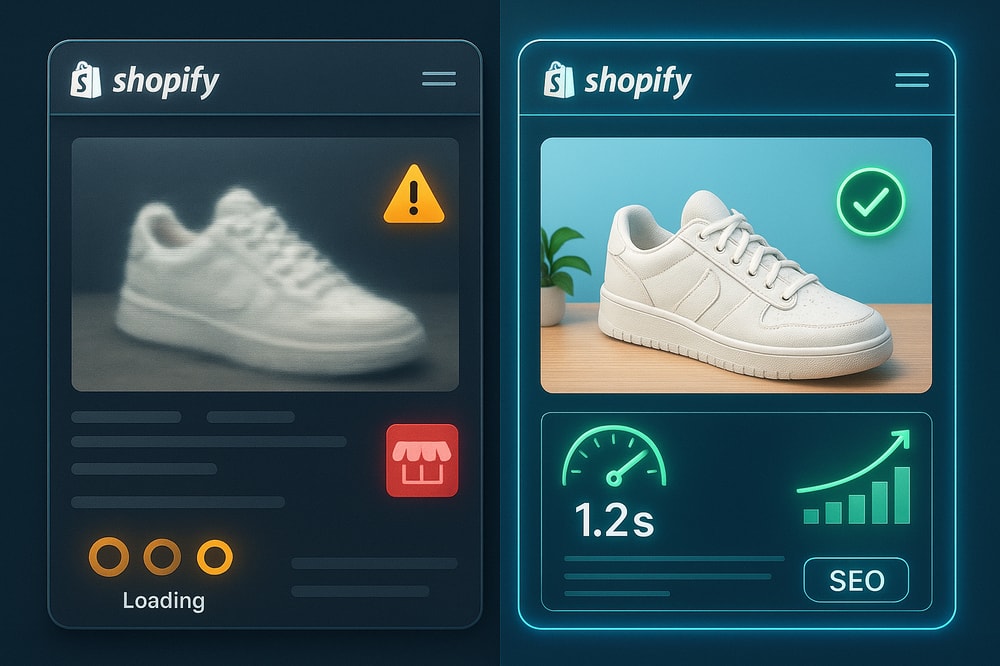
One of the fastest wins for Shopify speed is not uploading images that are way larger than they’re displayed.
Recommended sizes for Shopify product images
These are solid starting points for most stores:
- Main product image (desktop): 1200–1600 px on the longest side
- Thumbnails / gallery images: 600–800 px
- Collection grid images: 800–1200 px
You don’t need 4000 px images for a product thumbnail that renders at 400 px.
Pro tip: Keep your product images square or consistent aspect ratios (e.g. 1:1 or 4:5). This avoids layout shifts, which improves perceived speed and Core Web Vitals.
If you’re editing manually, always resize before uploading. If you’d rather not touch Photoshop, you can use Supra AI Photo Studio to upscale low-res images or fix soft, blurry shots without blowing up file size unnecessarily.
2. Use The Right File Formats (JPEG, PNG, WebP, AVIF)
Using the right format can drastically cut file size without sacrificing quality.
For most Shopify stores:
- Product photos / lifestyle images → Use JPEG or WebP
- Logos & graphics with transparency → Use PNG or WebP
- Simple icons & line art → Consider SVG (tiny and vector-based)
Where possible, enable WebP (and AVIF if supported by your theme/apps). These modern formats are more efficient than traditional JPEG/PNG.
Supra AI Photo Studio can generate sharp, optimized images directly for web usage, so you don’t need multiple tools just to export in the right format.
3. Compress Images Without Destroying Quality
Compression is where you get massive speed gains.
Aim for:
- Main product images: usually 80–250 KB
- Thumbnails: often <100 KB
If your image is 1–3 MB, it’s almost certainly overkill.
Use lossy compression at a smart level:
- JPEG quality around 70–85% works well for e‑commerce
- Check images on both desktop and mobile to ensure they still look sharp
When you use AI tools like Supra AI Photo Studio, you can:
- Enhance sharpness and clarity (so you can compress more aggressively)
- Fix noise, lighting and blur with Auto Enhance, then export optimized files
That balance of clarity + smaller size is what improves both conversion rate and speed.
4. Name Your Image Files For SEO
File names are small but meaningful SEO signals.
Instead of:
IMG_48392.jpgproduct-final-final2.png
Use descriptive, keyword-aware names such as:
white-leather-crossbody-bag-front-view.jpgmens-black-running-shoes-side-profile.webp
Best practices:
- Use hyphens between words (
-), not underscores - Avoid keyword stuffing — be accurate and specific
- Include color, angle, material, style when relevant
When exporting new visuals from Supra AI Photo Studio, build a simple naming convention and stick to it across your catalog.
5. Write SEO-Friendly Alt Text (That Still Makes Sense)
Alt text helps with:
- Accessibility (screen readers)
- Google Image search
- Context for what your page is about
A good template for product images:
[Product type] – [key feature/material] – [color] – [angle/context]
Examples:
Women's oversized denim jacket in light blue, front view on modelMatte black stainless steel water bottle on marble counter, side angle
Avoid:
- Stuffing keywords:
shoes running shoes best running shoes buy running shoes - Leaving alt text empty (except for purely decorative images)
When you overhaul your visuals using Supra AI Photo Studio (for example changing from plain white background to lifestyle scenes), update the alt text so it accurately describes the new context.
6. Make Your Product Images Work Harder For Conversions
Speed and SEO are critical — but if your images don’t sell the product, you’re leaving money on the table.
High-converting Shopify product pages usually include:
- Clean, isolated product shots
- On-model images (for fashion)
- Lifestyle scenes showing the product in use
- Detail / close-up shots
- Social-proof style visuals (UGC)
This is where AI can transform your workflow:
- Use Supra AI Photo Studio to remove or replace backgrounds in one click and create consistent, brand-aligned product images.
- Use AI Try-On to put your apparel, jewelry, or accessories on realistic AI models while staying accurate to the product.
- Use Object Placement to drop your product into kitchens, offices, bathrooms, outdoors, etc. for instant lifestyle scenes.
This lets you create entire high-conversion image sets without organizing expensive photoshoots — while keeping file sizes optimized for speed.
7. Use Lazy Loading And Modern Delivery
Most modern Shopify themes already use lazy loading, but you should verify it.
Lazy loading means images below the fold load only when the user scrolls down, which significantly improves initial page speed.
Check that:
- Your theme is adding
loading="lazy"or native lazy loading attributes - Hero images or above-the-fold visuals are not lazy-loaded (they should appear instantly)
For best performance:
- Use a theme that supports responsive images (
srcset, sizes) so Shopify can serve the right resolution per device. - Consider CDNs and caching (Shopify already uses a CDN, but keep extra image apps minimal to avoid duplication).
When you generate visuals with Supra AI Photo Studio, you’re still working inside your Shopify admin, so your images stay on Shopify’s CDN — no weird external hosts or mixed loading behavior.
8. Fix Bad Lighting, Noise, And Inconsistency (Without Making Files Huge)
A common mistake: merchants try to fix bad lighting by exporting overly sharp, high-res images, which kills performance.
A better approach:
- Start from a decent base photo
- Use an AI enhancement tool to clean it
- Export at web-appropriate size + compression
With Supra AI Photo Studio, you can:
- Use Auto Enhance to correct lighting, colors, and contrast
- Use Denoise & Deblur to repair low-light or slightly shaky shots
- Use Upscaling when your original is too small, so it looks sharp even at moderate resolutions
This gives you high-quality visuals at smaller sizes, instead of huge, messy files.
9. Leverage UGC & Video Without Slowing Pages To Death
UGC-style videos and b‑roll clips can dramatically increase trust and engagement, but poorly embedded video can:
- Hurt page speed
- Increase bounce rates
- Slow LCP (Largest Contentful Paint)
Best practices:
- Host videos on efficient platforms (or use Shopify-hosted video blocks)
- Use thumbnail images that are lightweight, and defer video loading until interaction
- Keep product page videos short and compress aggressively
Supra AI Photo Studio can generate:
- UGC-style videos from your product images (great for TikTok, Reels, and ads)
- B‑roll cinematic clips with splashes, slow motion, etc. for marketing creatives
Use these primarily in ads, landing pages, and social, and keep your core product page hero media optimized and fast.
You can see examples in their demo trailer here: Supra AI Photo Studio Demo.
10. Build A Repeatable Image SEO & Speed Workflow
To keep your store fast and SEO-optimized as you grow, turn this into a checklist you follow for every product:
- Capture / source product image
- Clean it in Supra AI Photo Studio
- Isolate product (background remover)
- Fix lighting, sharpness, noise (Auto Enhance)
- Create lifestyle and on-model variations (Try-On, Object Placement)
- Export web-ready versions
- Right dimensions for your theme
- Compressed to reasonable file sizes
- Proper format (JPEG/WebP)
- Upload to Shopify
- Descriptive file name with keywords
- Accurate, SEO-friendly alt text
- Check page performance
- Use PageSpeed Insights or Shopify’s speed report
- Watch for huge images, unused video, and layout shifts
Once this is your default process, image SEO and speed stop being firefighting and become just another smooth part of your publishing flow.
Why Use Supra AI Photo Studio For Shopify Image SEO & Speed?
You could piece this together using 5 different tools… or you can keep everything inside Shopify with a tool built specifically for merchants:
Supra AI Photo Studio on the Shopify App Store →
With it, you can:
- Turn plain product shots into consistent brand visuals (studio, lifestyle, on-model) in minutes
- Remove backgrounds, enhance, upscale, and fix lighting without leaving your Shopify admin
- Generate UGC and b‑roll videos for ads, while keeping your product pages lean and fast
- Maintain ownership of all generated images and videos
There’s even a free plan so you can test how much faster and more professional your product images can look before upgrading.
If you’re serious about Shopify product image SEO and speed, combining a solid workflow with the right AI tools is one of the highest-ROI optimizations you can make.
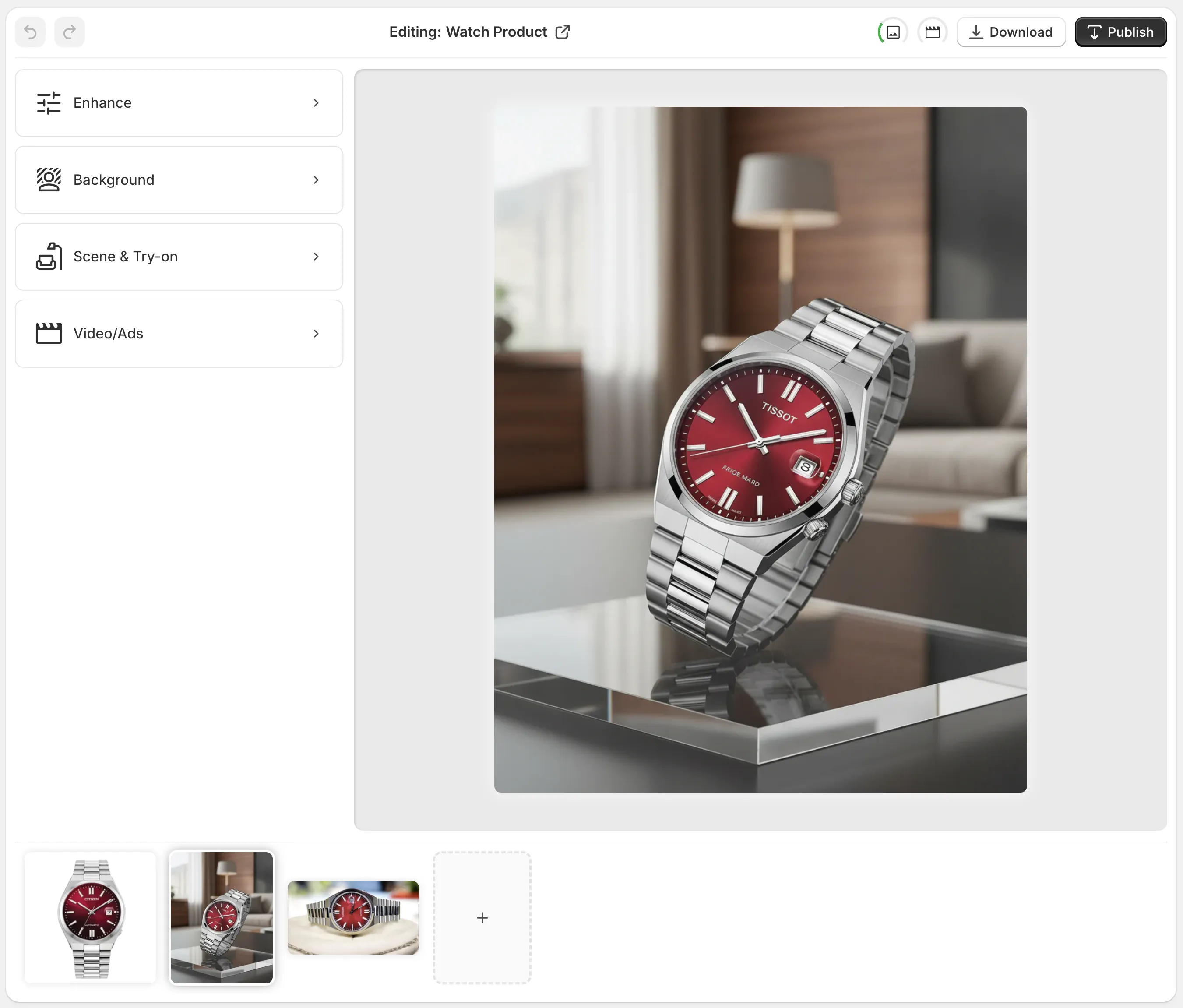
The Supra AI Photo Studio editor inside Shopify — where you can enhance, isolate, and repurpose product images into SEO‑friendly, fast-loading visuals without leaving your admin.