
Use Lifestyle Scenes To Increase Product Page Conversions
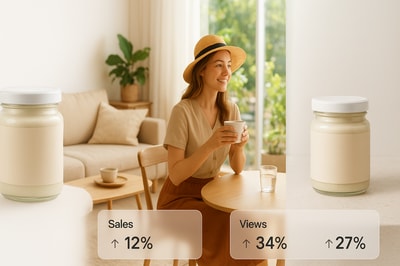
Why Lifestyle Scenes Are Conversion Superpowers
If your product pages are filled with plain white-background photos, you’re leaving money on the table.
Lifestyle product photos — images that show your product in use, in context, and in a real environment — consistently outperform simple packshots. They help shoppers instantly imagine how the product fits into their life, which directly boosts add‑to‑cart rate, time on page, and overall conversions.
In this guide, you’ll learn:
- Why lifestyle scenes convert better than plain images
- The exact types of lifestyle photos that work best
- How to create high-converting scenes in minutes using AI, without a studio or photographer
Want to skip straight to the tool? Check out Supra AI Photo Studio for Shopify — an AI-powered app that turns basic photos into studio-grade lifestyle scenes, model try-ons, and UGC-style videos.
Why Plain Product Photos Aren’t Enough
Minimal, white-background product images are great for consistency and clarity. But on their own, they ask shoppers to do too much mental work:
- How big is this actually?
- What does it look like in my living room / on my body / on my desk?
- Does it feel premium or cheap?
Lifestyle scenes answer those questions visually — with zero extra text.
Benefits of lifestyle product photography:
- Builds trust – Realistic environments make products feel tangible and believable.
- Shows scale & fit – A mug on a table, a lamp beside a sofa, a dress on a model — all instantly communicate size and proportion.
- Triggers emotion – Cozy, aspirational scenes tap into desire and identity (“This is the life I want”).
- Reduces objections – Shoppers see how it’s used, styled, or worn, lowering hesitation.
- Boosts conversions – More context = more confidence = more completed checkouts.
5 Lifestyle Scene Types That Consistently Convert
You don’t need dozens of concepts. Focus on a few high-impact lifestyle scenes that map to how customers actually use your product.
1. Everyday Use Scenes (The “That’s Me” Moment)
Show your product in a believable, everyday moment your ideal customer relates to.
Examples:
- A water bottle on a gym bench mid-workout
- A skincare product on a bathroom sink with a towel and mirror
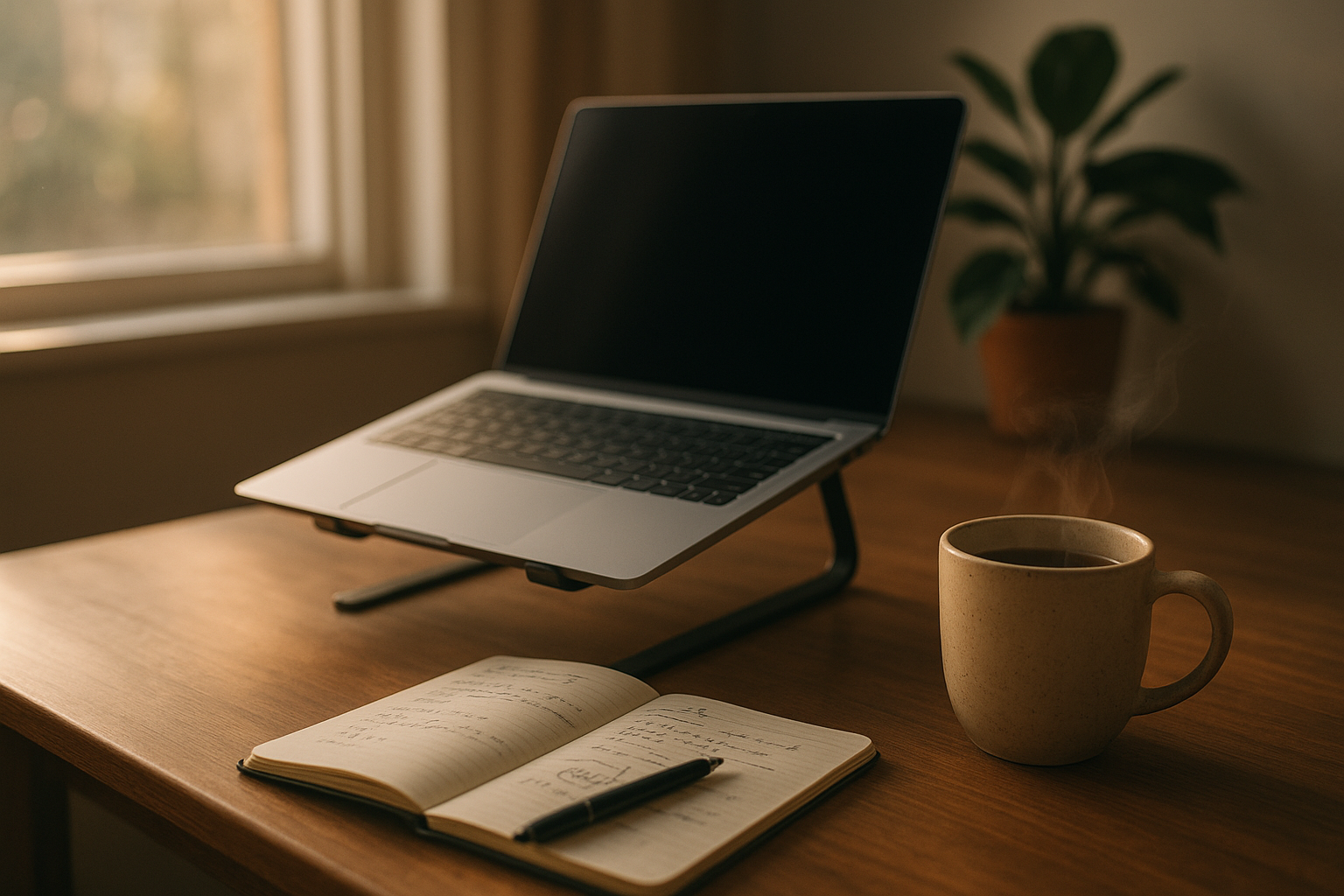
- A laptop stand on a real desk setup with a coffee mug and notebook
These scenes create the “I can see myself using this” connection that directly drives conversions.
2. Aspirational Scenes (Sell the Lifestyle, Not Just the Product)
Aspirational scenes go beyond realism into idealized versions of your customer’s life.
Examples:
- A designer bag resting on a marble cafe table in a chic city terrace
- A candle on a pristine nightstand in a minimalist, luxurious bedroom
- Fitness gear in a sun-drenched modern loft with huge windows
These images subconsciously communicate: “If you own this, your life gets a little closer to this scene.”
3. On-Model Try-On Scenes (For Fashion, Jewelry & Accessories)
If you sell anything worn on the body, on-model photos are non-negotiable for high conversions.
They:
- Show how fabric drapes, how jewelry catches light, how bags sit on the body
- Demonstrate fit, proportion, and style
- Help shoppers identify with the model’s look or body type
Traditionally, this required expensive photoshoots and model bookings. With AI, you can now generate realistic model imagery from your existing garment photos.
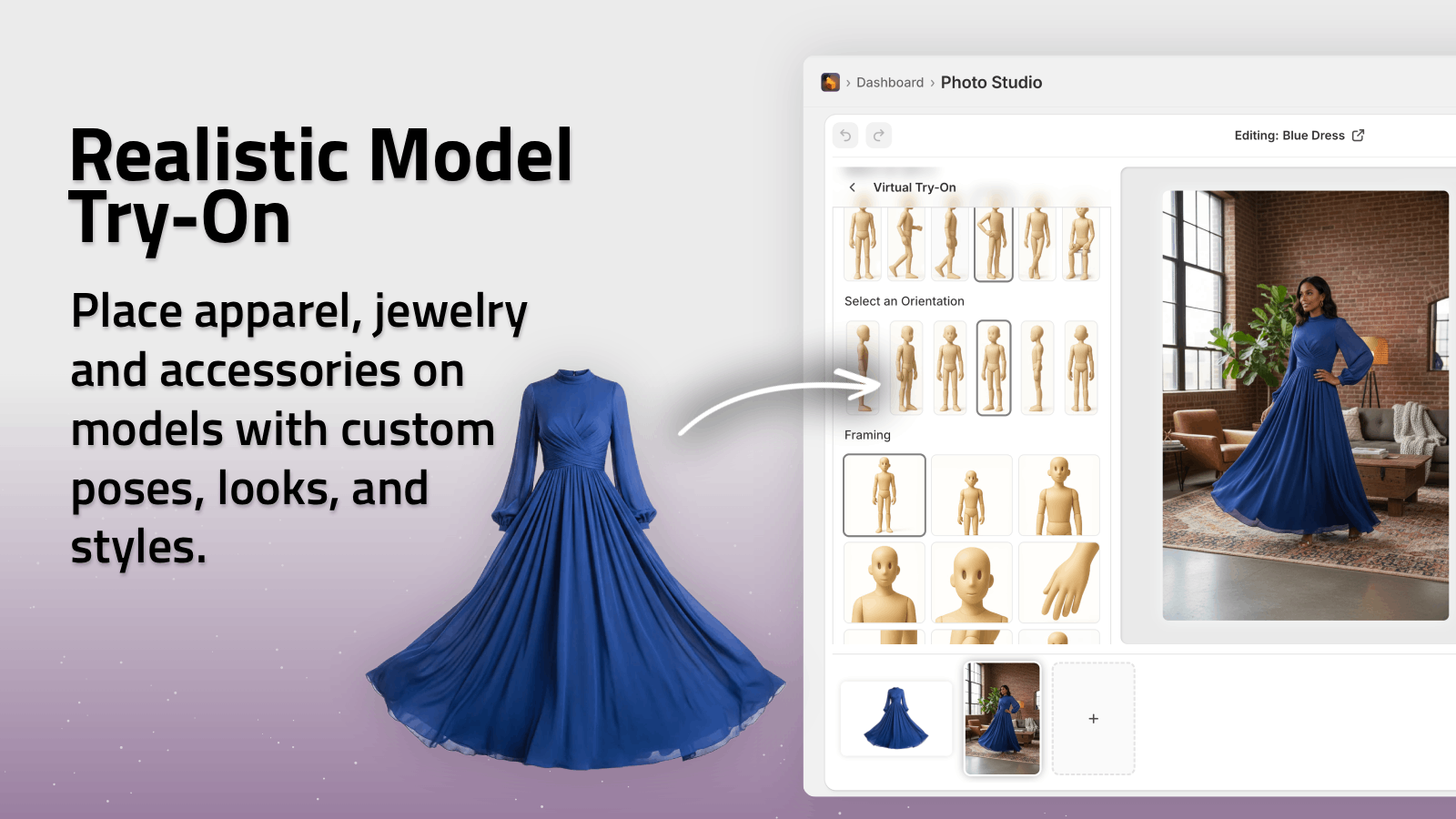
With Supra AI Photo Studio, you can create AI model try-ons in one click: choose an AI model, select pose, skin tone, body type, and let the app place your clothing on them while preserving exact product details.
4. Environment-Based Object Placement (Home, Office, Outdoors)
If your product lives in a space — kitchenware, decor, office supplies, tech accessories — you should show it inside that space.
High-performing environments:
- Kitchen & dining – For cookware, drinkware, small appliances, tableware
- Living room & bedroom – For decor, lighting, textiles, candles
- Desk & office – For tech, organizers, stationery, productivity tools
- Outdoors – For bags, footwear, sports gear, travel accessories
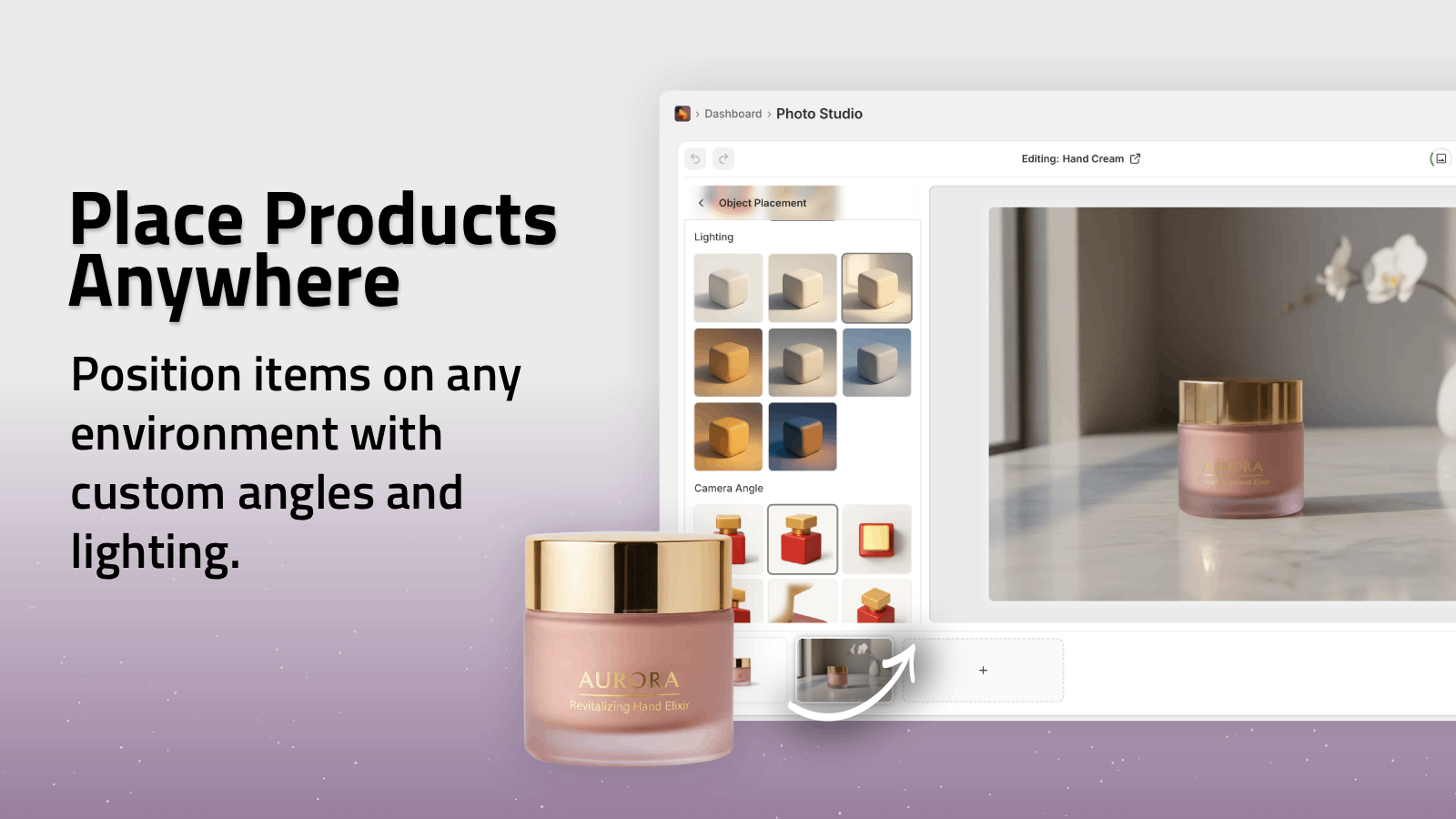
Using AI object placement, you can drop your existing product shots into these environments without reshooting.
5. UGC-Style Scenes & Short Videos (For Social Proof & Ads)
User-generated content (UGC) feels real, raw, and trustworthy — and it sells.
UGC-style imagery and short vertical videos on your product page or in your ads:
- Increase trust via “people like me use this” proof
- Perform incredibly well on TikTok, Reels, and Stories
- Reduce ad fatigue because they look native, not like ads

With Supra AI Photo Studio, you can generate UGC-style videos from a single product image, choosing the voice, vibe, and setting — perfect for embedding on product pages and running as social ads.
How Lifestyle Scenes Directly Increase Conversions
Adding lifestyle visuals to your product pages impacts several key metrics:
-
Higher Add-to-Cart Rate
Shoppers feel more confident about what they’re buying because they’ve seen the product “in the wild.” -
Reduced Returns & Complaints
More realistic expectations about size, color, and use-case mean fewer surprises when the package arrives. -
Higher Average Order Value
Lifestyle scenes can show product bundles (e.g., pillow + throw + lamp), encouraging complementary purchases. -
Longer Time on Page
Engaging visuals and short videos keep shoppers exploring instead of bouncing. -
Better Ad Performance
When your product page visuals match the story told in your ad creatives, conversions stay strong from click to checkout.
The Traditional Problem: Lifestyle Photos Are Expensive & Slow
Historically, creating lifestyle scenes meant:
- Renting a studio or location
- Hiring photographers, models, stylists
- Coordinating schedules, props, and lighting
- Waiting days or weeks for retouching and delivery
For many Shopify merchants, that’s simply not realistic.
This is where AI-powered product photography changes everything.
How To Create High-Converting Lifestyle Scenes With AI (In Minutes)
Instead of building a full photo team, you can turn your existing product shots into a complete visual system using Supra AI Photo Studio.
Step 1: Install Supra AI Photo Studio in Your Shopify Store
- Go to the Supra AI Photo Studio app listing.
- Click Add app and connect it to your Shopify store.
- Open it from your Shopify admin and pick any product or upload an image.
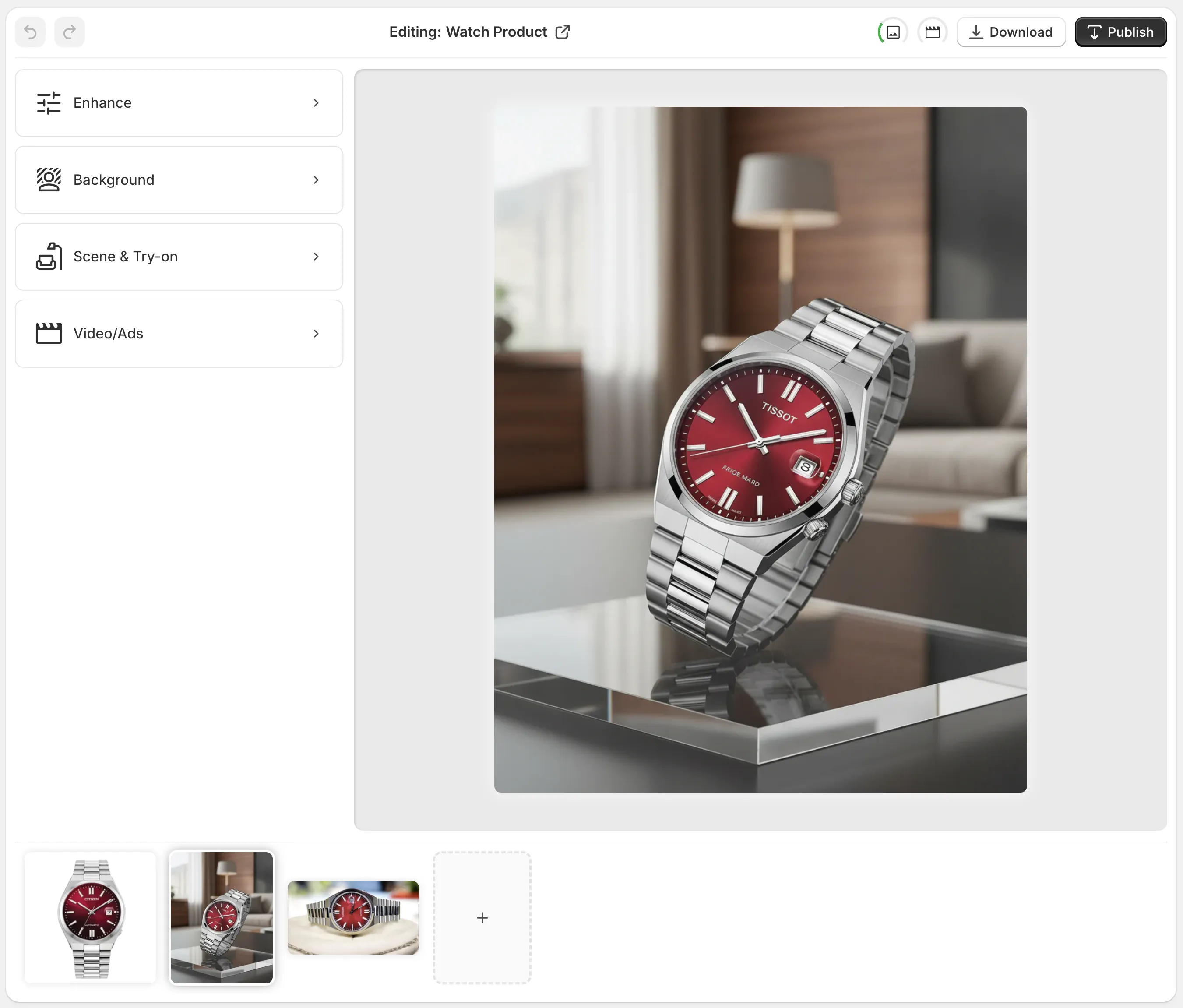
You’ll see an editor with:
- Top bar – Undo/redo, download, publish to product.
- Tools (left) – Background remover, Object Placement, AI Try-On, Upscaling, Auto Enhance, and more.
- Canvas (right) – Live preview of your current image.
- Image gallery (bottom) – All images associated with the product.
Step 2: Clean Your Base Image (Background & Quality)
Before generating lifestyle scenes, make sure your base product image is clean and crisp.
In Supra AI Photo Studio:
- Use Background Remover / Isolate Product to strip distractions and separate the product.
- Run Auto Enhance to fix lighting, color, and sharpness.
- Use Upscaling to boost resolution for sharp, high-quality output.
This gives the AI a strong, clear starting point for scene generation.
Step 3: Generate Lifestyle Scenes With Object Placement
Now, turn that clean product image into multiple lifestyle scenes.
With Object Placement in Supra AI Photo Studio, you can:
- Place your product in kitchens, offices, bedrooms, outdoors, and more.
- Choose surface type, environment, camera angle, and lighting style.
- Quickly create several variations for A/B testing.
Example workflows:
-
A ceramic mug in:
- Cozy breakfast table with a book
- Minimal studio with soft shadows
- Outdoor cafe with blurred city background
-
A skincare bottle in:
- Marble bathroom counter with towel and mirror
- Vanity table with jewelry and perfume
- Spa-like wooden tray with greenery and candles
All from the same original packshot.
Step 4: Create On-Model Try-On Photos (Fashion & Accessories)
If you sell apparel, jewelry, or accessories, use AI Try-On:
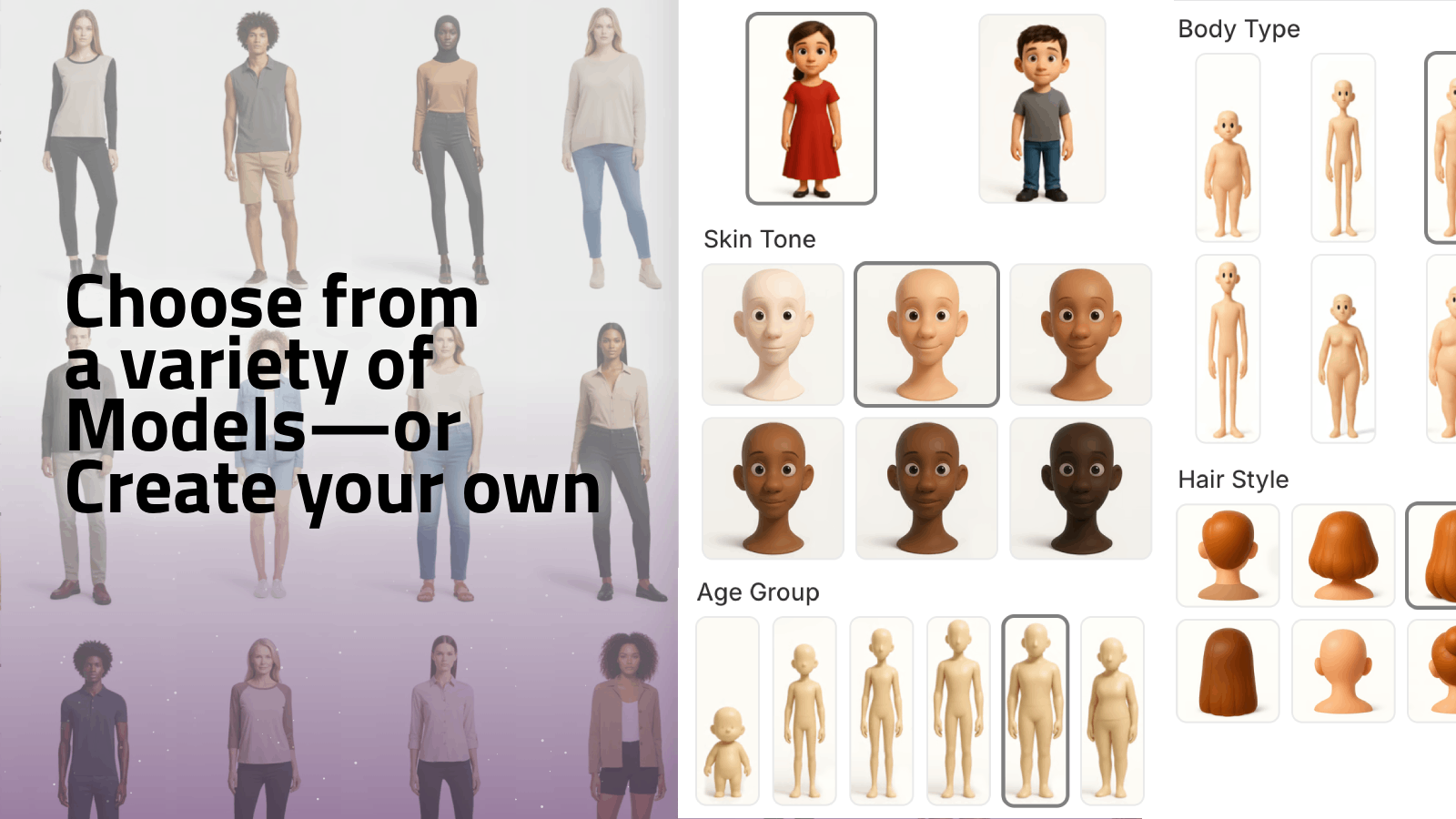
- Choose from a variety of realistic AI models or create your own.
- Customize pose, skin tone, and body type to reflect your target audience.
- Let the AI place your product on the model while preserving fit and fabric details.
This replaces the need for many traditional model photoshoots, especially for testing new designs or colorways.
Step 5: Add UGC-Style & B-roll Videos
Static lifestyle photos are powerful. Combined with video, they’re unstoppable.
With Supra AI Photo Studio you can:
- Generate UGC-style videos from product images — great for TikTok, Reels, and embedding on product pages.
- Create b-roll product videos with cinematic movements, dust or liquid splashes, and slow motion.
These are perfect for:
- The first product media slot on Shopify product pages
- Short loops in your hero section
- Ads that match the visuals of your product page
You can test Supra’s video features on the demo trailer to see the quality you can achieve.
Best Practices: Making Lifestyle Scenes Work Hard For You
To maximize conversion impact, follow these guidelines:
-
Always Keep One Clean Packshot
Lifestyle images are a complement, not a replacement. Use a white-background or neutral packshot as one of the first images, then follow with lifestyle shots. -
Match Scenes to Use-Cases
Think like your customer: Where, when, and how will they use this? Build scenes around those exact contexts. -
Maintain Visual Consistency
Use a cohesive color palette, lighting style, and framing across your catalog. AI tools like Supra help you keep this consistent across hundreds of SKUs. -
A/B Test Image Order
Sometimes leading with a lifestyle image yields better conversions; other times, a clear packshot first, then lifestyle. Test in Shopify and monitor click-through and add-to-cart rates. -
Use Different Scenes for Different Channels
- Product pages: Clear packshots + lifestyle + 1 short video
- Social ads: UGC-style scenes and videos
- Email: A mix of aspirational scenes and close-up detail shots
Start Turning Browsers Into Buyers With Better Visuals
Lifestyle scenes aren’t just “nice to have” anymore — they’re one of the easiest, fastest ways to increase product page conversions without changing your pricing, copy, or funnel.
With Supra AI Photo Studio, you can:
- Turn plain shots into high-converting lifestyle images
- Generate realistic AI model try-ons in minutes
- Create UGC-style videos and cinematic b-roll without a camera
- Keep your entire catalog visually consistent, right inside your Shopify admin
You can try it on a free plan and start upgrading your product visuals today:
➡️ Install Supra AI Photo Studio on Shopify:
https://apps.shopify.com/supra-ai-photo-studio
Transform your product photos, tell a richer visual story, and watch your conversions follow.