
Product Photographer in Seattle: How to Get Studio-Quality Shots Without Studio Prices
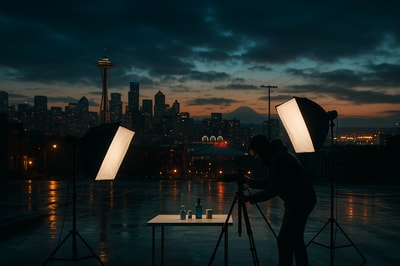
If you’re searching for a product photographer in Seattle, you already know how much visuals matter. Whether you sell handmade ceramics at Pike Place, streetwear out of Capitol Hill, or tech gadgets from a SoDo warehouse, your product photos can make or break your sales.
Seattle is full of incredible photographers—but also full of costs: studio rentals, day rates, retouching, reshoots. In this guide, you’ll learn:
- What makes great product photography (especially for Seattle brands)
- When to hire a Seattle product photographer—and when not to
- How to get studio-quality images using AI without hiring a full team
- A step‑by‑step workflow to level up your Shopify product photos using Supra AI Photo Studio
What Makes Great Product Photography in Seattle’s Market?
Seattle shoppers are picky—in a good way. They care about quality, sustainability, and authenticity. Your product photography has to show all three.
Here’s what high‑converting product photos have in common:
-
Clarity & Detail
Close‑ups show textures, finishes, and small details. This matters for apparel, handmade goods, and tech alike. -
Consistent Lighting
Every product page should feel like it belongs to the same brand. Mixed lighting (warm, cool, harsh shadows) screams “inconsistent quality.” -
Clean Backgrounds
For catalog shots, the product should be the hero. Neutral or white backgrounds convert best on marketplaces and Shopify. -
Lifestyle Context
Seattle shoppers want to imagine themselves with your product—on a hike near Rattlesnake Ledge, working in a South Lake Union office, or sipping coffee on a rainy morning. -
On‑Model or In‑Use Shots
For fashion, jewelry, and accessories, people want to see fit, scale, and movement.
Traditionally, achieving this required hiring a product photographer in Seattle, renting a studio in SoDo or Georgetown, paying for retouching, and waiting days or weeks for results.
Now you have another option.
Why Seattle Merchants Are Rethinking Traditional Product Photography
Professional photographers are absolutely valuable—especially for brand campaigns, hero images, and big launches. But for ongoing ecommerce needs, the traditional model shows some cracks:
- Cost adds up fast: Day rates, assistants, models, stylists, retouching, studio rentals.
- Not agile: Each new color variant, seasonal product, or small packaging change can mean another shoot.
- Hard to scale: If you have dozens or hundreds of SKUs, keeping everything consistent becomes a full‑time job.
That’s why more Shopify merchants in Seattle are adopting AI‑powered product photography workflows to handle 80–90% of their catalog shots—while still using human photographers strategically for high‑impact work.
One of the most flexible tools for this is Supra AI Photo Studio, a Shopify app built specifically to turn basic product photos into studio‑grade images and videos.
Meet Your "Virtual Product Photographer" for Seattle: Supra AI Photo Studio
Instead of treating every photo need as a new shoot, Supra AI Photo Studio lets you:
- Shoot products once (even on a basic background)
- Upload them to the app inside Shopify
- Use AI to create multiple:
- Clean catalog shots
- Lifestyle scenes
- On‑model images
- UGC‑style videos
- B‑roll ads for social
Explore the app here:
👉 Supra AI Photo Studio on the Shopify App Store
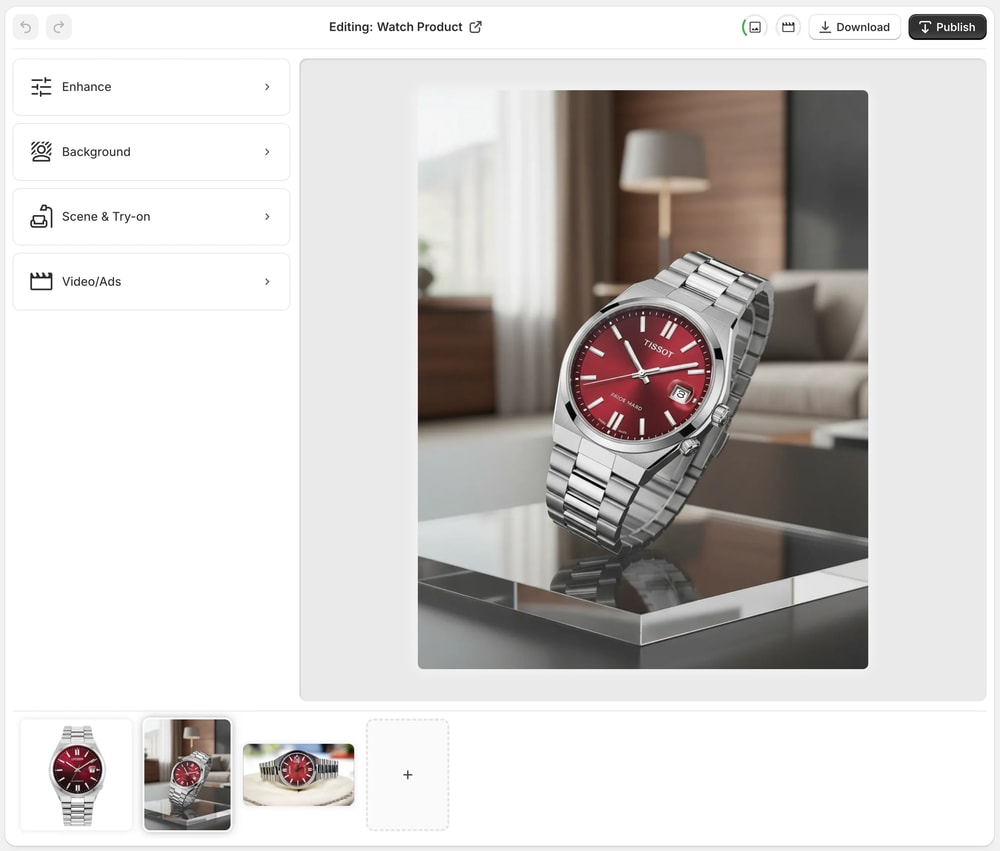
The editor is built for non‑designers. From your Shopify admin you can:
- Remove or replace backgrounds
- Upscale images and fix blur
- Auto‑enhance colors and lighting
- Place products into lifestyle scenes
- Try apparel on realistic AI models
- Generate UGC and b‑roll videos from static images
For many Seattle merchants, this becomes their always‑available, on‑demand "product photographer"—minus the scheduling and hourly fees.
Key Features That Replace (or Supercharge) a Product Photographer
1. Background Removal & Replacement
If you’ve ever tried to cut out a product in Photoshop, you know how tedious it is. With Supra AI Photo Studio:
- Use “Isolate Product” to remove cluttered or distracting backgrounds.
- Swap in clean white or branded color backgrounds for catalog consistency.
- Test seasonal looks (holiday, fall, summer) without reshooting.
Perfect for: skincare, tech accessories, coffee bags, candles, and any product where you want a minimal, polished look.
2. AI Try‑On for Fashion, Jewelry & Accessories
Seattle has a strong fashion and maker scene—but booking models for every style and color quickly gets expensive.
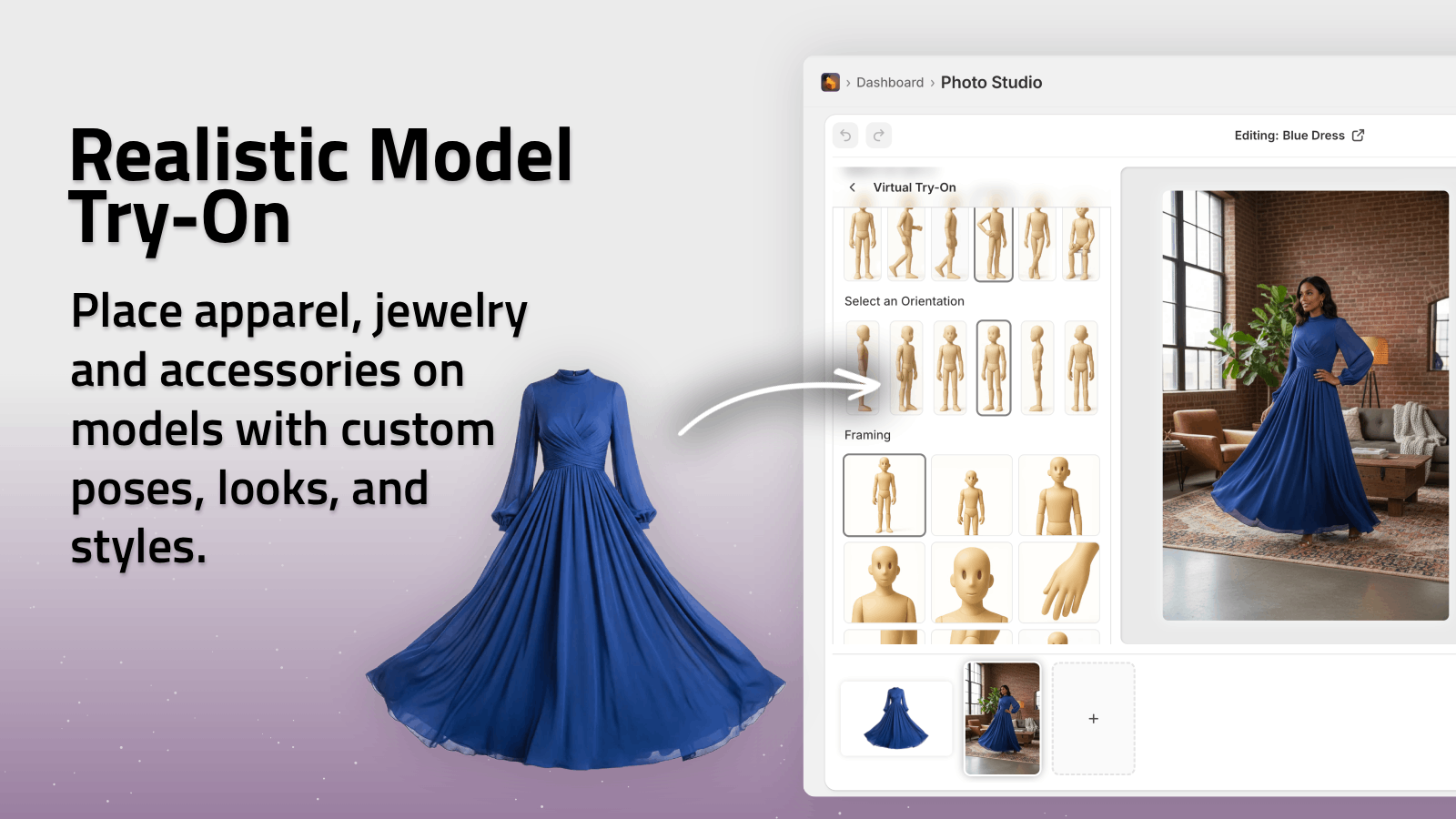
Supra’s AI Try-On lets you:
- Put your clothing, jewelry, or accessories on realistic AI models
- Adjust poses, skin tones, and body types
- Maintain accurate product details (fit, print, fabric)
Check it out in the app listing:
This works especially well for:
- Apparel boutiques in Ballard or Capitol Hill
- Jewelry makers selling at pop‑ups and online
- Footwear or accessories brands wanting on‑model variety without repeated shoots
3. Object Placement in Lifestyle Scenes
Want your product photographed in a modern downtown loft, a rainy Seattle café, or a minimalist studio—without the hassle of location scouting?
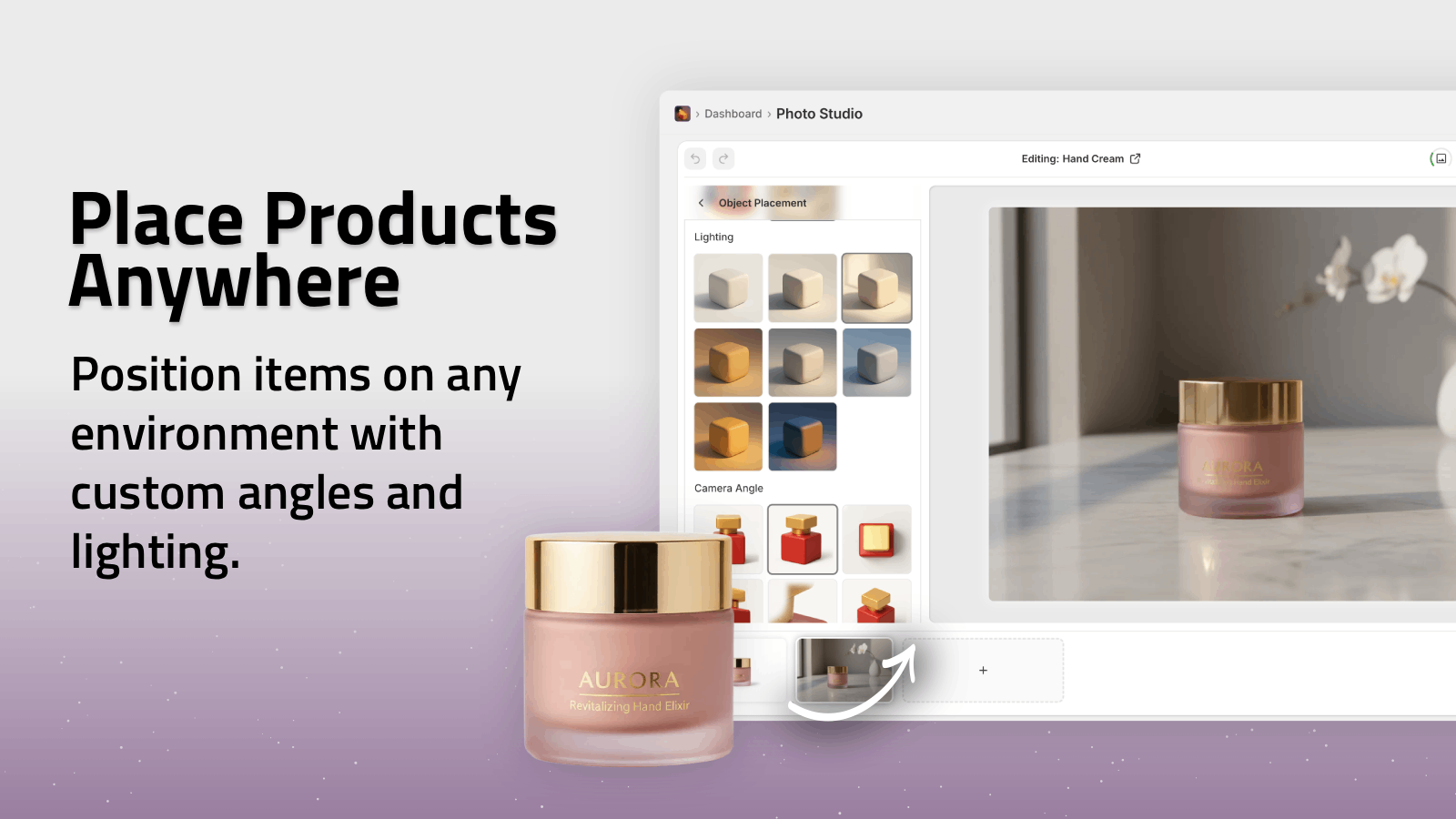
The Object Placement tool lets you:
- Place your isolated product into predefined or AI‑generated environments
- Choose surface types, camera angles, and lighting styles
- Create catalog‑ready lifestyle shots in minutes instead of days
You can quickly generate:
- A coffee blend styled on a rainy windowsill
- Outdoor gear on a forest picnic table
- Home goods in a warm, Scandinavian‑inspired interior
4. Auto Enhancements & Upscaling
If your original images are slightly dark, noisy, or soft, Supra AI Photo Studio can:
- Denoise low‑light photos
- Deblur minor focus issues
- Automatically adjust exposure, contrast, and color balance
- Increase resolution for crisp, zoomable product shots
This is huge if you’ve shot products yourself in your apartment, workshop, or small shop without professional lighting.
5. UGC & B‑Roll Videos for Ads
Short‑form video is crucial for Seattle brands advertising on TikTok, Instagram Reels, and YouTube Shorts.
Supra AI Photo Studio can turn a single product image into:
- Influencer‑style UGC videos with different voices and vibes
- Cinematic b‑roll showcasing your product with dust, liquid, or smoke effects
- Top‑down, slow‑motion clips perfect for ad creatives
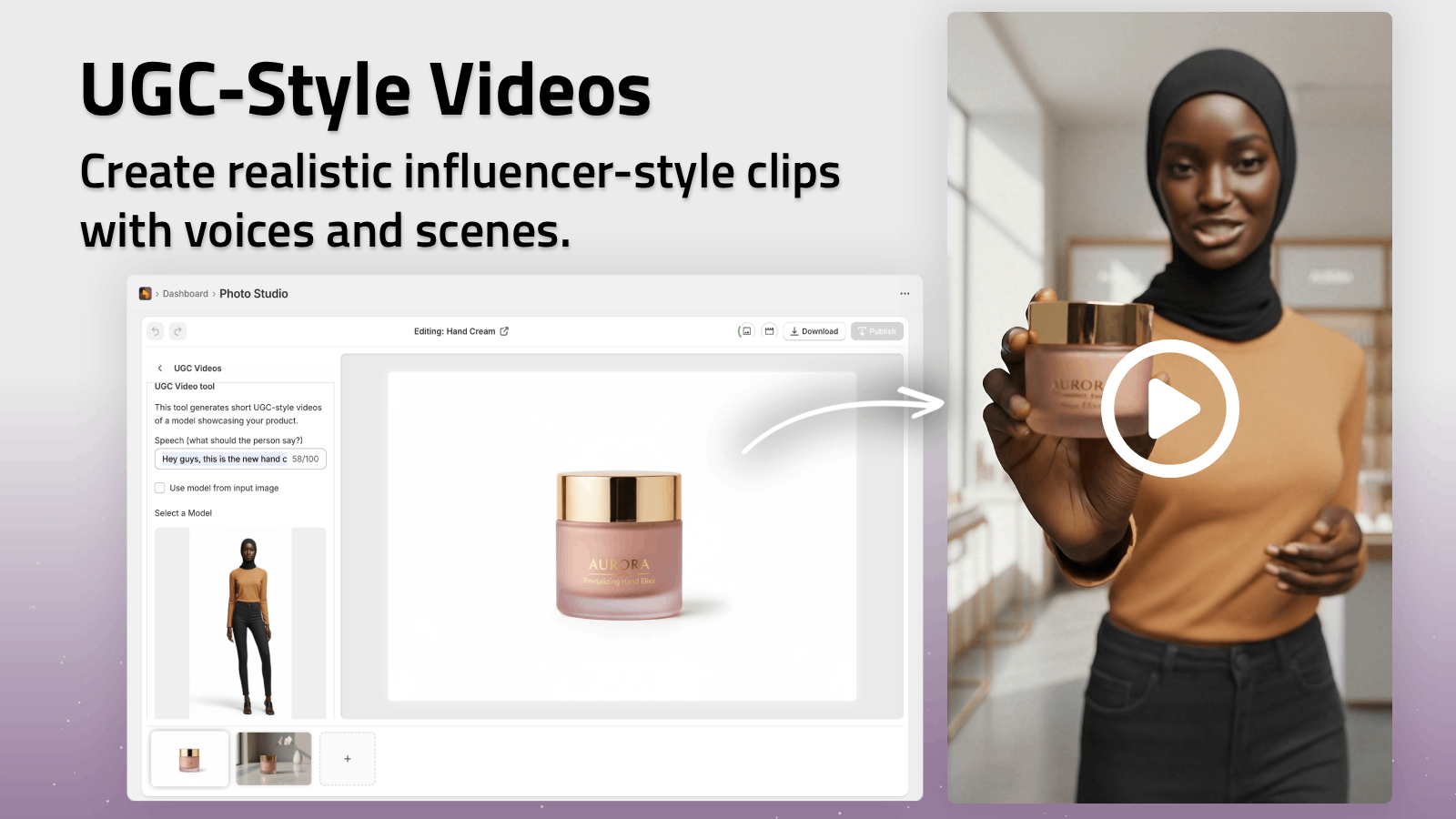
This means you don’t need to continuously book videographers just to keep your ad library fresh.
When You Still Need a Local Seattle Product Photographer
AI doesn’t replace everything. There are moments when a human photographer in Seattle is absolutely worth it:
- Big brand campaigns and hero homepage imagery
- In‑person events and lifestyle shoots with real locations
- Highly art‑directed, conceptual photography that defines your brand
A smart approach for many merchants:
- Hire a Seattle product photographer for core brand visuals and key campaigns.
- Use Supra AI Photo Studio for day‑to‑day product shots, variants, backgrounds, and videos.
- Maintain visual consistency by using the AI tools to match the lighting and tone of your original shoot.
This hybrid model lets you get the best of both worlds: the artistry of a real photographer plus the speed and affordability of AI.
Step‑by‑Step: Turn a Simple Product Photo Into a Studio‑Quality Shot
Here’s a practical workflow you can copy today.
-
Shoot a basic product image
Use your phone or camera. Natural light near a window works well. Aim for:- Sharp focus
- Minimal reflections
- Simple background
-
Install Supra AI Photo Studio
- Go to the Shopify App Store listing.
- Click Add app and connect it to your store.
-
Open the product in the Supra editor
- From your Shopify admin, open a product.
- Launch Supra AI Photo Studio and select the image you just shot.
-
Isolate the product
- Use the Isolate Product / Background Remover tool.
- Let the AI cleanly cut your product out.
-
Create your catalog image
- Choose a white or brand‑colored background.
- Apply Auto Enhance to fix lighting and contrast.
- Use Upscale if you need a higher resolution.
-
Generate 2–3 lifestyle variations
- Use Object Placement to drop your product into:
- A modern kitchen or living room
- An outdoor Seattle‑inspired scene
- A minimal product shoot environment
- Use Object Placement to drop your product into:
-
Add an on‑model or in‑use shot (if applicable)
- For apparel or accessories, use AI Try-On.
- Pick a model and pose that fits your brand.
-
Export & publish directly to your product page
- Save your favorites.
- Replace older, inconsistent images with your new set.
In one session, you’ve essentially done the work of a product photographer + retoucher + stylist.
Pricing: Cheaper Than a Single Half‑Day Shoot
You can try Supra AI Photo Studio with a free plan:
- Free – 4 AI image generations/month, enough to test the workflow.
- Standard – 60 images/month for small catalogs.
- Professional – 300 images/month for growing stores.
- Agency – 1000 images/month for large shops or agencies.
Full pricing details:
👉 View pricing on the app listing
For many Seattle merchants, even the Professional plan costs less than a single half‑day session with a photographer, while covering dozens or hundreds of images.
Visual Inspiration: Seattle Vibes, Studio Quality
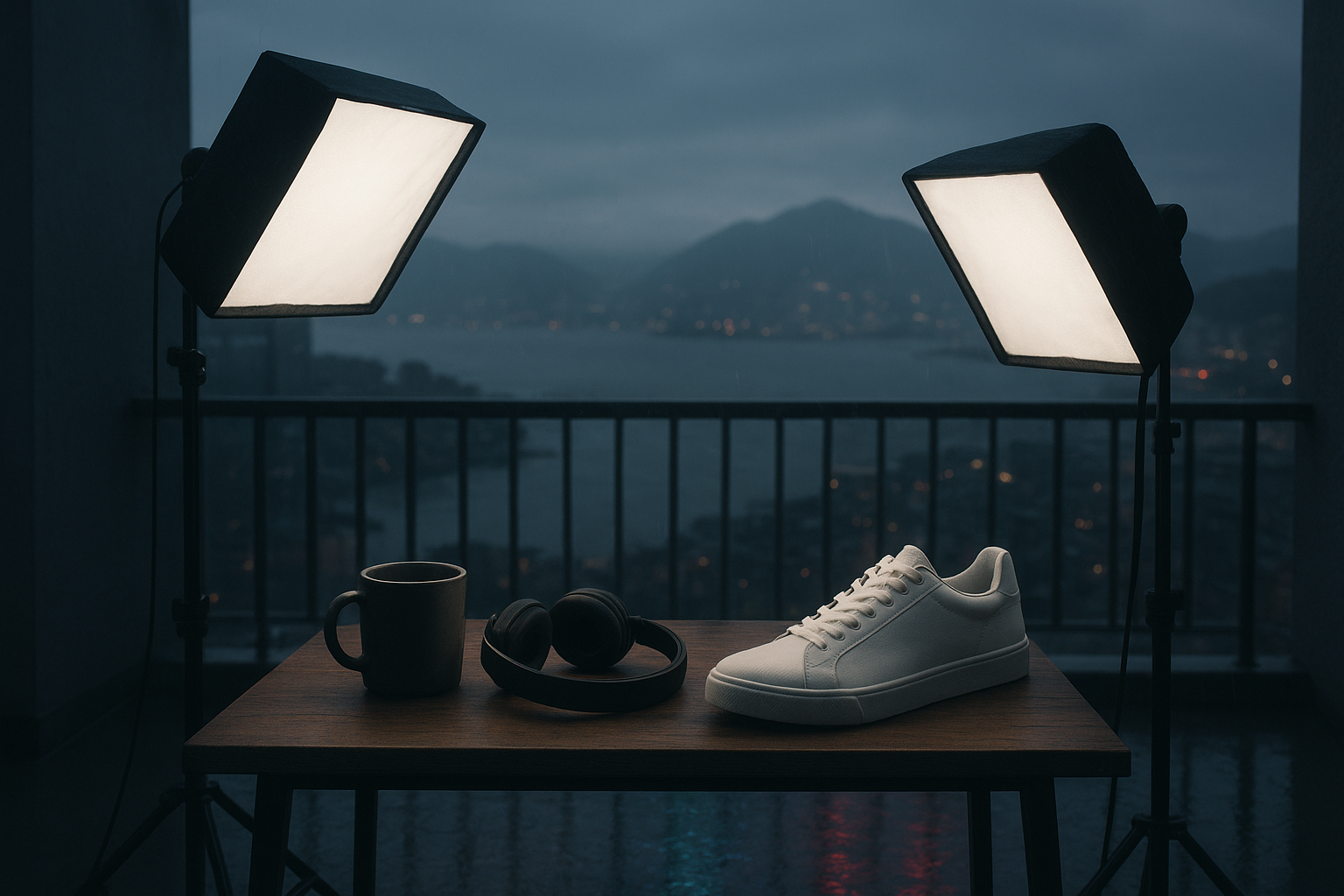
Use AI to echo the Seattle atmosphere—rain‑kissed windows, warm indoor lighting, urban lofts—without ever renting a space or waiting for the perfect weather.
Final Thoughts: The New Way to Do Product Photography in Seattle
If you’re building a brand in Seattle, you no longer have to choose between:
- Expensive, slow traditional photo shoots, or
- DIY photos that don’t do your products justice.
Instead, you can:
- Collaborate with local photographers for key moments, and
- Use Supra AI Photo Studio as your everyday product photography engine.
Install the app, upload a few products, and see how quickly your catalog starts to look like it came from a professional studio—no matter where in Seattle you’re working from.
Start here:
👉 Supra AI Photo Studio — AI Product Photography for Shopify